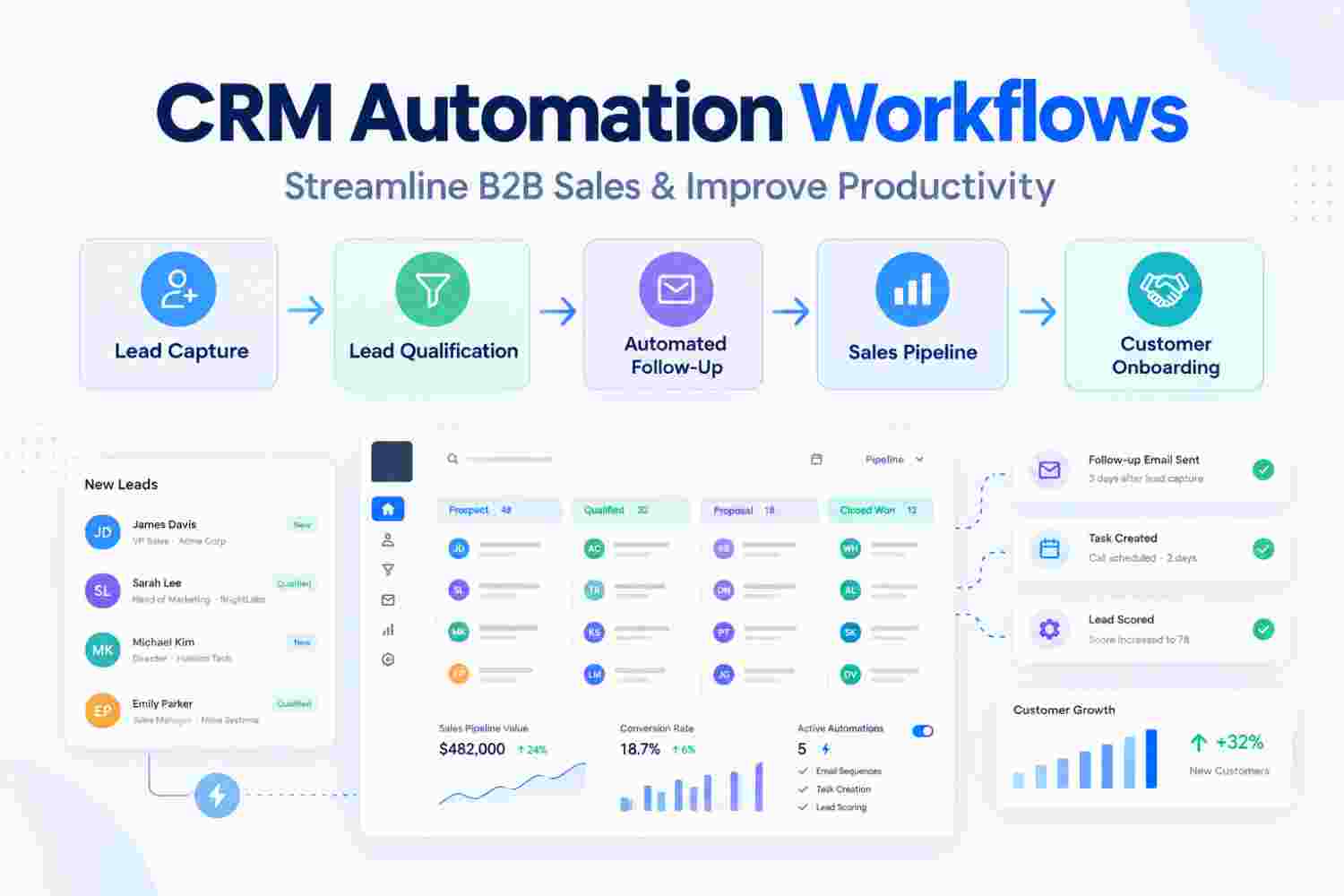


How LeadScaler Pro CRM Helps Businesses Manage Leads, Automate Sales and Boost Conversions
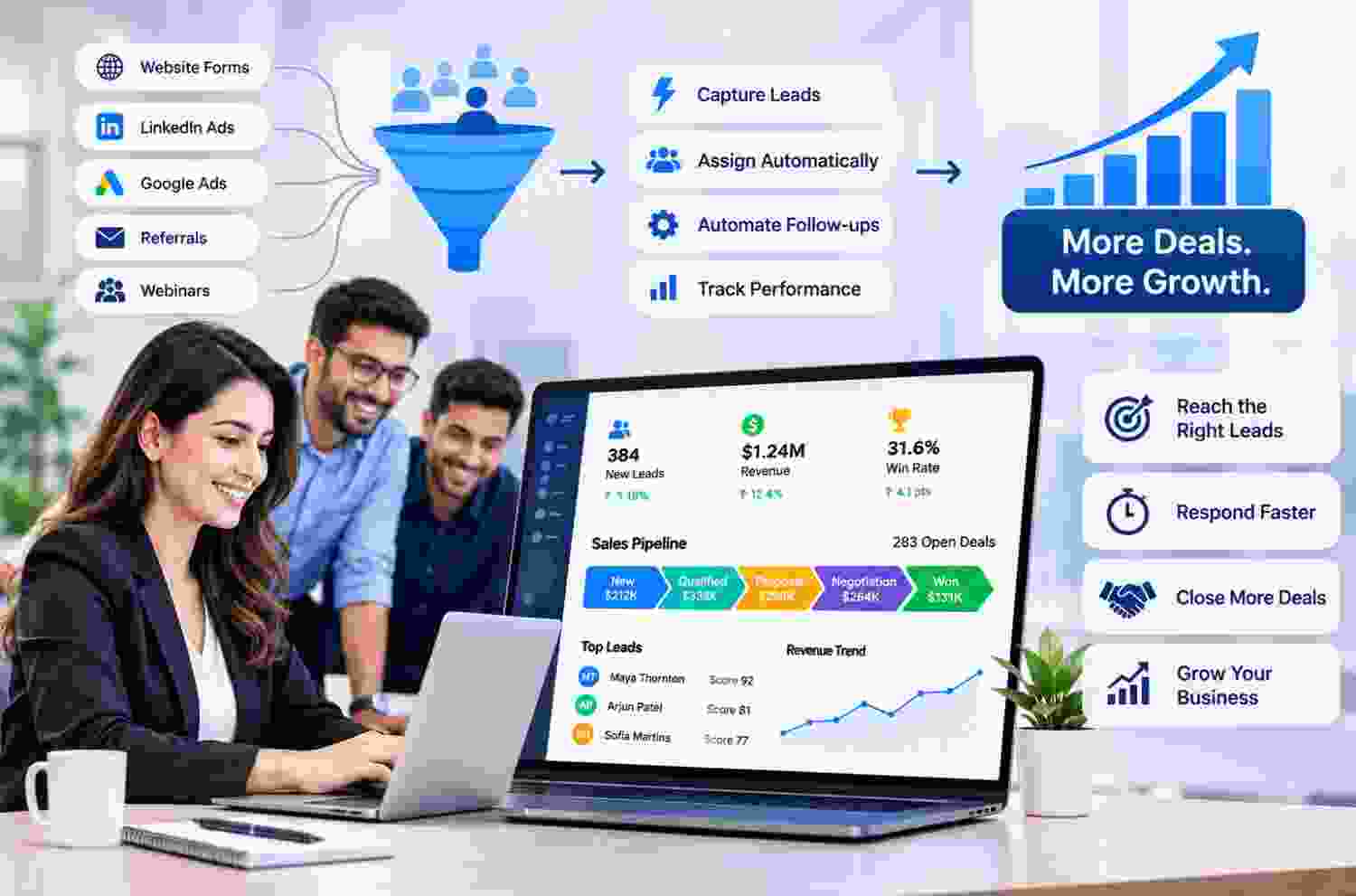
Managing leads and converting them into customers can become challenging when enquiries come from different channels, sales teams work separately, and follow-ups are missed. A business may receive hundreds of enquiries but still lose potential customers because nobody responds on time or tracks the next sales activity.
This is where a Customer Relationship Management (CRM) system becomes useful. LeadScaler Pro brings lead management, sales pipelines, communication, workflow automation and analytics together in one workspace.
Let's understand how it works with simple explanations and practical business examples.
1. Lead Capture: Collect Every Enquiry in One Place
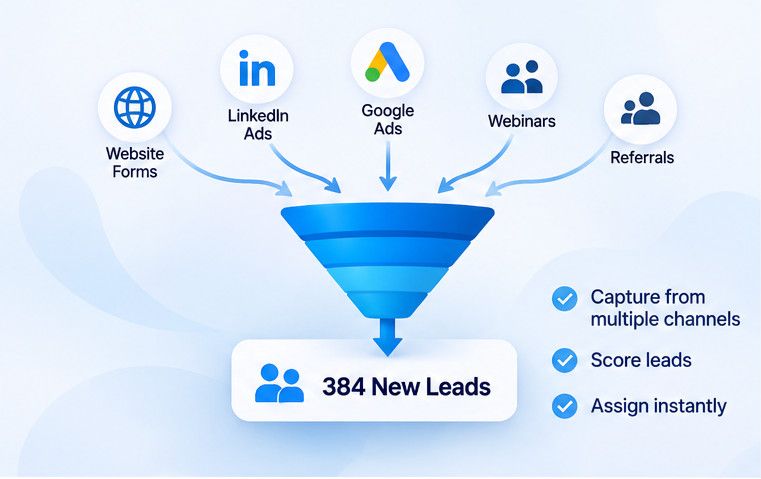
Businesses receive enquiries through website forms, Google Ads, LinkedIn, referrals, webinars and other marketing channels. Managing these enquiries separately makes it difficult to track potential customers.
LeadScaler Pro brings leads from different sources into a centralised CRM workspace, making it easier for sales teams to manage and track every enquiry.
Practical Example: A Real Estate Company
Suppose a real estate company runs Google Ads and LinkedIn campaigns to promote a new residential project. Within one day, it receives 50 enquiries.
Instead of manually checking different platforms, the sales team can manage incoming leads in one place. Each lead can have details such as name, contact information, source, lead score and assigned salesperson.
How It Helps
- Collect enquiries from multiple channels.
- Assign leads automatically using round-robin and territory rules.
- Identify potential customers through lead scoring.
- Ensure every enquiry has an owner and status.
2. Sales Pipeline: Track Every Deal from Start to Finish
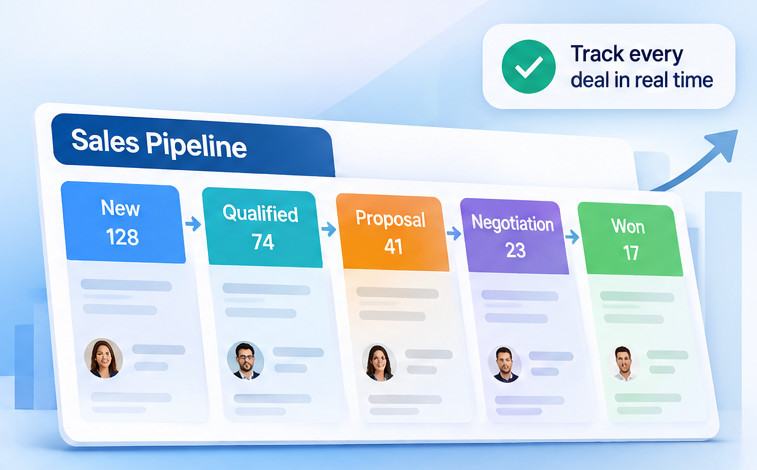
A sales pipeline is a visual representation of your sales process. It helps businesses understand how many potential customers are at each stage of purchasing.
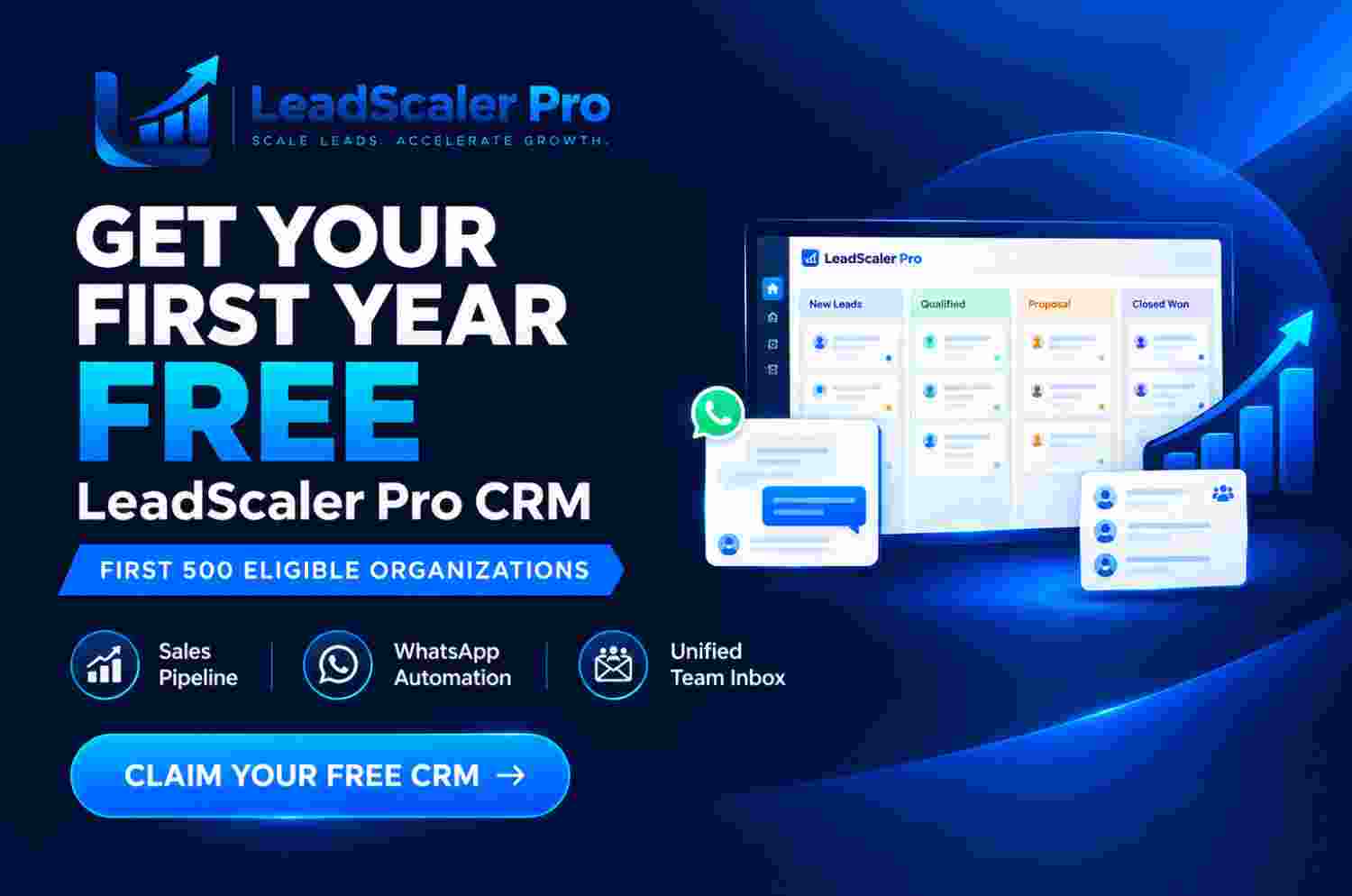
LeadScaler Pro provides a visual pipeline where teams can manage deals through stages such as New, Qualified, Proposal, Negotiation and Won.
Practical Example: An IT Software Company
Imagine a software company receives an enquiry for a custom eCommerce website worth $5,000. The salesperson can track the opportunity through different sales stages:
- New: The customer submits an enquiry.
- Qualified: The team understands the project requirements and budget.
- Proposal: The company shares its quotation.
- Negotiation: Both parties discuss pricing and features.
- Won: The customer approves the proposal.
How It Helps
Sales managers can see pending deals, their values, assigned employees and current stages. They can also understand expected revenue and identify deals that need immediate attention.
3. Workflow Automation: Never Miss an Important Follow-Up
Following up with potential customers manually takes time. Salespeople may forget to send emails, contact customers or update deal statuses.
Workflow automation allows businesses to perform these activities automatically based on predefined triggers and conditions.
Practical Example: Automatic Lead Follow-Up
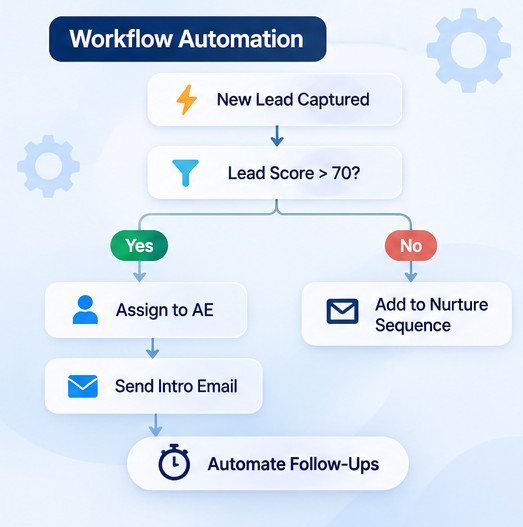
Suppose someone submits an enquiry through your website and receives a lead score of 85. You can create an automated workflow to handle the next steps.
Step-by-Step Process
- Trigger: A new lead enters the CRM.
- Condition: Check whether the lead score is above 70.
- Action: Assign the lead to an available salesperson.
- Action: Send an introductory email automatically.
- Delay: Wait for two business days.
- Action: Add the lead to a follow-up or nurturing sequence.
Business Benefits
Your team does not need to perform every repetitive task manually. Salespeople can focus more on customer conversations, product demonstrations and closing deals.
Expected Outcome
Faster responses, organised follow-ups and fewer missed opportunities can help create a more consistent sales process.
4. Communication Management: Keep Every Conversation Connected
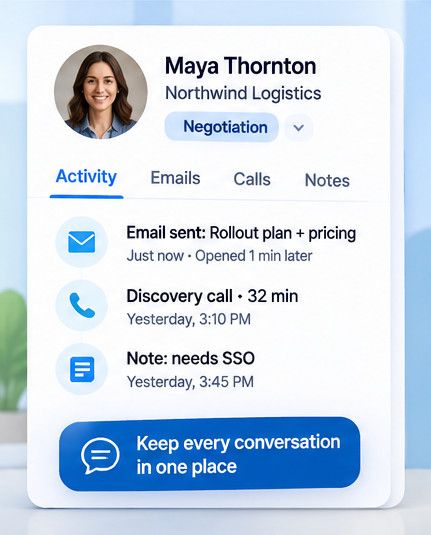
When customer conversations happen through different channels, important information can easily get lost. LeadScaler Pro helps maintain communication history within customer records, allowing salespeople to understand previous interactions before contacting a customer.
Practical Example: Following Up with an Existing Customer
Suppose a customer discussed an enterprise software project with your salesperson yesterday. During the conversation, the customer requested additional security features and a pricing proposal.
When the salesperson opens the customer's profile, they can review previous emails, call notes, deal information and follow-up activities.
How It Helps
- Maintain customer communication history.
- Access previous notes and interactions.
- Prepare relevant follow-up emails.
- Track email activity and set reminders.
This helps employees communicate professionally without asking customers to repeat information.
5. Sales Analytics: Understand Your Business Performance
Business owners need accurate information to understand whether their sales and marketing activities are generating results.
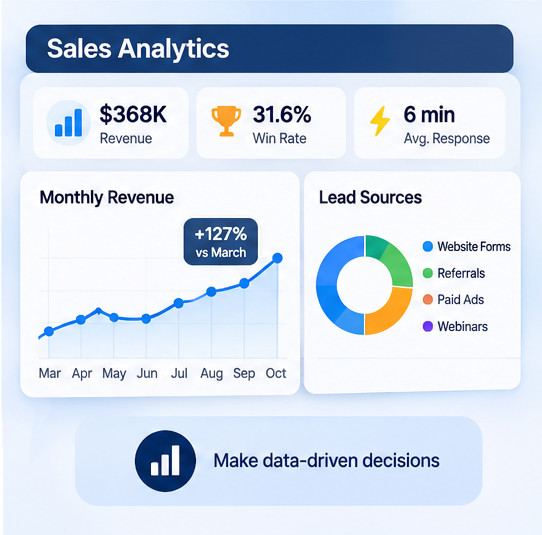
LeadScaler Pro provides dashboards that help teams monitor revenue, sales performance, conversion rates, lead sources and response times.
Practical Example: Comparing Marketing Channels
Suppose your business receives enquiries from four different sources:
- Website forms: 100 leads.
- Referrals: 50 leads.
- Paid advertisements: 80 leads.
- Webinars: 40 leads.
By analysing lead sources and their conversion performance, management can identify which channels generate more qualified opportunities and successful sales.
How It Helps
- Monitor revenue and sales targets.
- Understand individual salesperson performance.
- Compare lead sources.
- Identify opportunities for improvement.
- Make better marketing and business decisions.
6. Integrations: Connect Your Business Tools
Businesses often use several applications for emails, meetings, advertising and daily operations. Switching between these applications can consume valuable time.
LeadScaler Pro is designed to bring supported business tools into one connected workspace.
Examples of Available Integrations
- Communication: Gmail, Zoho Mail and SMTP/IMAP.
- Productivity: Google Calendar and Google Meet.
- Marketing: Meta Ads and Google Ads.
- Other tools: DocuSeal and additional planned integrations.
Business Benefits
Connected tools help teams maintain customer context and reduce unnecessary manual work. Integration availability depends on the implementation status of each service.
Why Choose LeadScaler Pro CRM?
LeadScaler Pro combines essential sales and customer management activities in one platform.
Its key advantages include:
- Centralised lead management from different sources.
- Automatic lead assignment and scoring.
- Visual sales pipeline management.
- Automated follow-ups and workflows.
- Organised customer communication history.
- Sales dashboards and performance reporting.
- Connected business applications.
Whether you manage a marketing agency, real estate company, IT business or home services organisation, a structured CRM process can help improve sales visibility and team productivity.
Conclusion
Managing customers is not just about collecting contact details. It is about responding quickly, understanding customer requirements, maintaining communication and moving every opportunity towards a successful sale.
LeadScaler Pro helps businesses organise these activities through lead capture, pipeline management, workflow automation, communication tools and analytics.
If you want to simplify your sales process and manage customer relationships more effectively, explore LeadScaler Pro CRM and see how a connected CRM workspace can support your business growth.