

CRM Automation Workflows: Streamline B2B Sales and Improve Productivity
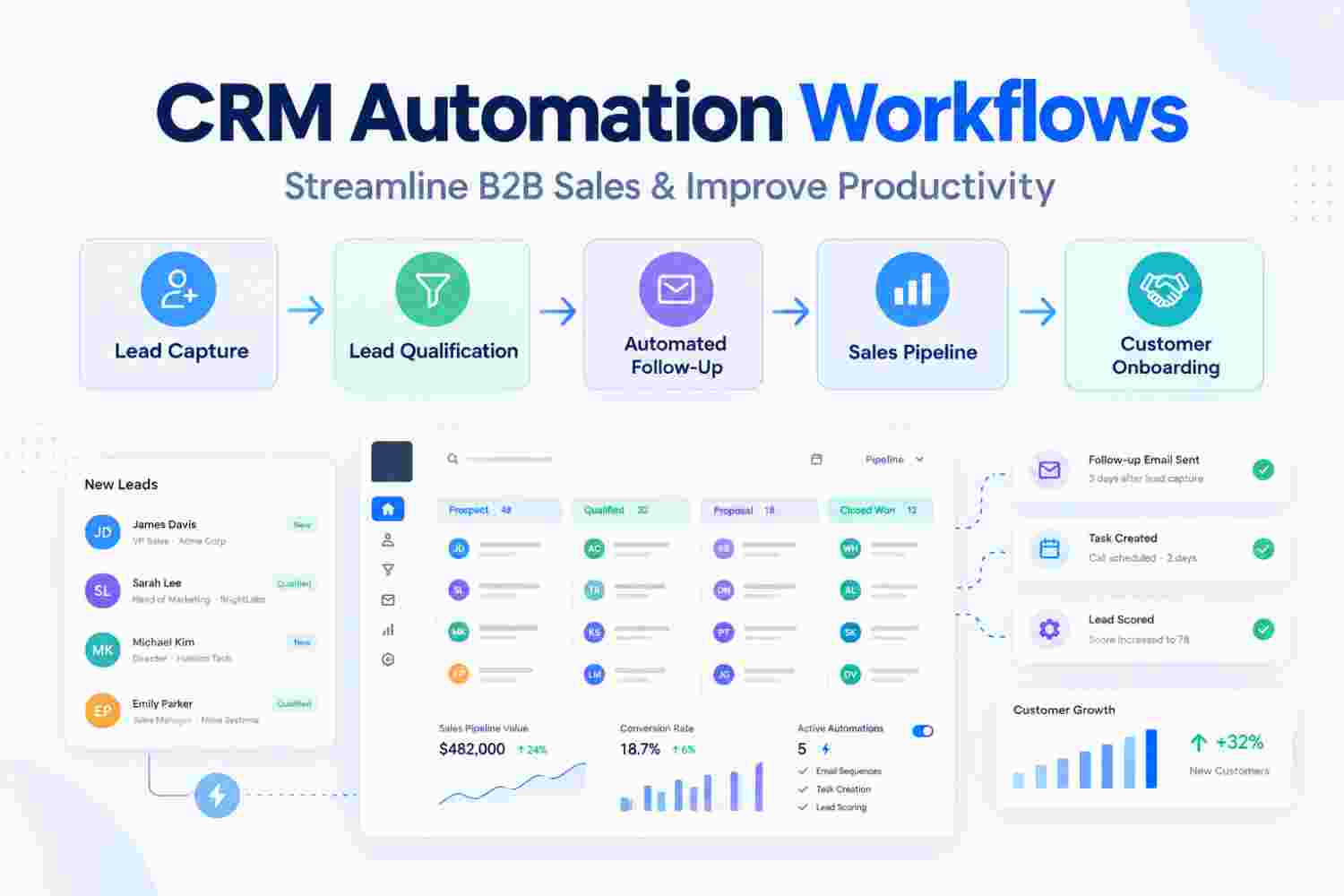
CRM Automation Workflows: How B2B Businesses Can Streamline Sales and Improve Productivity
B2B sales involve multiple activities, from capturing a new lead and qualifying prospects to scheduling meetings, sending proposals, following up, and closing deals. When these activities are managed manually, sales teams can easily miss follow-ups, delay responses, or spend valuable time on repetitive administrative work.
CRM automation workflows help businesses solve these challenges by automatically executing predefined actions based on specific events, conditions, or customer activities.
Instead of asking sales teams to remember every task, a CRM workflow creates a structured process that helps ensure the right action happens at the right time.
What Is a CRM Automation Workflow?
A CRM automation workflow is a sequence of automated actions configured inside a CRM system.
How a CRM Workflow Works
A typical workflow contains four important elements:
- Trigger: The event that starts the workflow.
- Condition: The rules that determine what should happen next.
- Action: The automated task performed by the CRM.
- Outcome: The result of the workflow.
Example of a CRM Automation Workflow
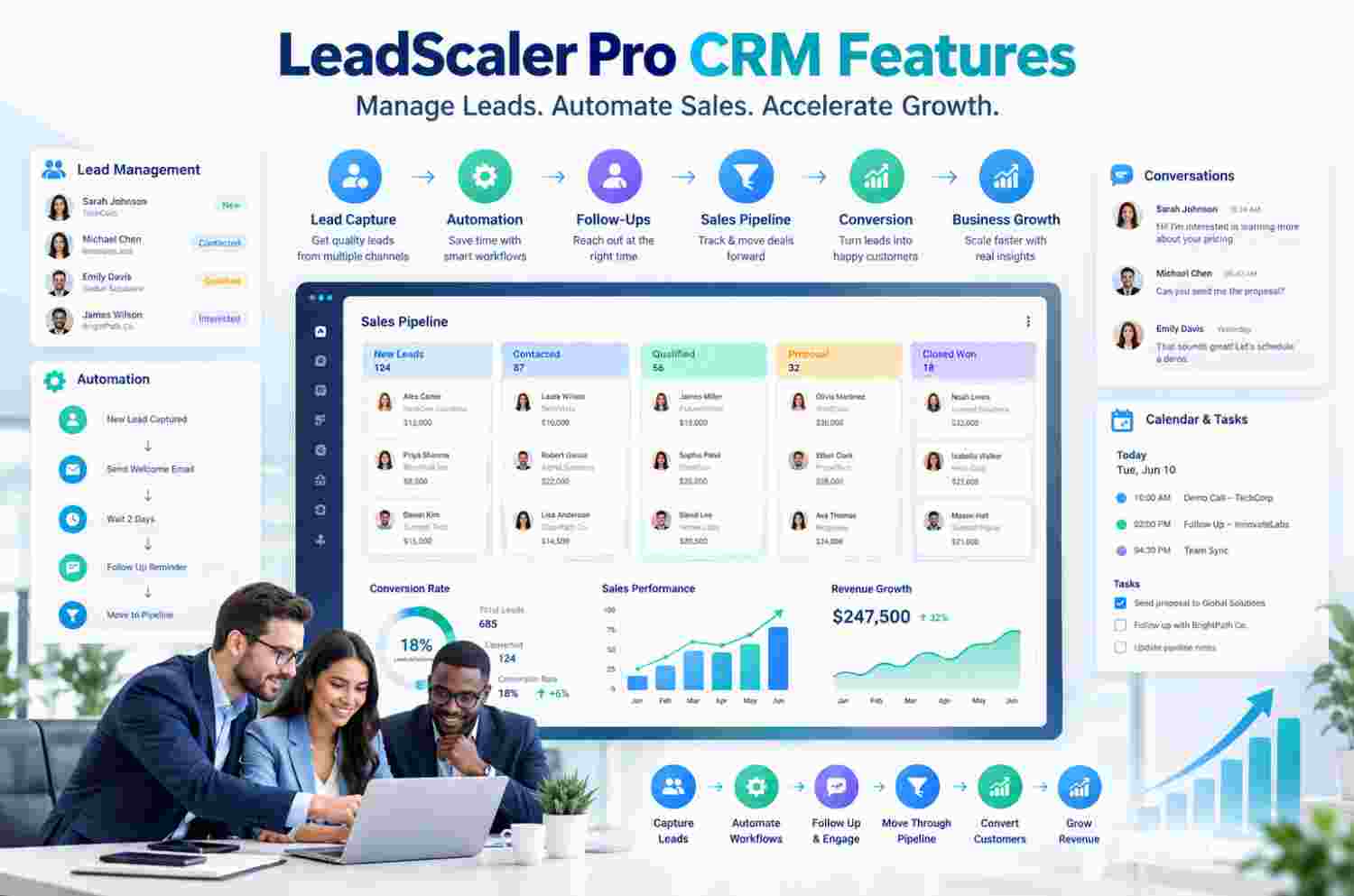
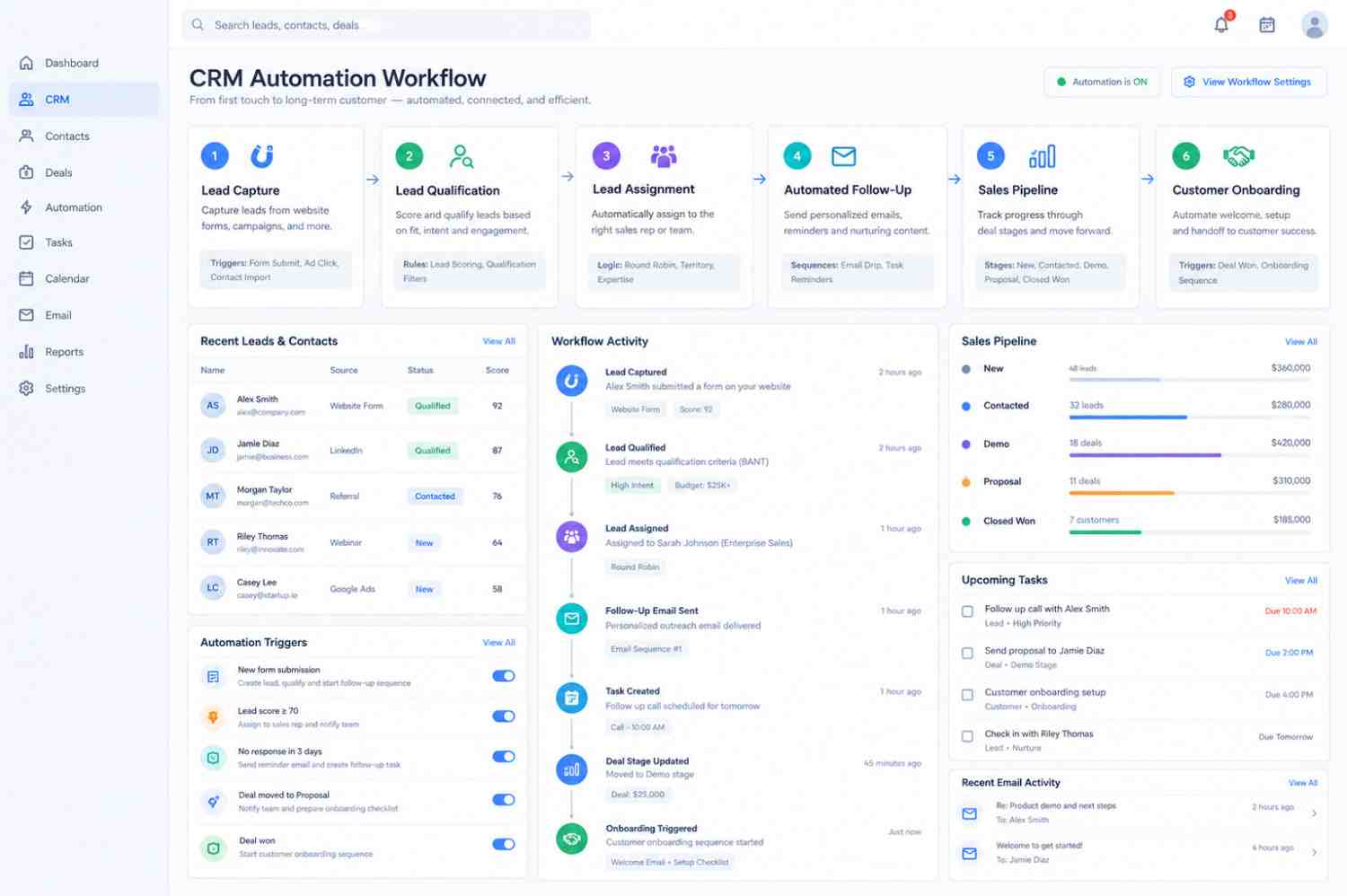
When a visitor submits a lead form on a company's website, the CRM can automatically create a lead record, check the lead information, assign the lead to a sales representative, send an acknowledgement email, and create a follow-up task.
This allows the sales representative to receive the lead with the required information without manually creating multiple tasks.
Why B2B Businesses Need CRM Automation
B2B sales cycles are often longer and involve multiple interactions. A prospect may download a document, attend a product demonstration, request pricing, receive a proposal, and have several discussions before making a purchase.
Managing these activities manually can become difficult as lead volume increases.
Key Benefits of CRM Automation
- Faster response to new enquiries
- Reduced repetitive administrative work
- More consistent follow-ups
- Better lead assignment
- Improved customer interaction tracking
- Fewer missed sales opportunities
- Better sales pipeline visibility
- Standardised sales processes
The objective is not to replace sales professionals. Automation handles repetitive processes so sales teams can focus more on conversations, relationship building, negotiation, and closing opportunities.
Automated Lead Management Workflow
Suppose a software company receives 100 enquiries every month. Without automation, a sales coordinator may need to manually check new enquiries, create CRM records, assign leads, send emails, and create reminders.
With a CRM workflow, many of these activities can happen automatically.
Typical Automated Lead Process
- Create the lead record.
- Check the lead's industry or location.
- Assign the lead to the appropriate salesperson.
- Send an acknowledgement email.
- Create a follow-up task.
- Notify the assigned salesperson.
- Track the lead's response.
- Move the lead to the appropriate stage.
This creates a repeatable process that can operate consistently as the company receives more leads.
Automated Lead Qualification
Not every lead has the same business value. CRM workflows can help companies prioritise prospects using predefined criteria.
Lead Qualification Criteria
- Company size
- Industry
- Location
- Budget
- Product interest
- Lead source
- Engagement level
- Previous interactions
A workflow can automatically update lead scores or assign priority levels.
For example, a high-priority lead can be routed directly to an experienced sales representative, while lower-priority leads can enter a nurturing sequence.
Automated Follow-Up Workflows
Follow-up is one of the most important parts of B2B sales, but it is also one of the easiest activities to miss.
For example, after sending a proposal, the CRM can automatically create a task for the salesperson three days later.
If there is no response, another follow-up task can be created. If the prospect responds, books a meeting, or engages with an email, the workflow can update the customer record and trigger the next appropriate action.
Example Follow-Up Process
- Proposal sent
- Follow-up task created
- Salesperson receives reminder
- Prospect response is tracked
- Next activity is automatically scheduled
This creates a structured follow-up process instead of relying completely on individual memory or spreadsheets.
Sales Pipeline Automation
CRM automation can also improve opportunity management.
Example Sales Pipeline
New Opportunity → Qualified → Meeting → Proposal → Negotiation → Won/Lost
When an opportunity moves from one stage to another, the CRM can automatically perform relevant actions.
Example
When an opportunity moves to the Proposal stage, the CRM can create a proposal follow-up task.
When it moves to Negotiation, the sales manager can receive a notification.
When the opportunity is marked Won, the CRM can automatically create customer onboarding tasks for the implementation or support team.
This connects different departments and reduces delays during internal handovers.
Customer Onboarding Automation
CRM automation does not have to stop after the sale. Once a deal is closed, the CRM can automatically start an onboarding workflow.
Example Customer Onboarding Workflow
Deal Won → Create Customer Record → Assign Account Manager → Send Welcome Email → Create Onboarding Tasks → Schedule Follow-Up
This ensures that customers receive a consistent experience after purchase and helps internal teams understand what needs to happen next.
CRM Automation and Team Productivity
One of the biggest advantages of automation is reducing repetitive work.
Sales representatives should ideally spend their time researching prospects, speaking with decision-makers, understanding business requirements, preparing solutions, and closing deals.
They should not have to repeatedly perform administrative tasks such as manually creating reminders, updating multiple records, sending routine notifications, or checking whether another team member has completed a task.
CRM automation can handle these repetitive processes while keeping CRM records updated.
Important Considerations Before Automating
Automation should be designed around the actual business process.
Automating a poorly defined process can create more problems instead of solving them. Businesses should first understand their existing sales journey and identify where delays, repetitive work, or communication gaps occur.
Avoid Excessive Automation
It is also important to avoid excessive automation. Customers still expect relevant and personalised communication. Sending too many automated emails or notifications can negatively affect the customer experience.
Effective CRM automation should therefore combine technology with clear business rules and appropriate human involvement.
Measuring CRM Automation Performance
Businesses should measure whether automation is actually improving their operations.
Important CRM Automation Metrics
- Lead response time
- Lead-to-opportunity conversion rate
- Follow-up completion rate
- Sales cycle length
- Opportunity conversion rate
- Task completion rate
- Customer onboarding time
- Revenue generated from qualified leads
These metrics help management identify which workflows are producing value and where further optimisation may be required.
Conclusion
CRM automation workflows provide B2B businesses with a structured way to manage repetitive sales and customer processes. From lead capture and qualification to follow-ups, opportunity management, and customer onboarding, automation can connect multiple activities into one consistent workflow.
The most effective approach is to start with processes that are repetitive, time-consuming, and clearly defined. Once these workflows are stable, businesses can gradually expand automation across sales, marketing, customer service, and operations.
When implemented correctly, CRM automation becomes more than a productivity feature. It becomes an operational framework that helps businesses respond faster, maintain process consistency, improve team coordination, and create a more scalable approach to growth.