

How to Build a Perfect News Website and Mobile App: A Complete Guide
.png)
How to Build a Perfect News Website and Mobile App: A Complete Guide
The digital news industry is growing rapidly as readers increasingly prefer accessing breaking news, business updates, sports reports, and entertainment stories online. A professional news website and mobile app can help publishers reach a wider audience, improve reader engagement, and generate sustainable revenue.
Building a successful news platform requires more than publishing articles. It needs an attractive design, a powerful content management system, fast loading speeds, mobile compatibility, search engine optimisation, and effective monetisation strategies.
In this guide, we explain how to build a feature-rich news website and mobile application that delivers a smooth reading experience and supports long-term business growth.
1. Define Your News Website Goals and Target Audience
Before starting development, determine the purpose of your news platform, the audience you want to reach, and the type of content you plan to publish. These decisions will influence your website design, app features, technology selection, and business model.
Choose Your News Website Niche
You can build a general news portal or focus on a specific industry, location, or audience.
Popular News Website Categories
- General News: National and international news, politics, and public affairs.
- Business News: Financial markets, company updates, and economic developments.
- Sports News: Match reports, live scores, player updates, and tournament coverage.
- Technology News: Artificial intelligence, gadgets, software, and digital innovations.
- Entertainment News: Movies, celebrities, music, and television.
- Local News: City updates, community events, and regional developments.
Understand Your Readers
Research your audience's location, preferred language, interests, and reading habits. This helps you create relevant categories, personalised content recommendations, and useful notification settings.
2. Create a Professional and User-Friendly News Website
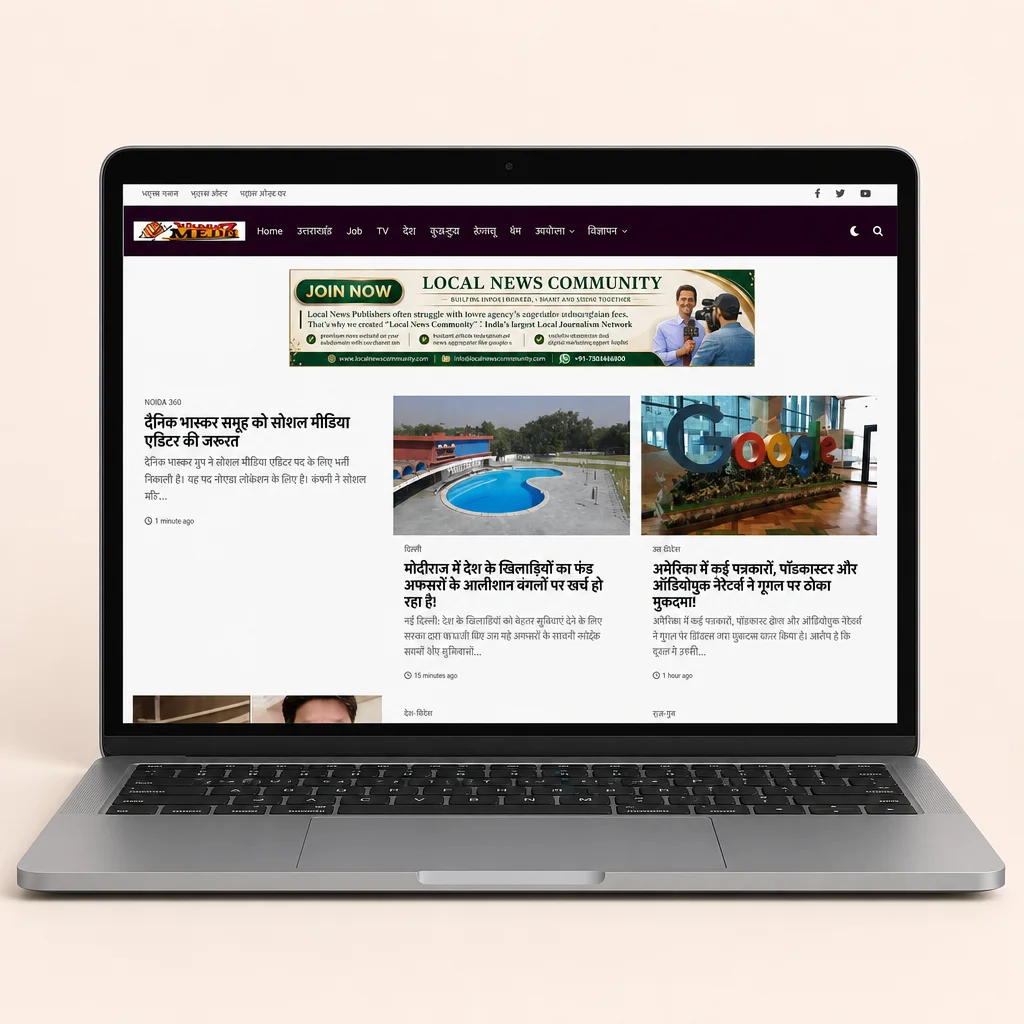
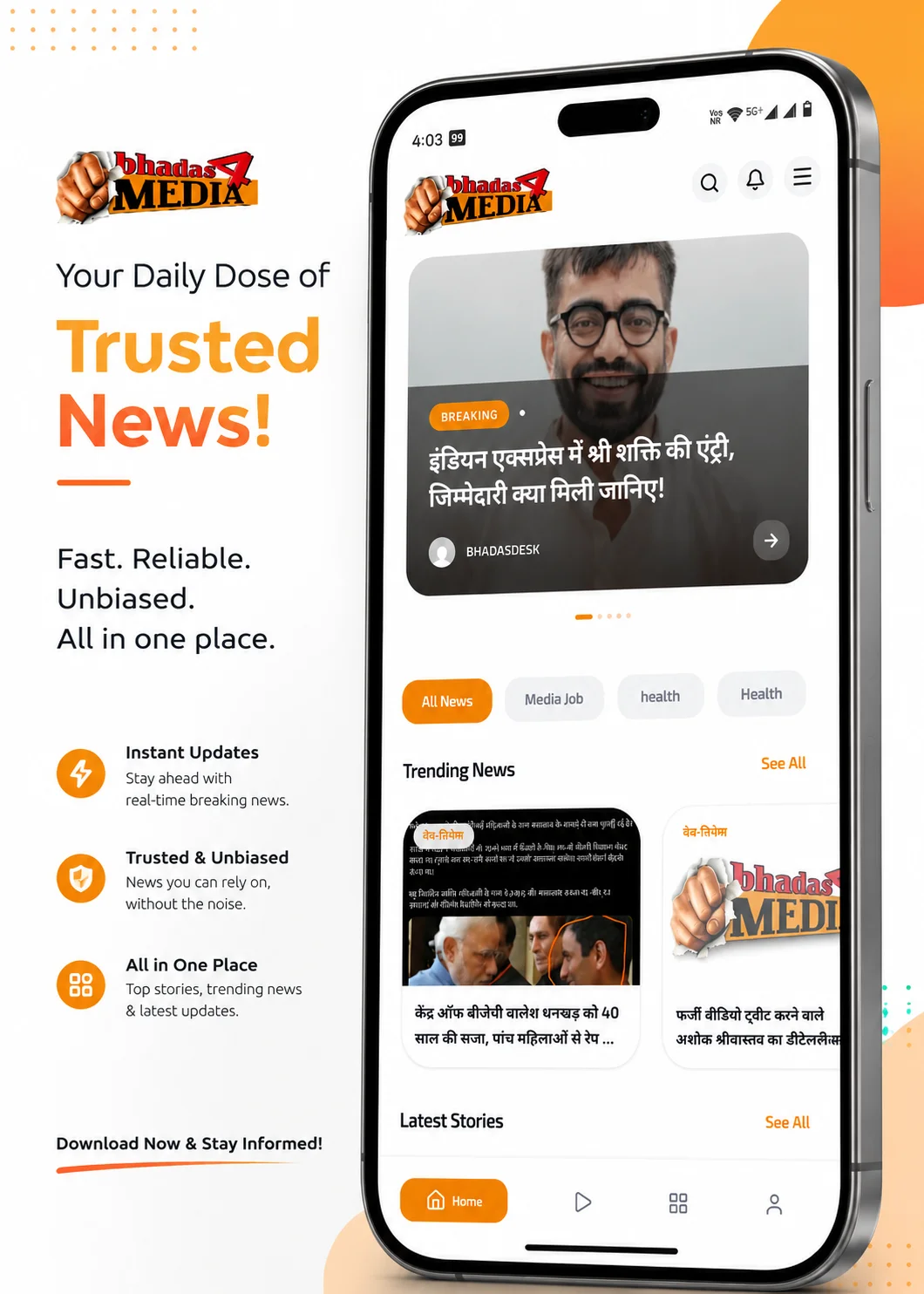
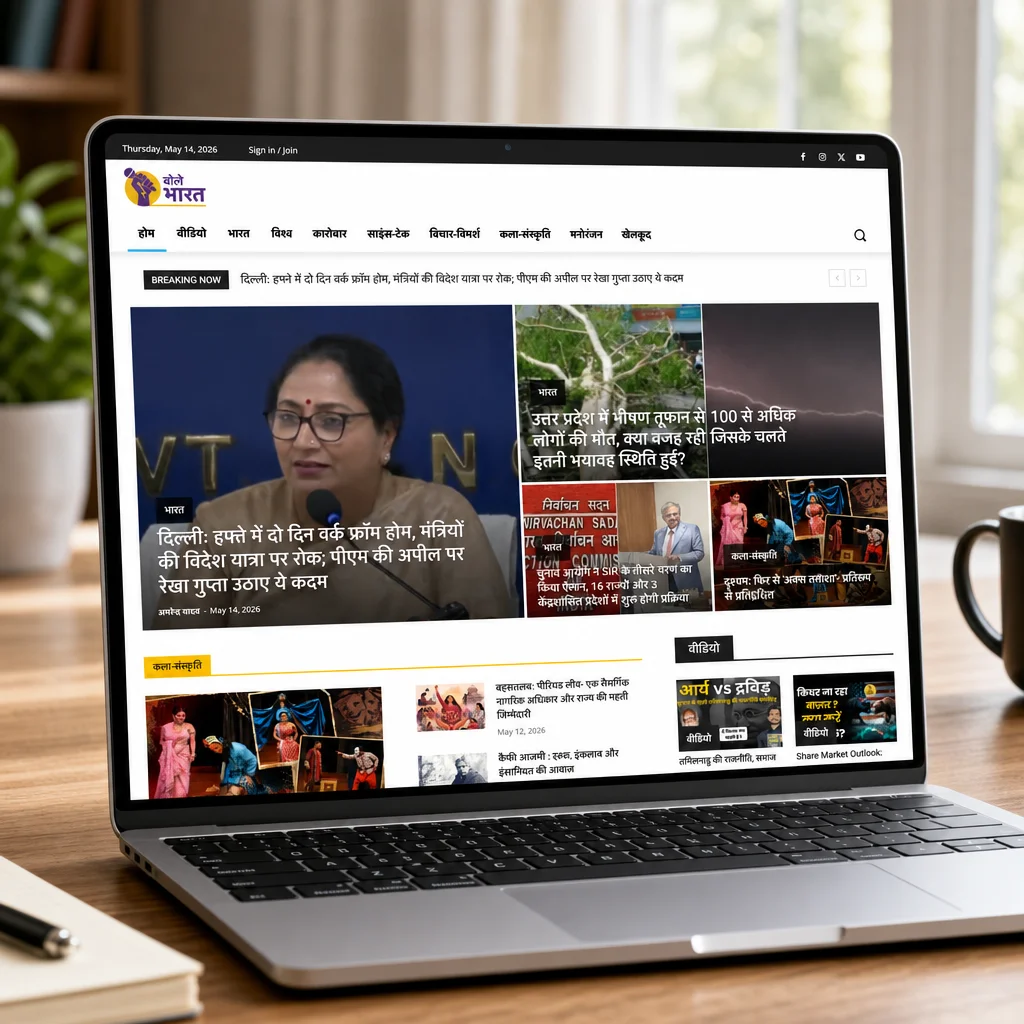
Your news website should present important information clearly and make navigation simple. Readers should be able to find breaking news, browse categories, search for stories, and read articles without unnecessary distractions.
Essential Homepage Features
- Breaking news ticker and latest updates.
- Featured stories and important headlines.
- Category-wise news sections.
- Trending and most-read articles.
- Search functionality.
- High-quality images and video reports.
- Newsletter subscription forms.
- Social media sharing options.
Design Simple Navigation
Organise the website into clear sections such as National, International, Politics, Business, Sports, Technology, Entertainment, and Lifestyle. Use a consistent menu across desktop, tablet, and mobile devices.
Improve Content Readability
Use readable fonts, appropriate text sizes, clear headlines, sufficient spacing, and high-quality images. Avoid excessive advertisements, intrusive pop-ups, and complicated layouts.
Focus on Mobile-First Design
Many readers access news through smartphones. Ensure that headlines, article text, images, menus, and buttons work smoothly on smaller screens.
3. Develop a Powerful Content Management System
A content management system (CMS) enables journalists, editors, and administrators to create, edit, organise, and publish news articles efficiently.
Essential CMS Features
Article Publishing and Scheduling
Allow authorised users to write articles, format content, upload images, embed videos, assign categories, add tags, and schedule publication.
Editorial Approval Workflow
An organised publishing workflow helps maintain content quality and accuracy.
Recommended Editorial Process
- Journalists create article drafts.
- Editors review facts, sources, and content quality.
- Approved articles are published immediately or scheduled.
- Editors update stories and publish corrections when necessary.
User Roles and Permissions
Create separate access levels for administrators, editors, reporters, and contributors. Role-based permissions help protect sensitive settings and support an organised editorial process.
Content Organisation
Support categories, subcategories, tags, author profiles, publication dates, updated dates, and related articles to improve content discovery and management.
4. Build a Feature-Rich News Mobile App
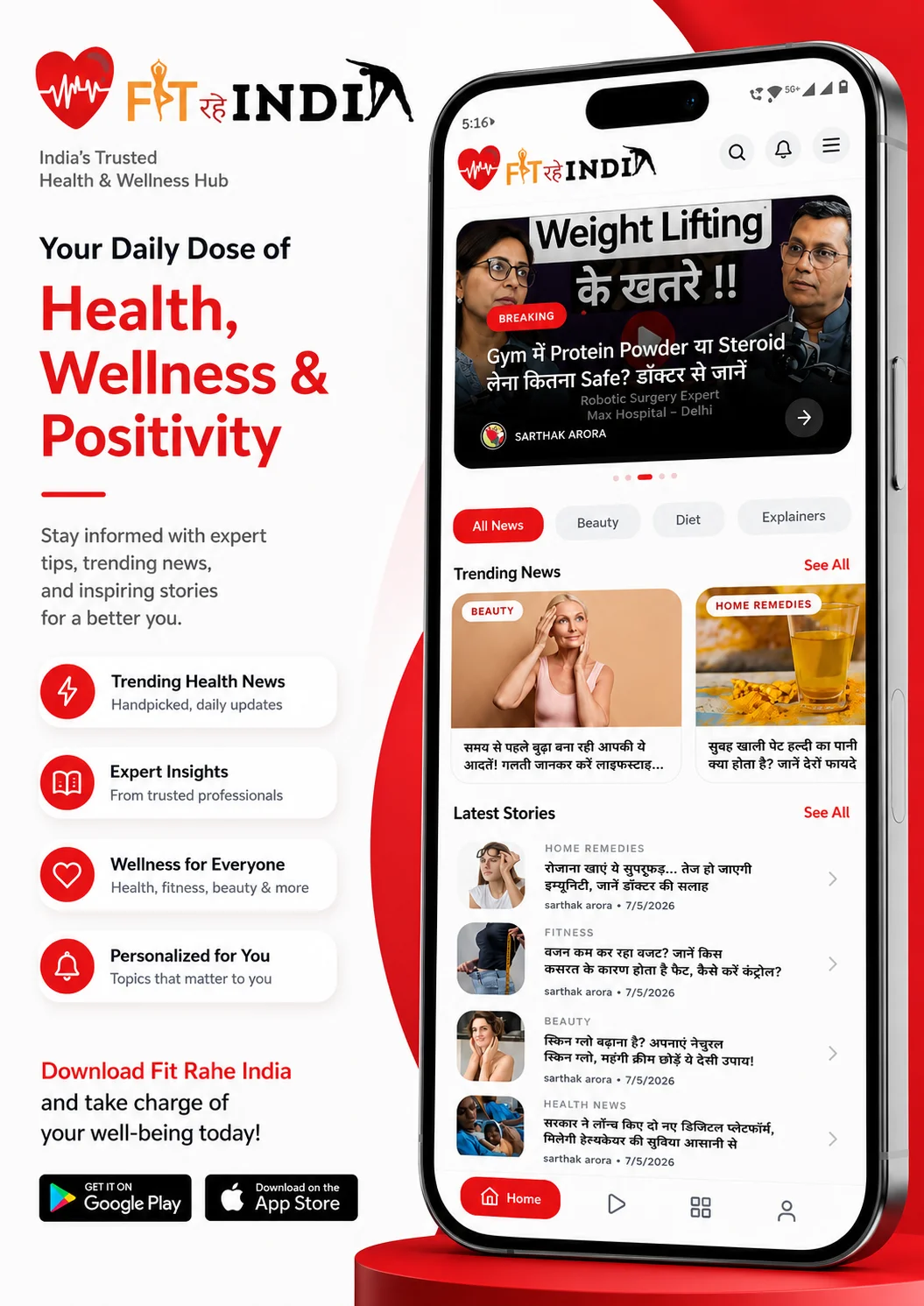
A mobile application gives readers convenient access to breaking news and important updates. It also helps publishers build direct relationships with their audiences through notifications, saved articles, and personalised content.
Essential Mobile App Features
Breaking News Notifications
Send timely push notifications about important developments. Allow readers to choose their preferred categories and manage notification frequency.
Personalised News Feed
Recommend relevant articles based on selected interests and reading preferences. Give users appropriate controls over personalisation.
Bookmarks and Offline Reading
Allow readers to save articles and access selected content later. Offline reading can be particularly useful when an internet connection is unavailable.
Advanced Search and Filters
Enable readers to find articles by keyword, category, author, topic, or date.
Multimedia Content
Support video reports, audio news, podcasts, photo galleries, and live blogs to provide a richer news experience.
Additional Features to Improve User Experience
- Dark mode and adjustable text sizes.
- Multiple language support.
- Reading history and saved articles.
- Social media and messaging app sharing.
- Live coverage of important events.
- User account and notification preferences.
- Accessible navigation and screen-reader support.
5. Choose the Right Technology for Your News Platform
The right technology stack helps your news platform manage frequent publishing, increasing traffic, content security, and future expansion.
Website Development Options
Custom Website Development
Custom development is suitable for publishers who need specialised editorial workflows, unique designs, advanced search, or complex integrations. It provides flexibility but requires proper planning, testing, and ongoing maintenance.
CMS-Based Website Development
A CMS-based solution can simplify article publishing, category management, and everyday editorial operations. Select a platform based on your content volume and functional requirements.
Headless CMS Development
A headless CMS separates content management from the presentation layer. APIs can deliver the same content to a website, Android app, iOS app, and other digital platforms.
Mobile App Development Options
Native development can provide deeper integration with Android and iOS features. Cross-platform development can share much of the application code, potentially reducing duplicated development effort.
Evaluate Your Requirements Before Choosing
Compare development costs, performance, maintenance, API compatibility, security, scalability, and future feature requirements before selecting a technology stack.
6. Optimise Website Speed and Performance
A news website may receive thousands of visitors during major events or breaking news. Fast loading speeds and reliable infrastructure help deliver a better experience during normal traffic and sudden traffic spikes.
Website Performance Best Practices
Optimise Images and Videos
Use appropriately sized images, modern image formats, responsive image delivery, and lazy loading for below-the-fold content.
Use Caching and a Content Delivery Network
Caching reduces repeated processing, while a content delivery network (CDN) helps serve website resources from locations closer to readers.
Choose Reliable Hosting
Use hosting infrastructure that supports your expected traffic, database requirements, backups, security, and future growth.
Monitor Core Web Vitals
Measure loading speed, responsiveness, and visual stability. Monitor Largest Contentful Paint (LCP), Interaction to Next Paint (INP), and Cumulative Layout Shift (CLS) to identify performance problems.
7. Implement SEO to Increase News Website Traffic
Search engine optimisation helps readers discover your articles through relevant searches. Integrate SEO into the website structure and content publishing workflow from the beginning.
Essential SEO Features
Search-Friendly URLs and Metadata
Use descriptive URLs, relevant page titles, compelling meta descriptions, descriptive image alt text, and suitable social sharing metadata.
Article Structured Data
Implement appropriate Article or NewsArticle structured data where applicable. Ensure that the markup accurately reflects the visible article content.
XML Sitemaps
Maintain an XML sitemap to help search engines discover important pages. Eligible news publishers can also implement a news sitemap according to applicable search engine guidelines.
Internal Linking
Link related articles, category pages, and useful resources to help readers discover additional content and improve website navigation.
SEO Best Practices for News Publishers
- Publish original, informative, and accurate content.
- Write clear and descriptive headlines.
- Display author details and publication dates.
- Use relevant internal links.
- Optimise images and page loading speed.
- Avoid unnecessary duplicate content.
- Monitor indexing and search performance.
8. Prioritise News Accuracy, Security, and Reader Trust
Readers need confidence that the information they consume is accurate and responsibly presented. Trust also helps publishers develop long-term relationships with their audiences.
Establish Editorial Standards
Create clear procedures for fact-checking, source verification, corrections, opinion pieces, and sponsored content. Clearly distinguish paid promotions from independent reporting.
Protect Your Website and Mobile App
- Use HTTPS across the website and APIs.
- Implement strong authentication and access controls.
- Keep software and dependencies updated.
- Protect administrative accounts.
- Maintain automated backups and test recovery.
- Monitor suspicious activity and security incidents.
Protect Reader Privacy
Collect only the information needed to operate your platform. Explain how personal information is used and provide appropriate privacy disclosures and consent controls.
Build Long-Term Credibility
Provide author biographies, publisher information, contact details, editorial policies, and a corrections policy so readers can understand who is responsible for the content.
9. Monetise Your News Website and Mobile App
A sustainable revenue model helps publishers fund content production, technology, staff, and ongoing improvements.
Display Advertising
Generate revenue through advertising placements on suitable website pages and within the mobile app. Maintain a balance between advertising and reader experience.
Sponsored Content and Brand Partnerships
Collaborate with relevant businesses to publish clearly labelled sponsored articles, promotional content, and advertising campaigns.
Paid Subscriptions
Offer premium reporting, exclusive analysis, specialist newsletters, and other benefits through subscription plans.
Membership Programs
Build a loyal community by providing member benefits, exclusive content, special events, or additional access to your publication.
Affiliate Marketing
Earn commissions by recommending relevant products or services while clearly disclosing affiliate relationships.
Measure Your Revenue Performance
Track advertising revenue, subscription conversions, reader retention, and revenue per visitor. Avoid misleading headlines and excessive advertisements that may reduce reader trust.
10. Use Analytics to Improve Reader Engagement
Analytics help publishers understand audience behaviour, identify popular topics, and make informed improvements to the website and mobile app.
Important Website Metrics
- Unique visitors and page views.
- Returning readers and traffic sources.
- Article engagement and internal link clicks.
- Newsletter subscriptions and sharing activity.
- Advertising performance and subscription conversions.
Important Mobile App Metrics
- Daily and monthly active users.
- App retention and notification opt-ins.
- Crash rates and loading times.
- Bookmark usage and content engagement.
Turn Analytics into Action
Use data to identify popular content, improve navigation, refine article presentation, and understand reader preferences while respecting applicable privacy requirements.
11. Follow a Structured Website and App Development Process
A structured development process helps reduce errors, manage project scope, and ensure that the finished platform meets your business requirements.
Step 1: Requirement Analysis
Define your target audience, content categories, editorial workflow, website features, mobile app requirements, integrations, and revenue model.
Step 2: UI/UX Design
Create wireframes and prototypes for the homepage, article pages, category pages, search, user accounts, and mobile app screens.
Step 3: Website and CMS Development
Develop the website, editorial dashboard, database structure, publishing workflow, and required integrations.
Step 4: Mobile App Development
Build Android and iOS applications, connect them to content APIs, and implement notifications, bookmarks, search, and other planned features.
Step 5: Testing and Quality Assurance
Test functionality, usability, performance, accessibility, security, and compatibility across supported browsers and devices.
Step 6: Launch and App Store Submission
Configure hosting, monitoring, backups, analytics, and production settings. Prepare app store listings, privacy disclosures, and required review materials.
Step 7: Maintenance and Continuous Improvement
Monitor performance, resolve defects, update dependencies, maintain device compatibility, and improve features using reader feedback and analytics.
12. Common Mistakes to Avoid When Building a News Platform
Overloading the Homepage
Too many content blocks, advertisements, and pop-ups make important stories difficult to find. Prioritise a clear visual hierarchy.
Ignoring Mobile Users
Ensure responsive layouts, readable text, touch-friendly controls, and efficient loading on mobile networks.
Publishing Without Fact-Checking
Incorrect information can damage credibility. Establish verification and correction procedures before launch.
Neglecting Technical SEO
Missing metadata, broken links, duplicate pages, and indexing problems can limit search visibility.
Failing to Plan for Growth
Choose an architecture that can support increasing traffic, additional content, multiple languages, and future features without unnecessary redevelopment.
Conclusion: Build a News Platform Ready for the Future
Building a successful news website and mobile app requires the right combination of editorial quality, professional design, reliable technology, SEO, security, and reader engagement.
Start with a clear audience and content strategy. Develop a fast, mobile-friendly website supported by an efficient content management system. Add mobile applications that provide timely updates, convenient reading, and relevant content discovery.
With proper planning, experienced development support, and continuous improvement, your news platform can attract readers, build long-term trust, and create sustainable business opportunities.
Ready to Build Your News Website and Mobile App?
Planning a digital news platform for your media company, publication, or startup? Choose a development solution tailored to your editorial workflow, audience, performance requirements, and long-term business goals.
Discuss your requirements with an experienced website and mobile app development team to plan a platform that fits your needs.
Contact Our Development Team to discuss your news website and mobile app development project.