


OpenCart Multilanguage Category Export / Import Guide
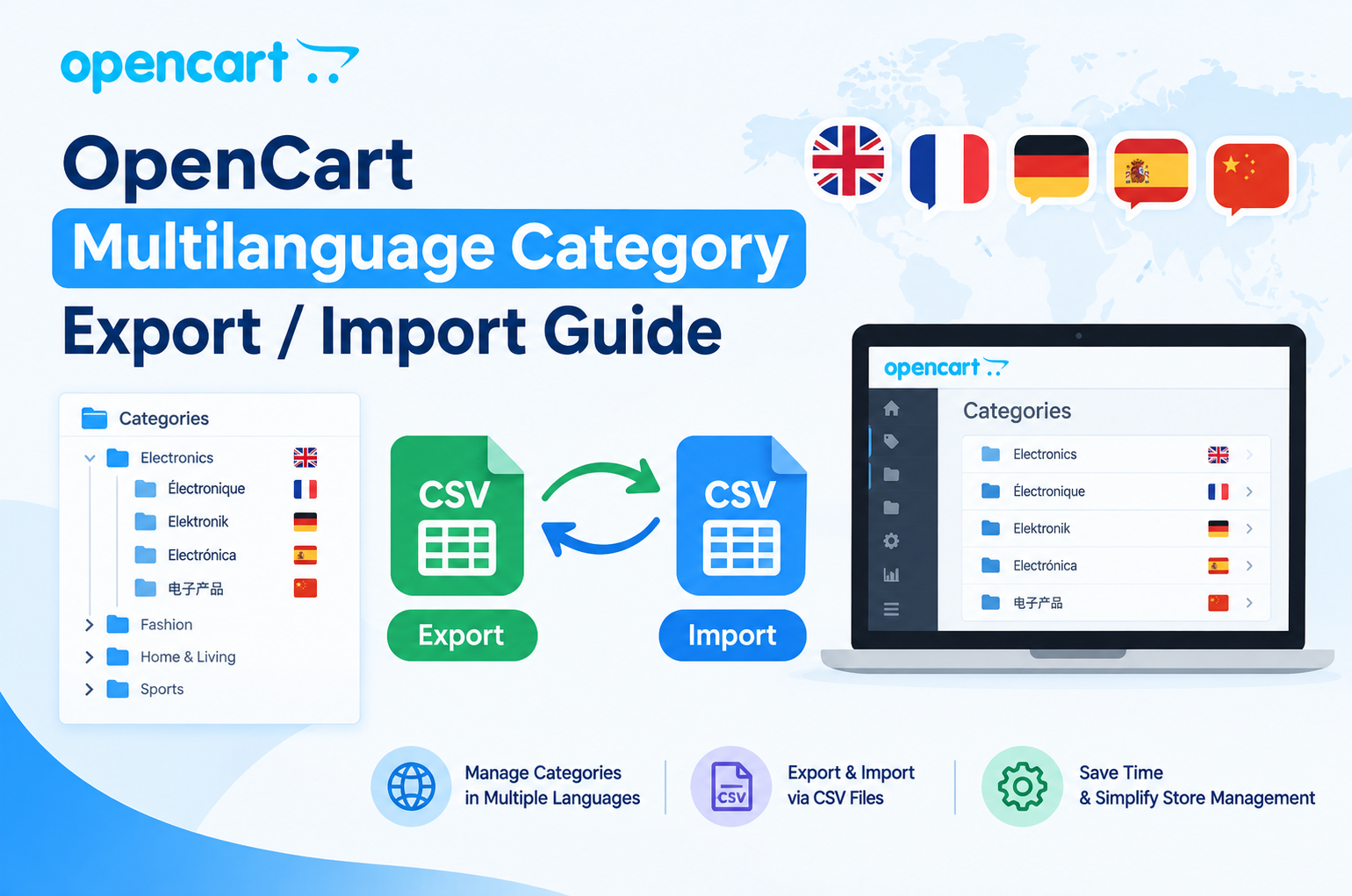
OpenCart Category Export / Import (Multilanguage)
Manage your OpenCart categories easily with the Purpletree Category Export / Import (Multilanguage) extension. It allows you to export and import category data for a selected store and language using XLS, XLSX, or CSV files.
Easy Category Management
Managing a large number of categories manually can take a lot of time. This extension makes category management easier by allowing you to export existing categories, update the data in a file, and import it back into your OpenCart store.
Export Categories
Select the store and language you want to work with and export your category data in your preferred file format.
Export Options
- Select a specific store.
- Select the required language.
- Export all, enabled, or disabled categories.
- Set a start row and maximum number of rows.
- Choose a relative image path or full image URL.
- Export in XLS, XLSX, or CSV format.
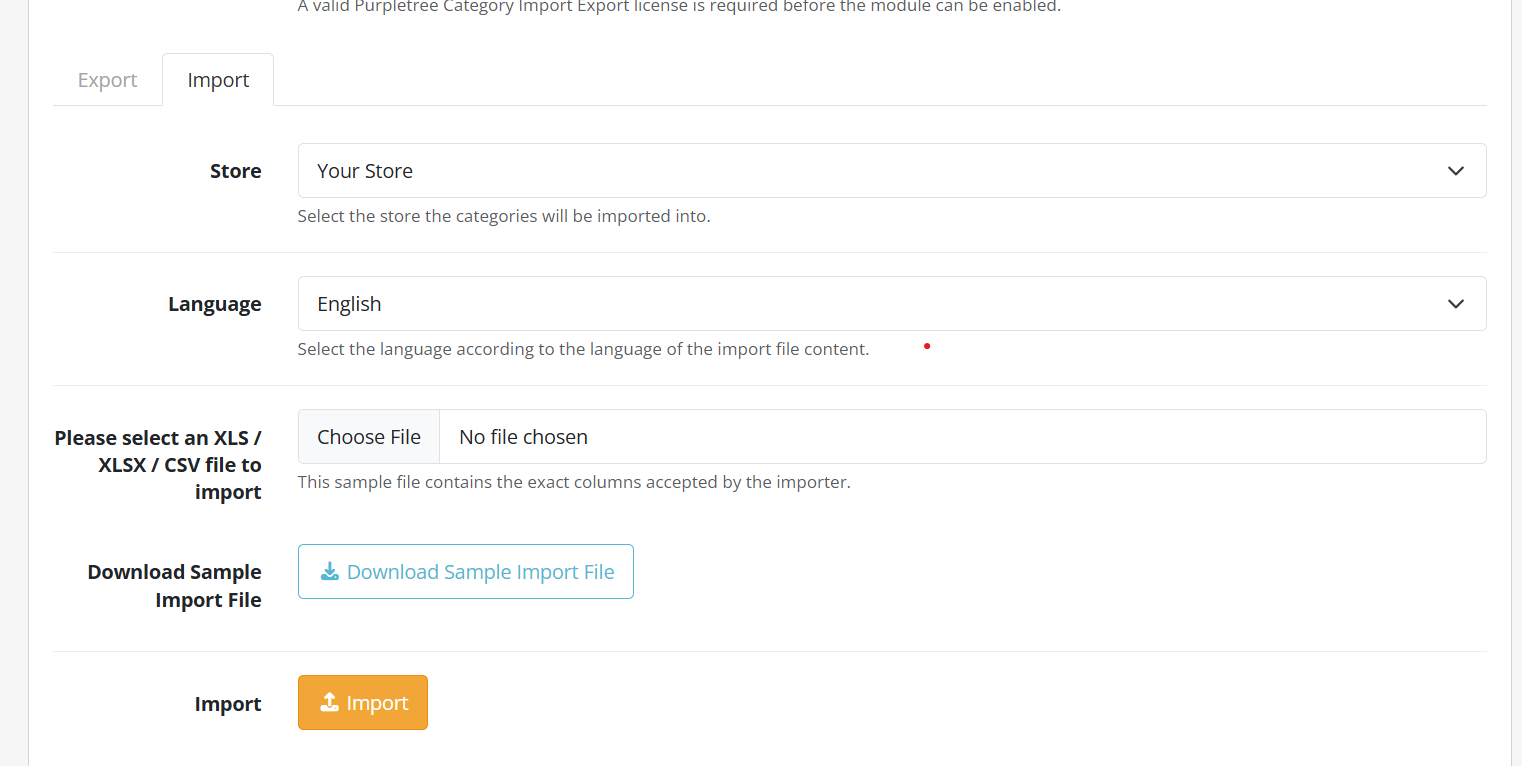
Import Categories
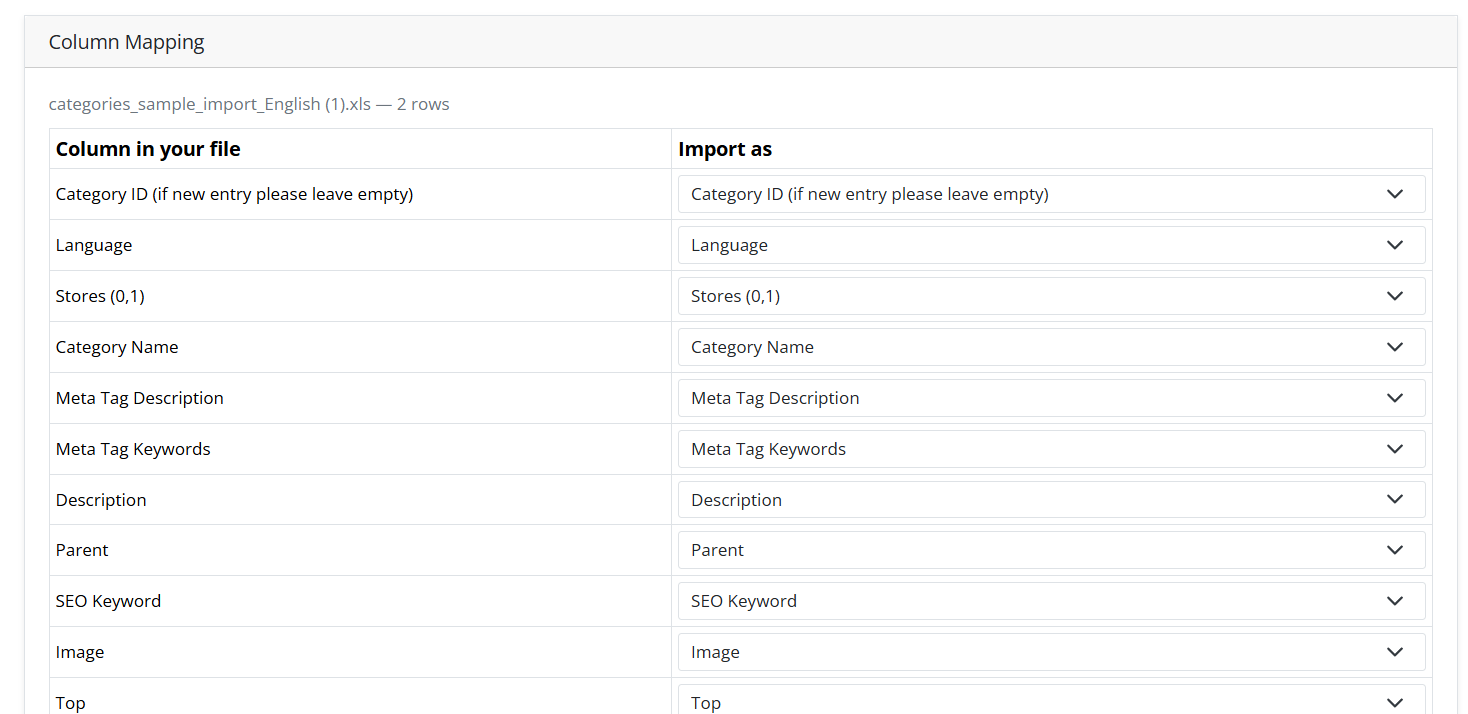
Import category data into your OpenCart store using an XLS, XLSX, or CSV file. The extension detects the file columns and allows you to map them with OpenCart category fields.
Flexible Column Mapping
- Automatically detects file headers.
- Column order is not required.
- Map file columns to OpenCart fields.
- Mark unwanted columns as Do not import.
- Provides automatic mapping suggestions for standard Purpletree export files.
- Category Name is required for importing.
Add or Update Categories
The extension can automatically determine whether a category should be updated or created.
- If a valid category ID exists, the existing category is updated.
- If the category ID is not found, the category name is checked.
- If no matching category exists, a new category is created.
Manage Parent Categories
Parent categories are matched by category name. When a category's parent changes, the category path is automatically rebuilt, including the affected child categories.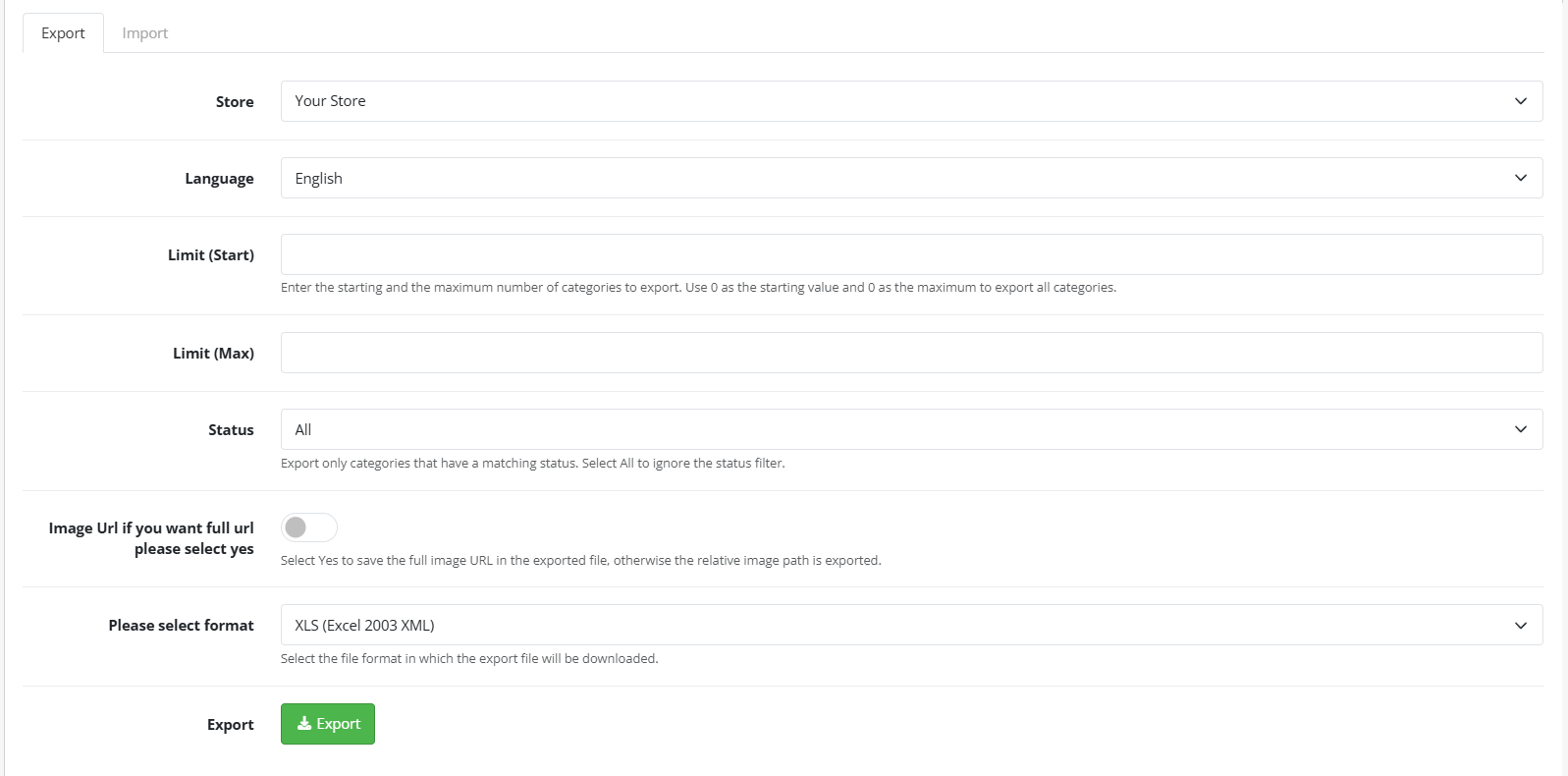
Multilanguage Support
Choose the language you want to export or import. When importing, only the selected language data is updated, while other language descriptions remain preserved.
Multi-Store Support
Select the target store when importing categories. Existing store assignments are preserved while the imported category is connected to the selected store.
SEO-Friendly Category URLs
The extension also handles category SEO keywords during import. Parent-based keywords can be automatically adjusted according to the category hierarchy.
Example
A keyword such as furniture/sofas can be processed so that sofas becomes the category's leaf keyword while the complete path is generated from the category structure.
Category Filters
Import category filter values using the Group::Filter format. The extension resolves the filter names and connects the matching filters with the imported category.
Bulk Category Import
Have a large category file? The extension provides an AJAX-based import process designed for large files.
- Processes large files in batches of 500 rows.
- Shows live import progress.
- Processes CSV files row by row.
- Checks XLS/XLSX files against the available PHP memory limit.
- Provides a clear error if a file is too large to process safely.
- Shows the final number of added, updated, and skipped categories.
Supported File Formats
You can work with the following file formats:
- XLS – Excel 2003 XML format.
- XLSX – Modern Excel format.
- CSV – UTF-8 CSV format.
No third-party spreadsheet library is required for the XLS, XLSX, and CSV workflow.
Sample Import File
A Download Sample Import File option is available to help you understand the required format. The sample contains parent and child category examples and can be imported directly.
Easy Admin Access
The extension adds a dedicated Category Export / Import (Multilanguage) option to the OpenCart admin sidebar. Export and Import are available from the same settings page.
OpenCart 4.x Compatibility
The extension is designed for OpenCart 4.x and has been tested with OpenCart 4.1.0.4. It is also designed and tested for PHP 8.4.
Safe OpenCart Integration
The extension uses OpenCart's event system for its admin menu integration and does not modify the core column_left.php file.
License Validation
A valid Purpletree license key is required for each domain, including localhost. The extension validates the license before enabling export and import operations.
Simple Category Management Workflow
- Open Category Export / Import from the OpenCart admin panel.
- Validate your Purpletree license.
- Choose Export or Import.
- Select the required store and language.
- Export your category data or upload an import file.
- Review and map the file columns.
- Start the import.
- Review the added, updated, and skipped category results.
Why Use Purpletree Category Export / Import?
Save time when managing OpenCart categories. The extension provides an easy way to export, edit, and import category data while supporting multiple stores, languages, SEO keywords, filters, category hierarchy, and large category files.
With its simple admin interface and support for XLS, XLSX, and CSV files, it provides a practical solution for managing category data in OpenCart 4.x.

.png)