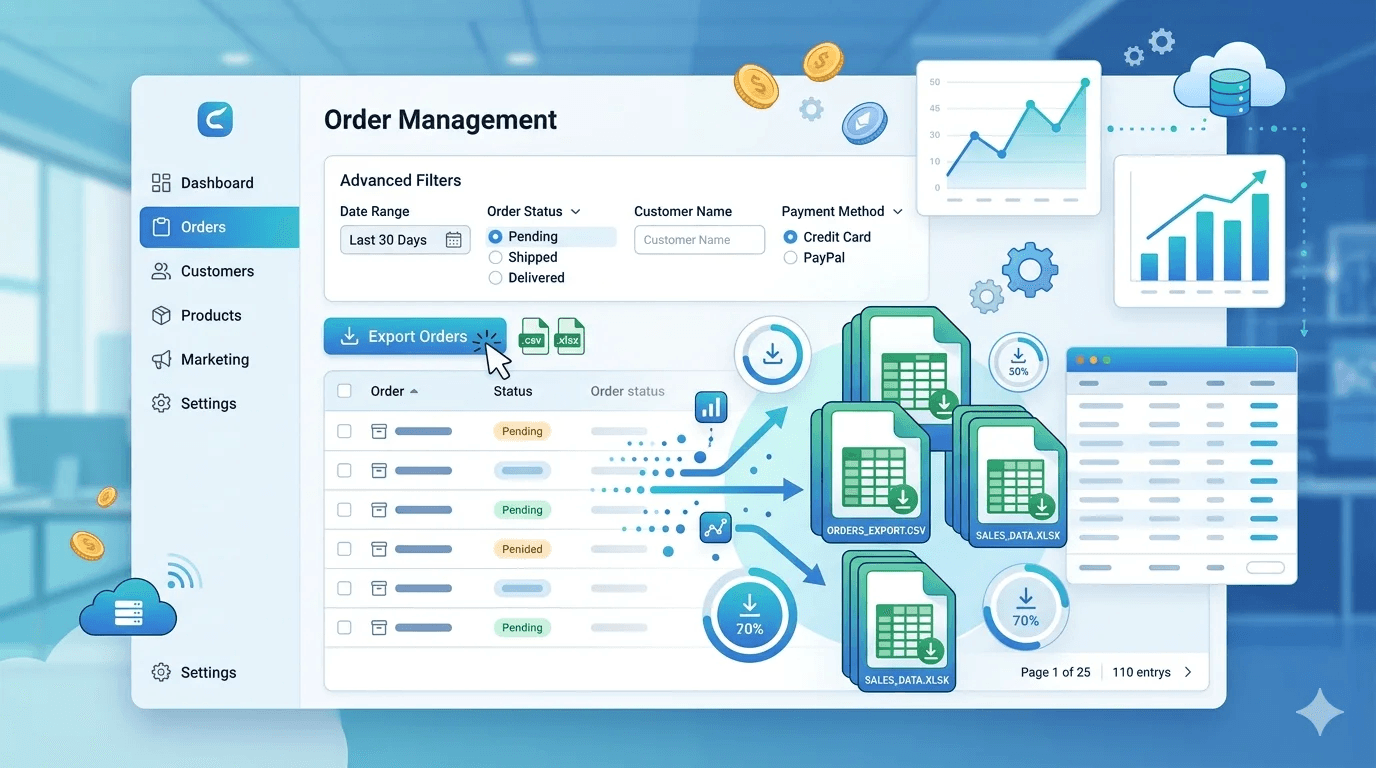
USER GUIDE – EXPORT ORDERS WITH FILTERS
By Admin
| Mar 02, 2023
INSTALLATION
Before installation, make sure the OpenCart Extension Installer is correctly configured, especially for
the FTP settings, including the FTP Root. See <http://docs.opencart.com/extension/installer/> for more
details.
1. Unzip the order_export.zip.
2. Go to “Extensions” -> “Extension Installer”.
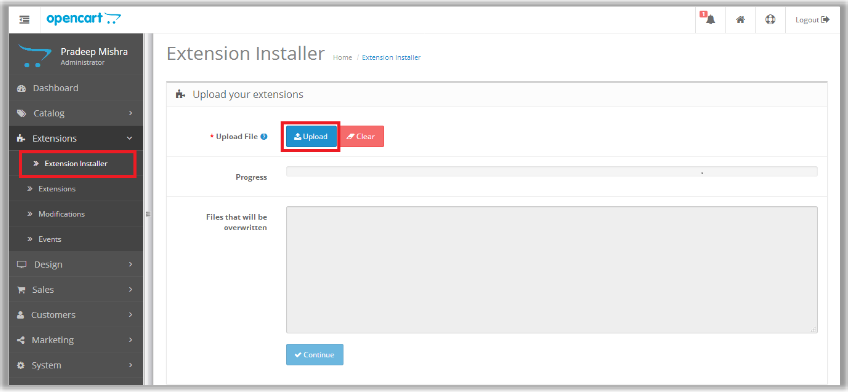
Upload The file order_export.ocmod.xml
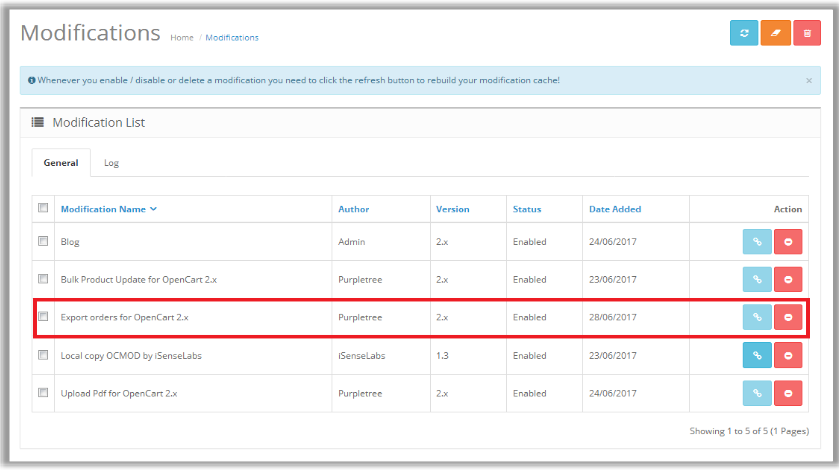
4. Go to “Extensions” -> “Modifications”. You should see an entry for this – “Export orders for
OpenCart 2.x
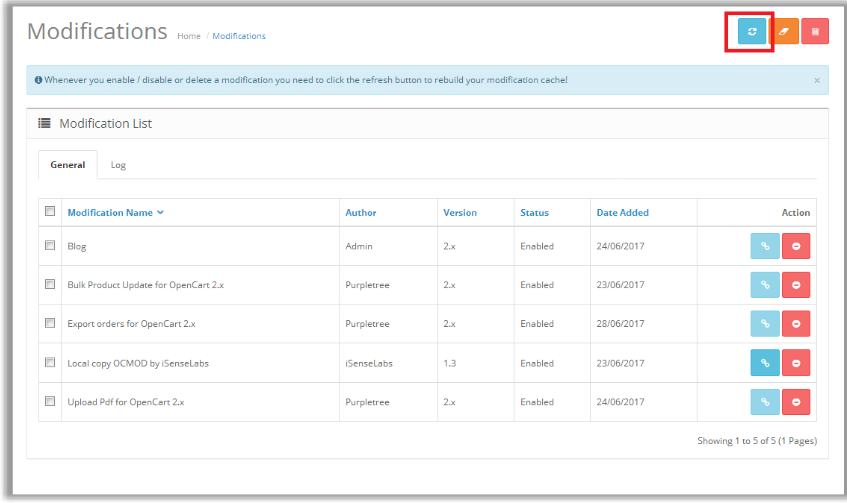
5. Click the Refresh Button, on top right of the page.
USAGE INSTRUCTIONS
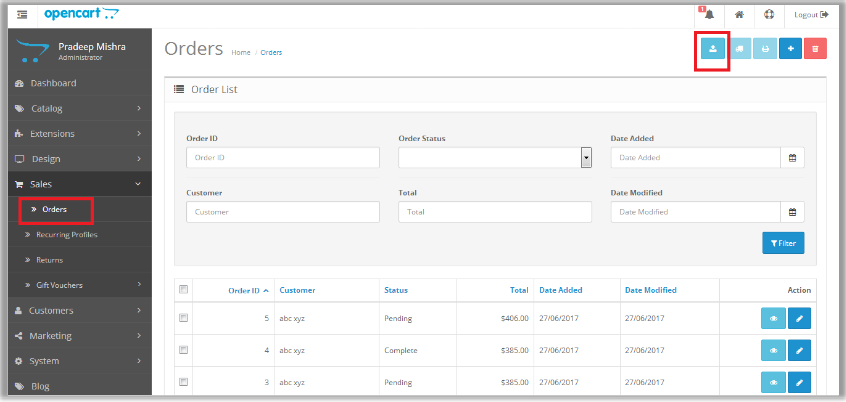
- To export order details goto Admin-> Sales-> Orders
- .Now Click on Export Button, on top right of the page.
- You can filter the Export Order result by using the available filters on orders grid.
- Note: In case of very less memory being available for the script, you may see error “Fatal error:
Allowed memory size of XXXXXXX bytes exhausted (tried to allocate XX bytes)”. If error
reporting is OFF, there could be a white page appearing instead of this error message on
Export operation. In such a case, you need to ask your host to increased memory_limit on your
server to a reasonable number as per number of orders in your store
SUPPORT
In case of any issues, open a ticket from /ticket/new mentioning
your
i) Order number
ii) FTP login information
iii) Admin login information