Complete Guide to Product and Category Based Shipping in OpenCart
What This Extension Does
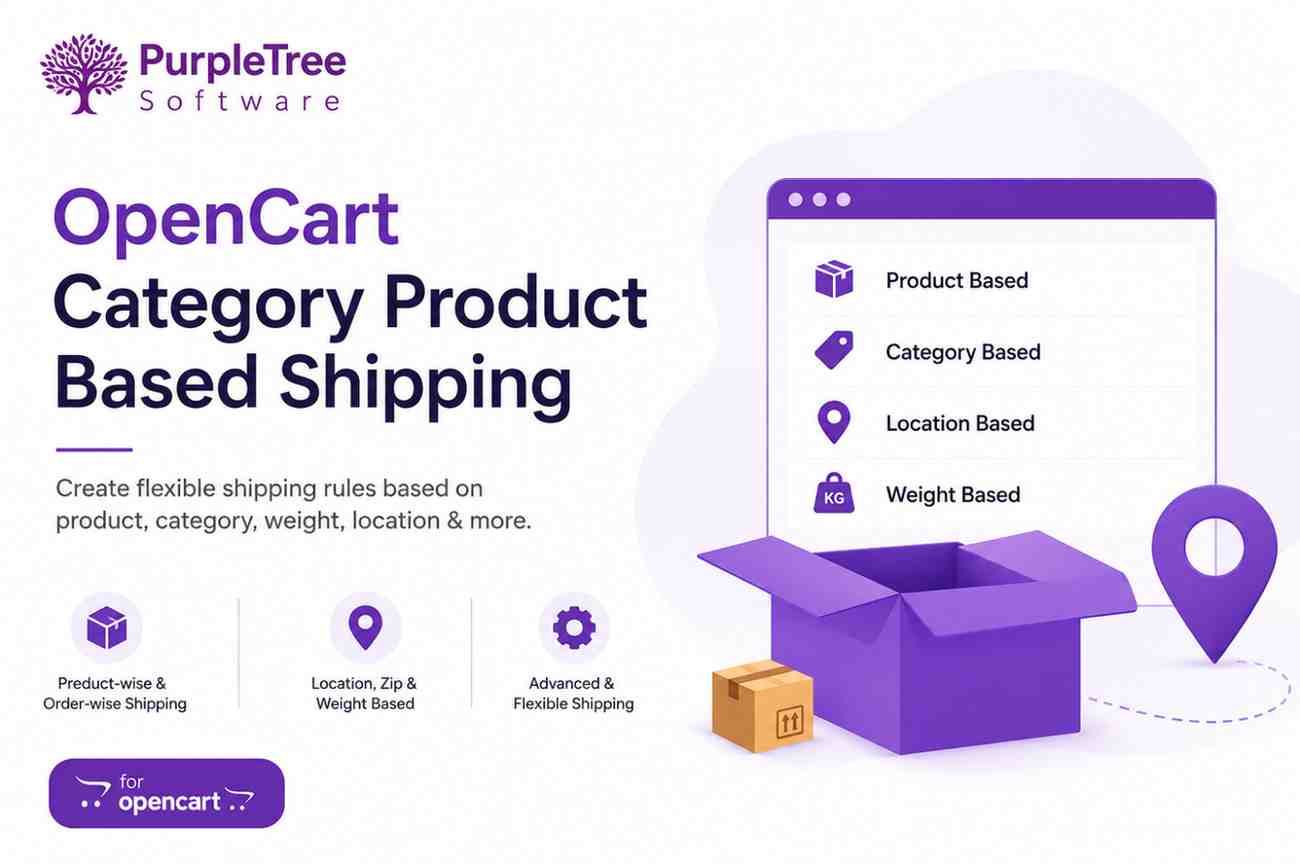
Purpletree Category Product Based Shipping helps store owners create flexible shipping rules for their OpenCart store. Instead of using one fixed shipping charge for every order, this extension allows shipping costs to be calculated based on products, categories, order type, customer location, zip code, and product weight. This gives store owners better control over delivery charges and helps apply shipping fees more accurately.
Admin can configure shipping for all products in an order, individual products, or complete categories. This makes it easier to handle shipping for stores that sell different types of products with different delivery costs.
Shipping Type
Product-wise Shipping
In Product-wise Shipping, the shipping charge is applied to each product added to the cart. This means the total shipping cost increases according to product quantity.
Example
If shipping for one Chair is ₹100 and a customer buys 3 Chairs, the shipping charge becomes ₹300. This method is useful for products that require separate packaging or individual delivery handling.
Order-wise Shipping
In Order-wise Shipping, shipping is charged once for the whole order, regardless of how many products are added to the cart. This is suitable for products that can be packed and shipped together.
Example
If shipping is ₹100 per order and a customer buys 3 Chairs, the shipping remains ₹100 instead of multiplying by quantity.
(Get More Information About OpenCart Shipping by Product & Category)
Shipping Charge Type
Flat Rate Shipping
Flat Rate Shipping applies a fixed shipping cost to the order. It is simple to configure and works well for stores that want a standard delivery fee for all customers.
Example
If flat shipping is set to ₹80, every customer pays ₹80 for shipping regardless of what they buy.
Advanced Shipping
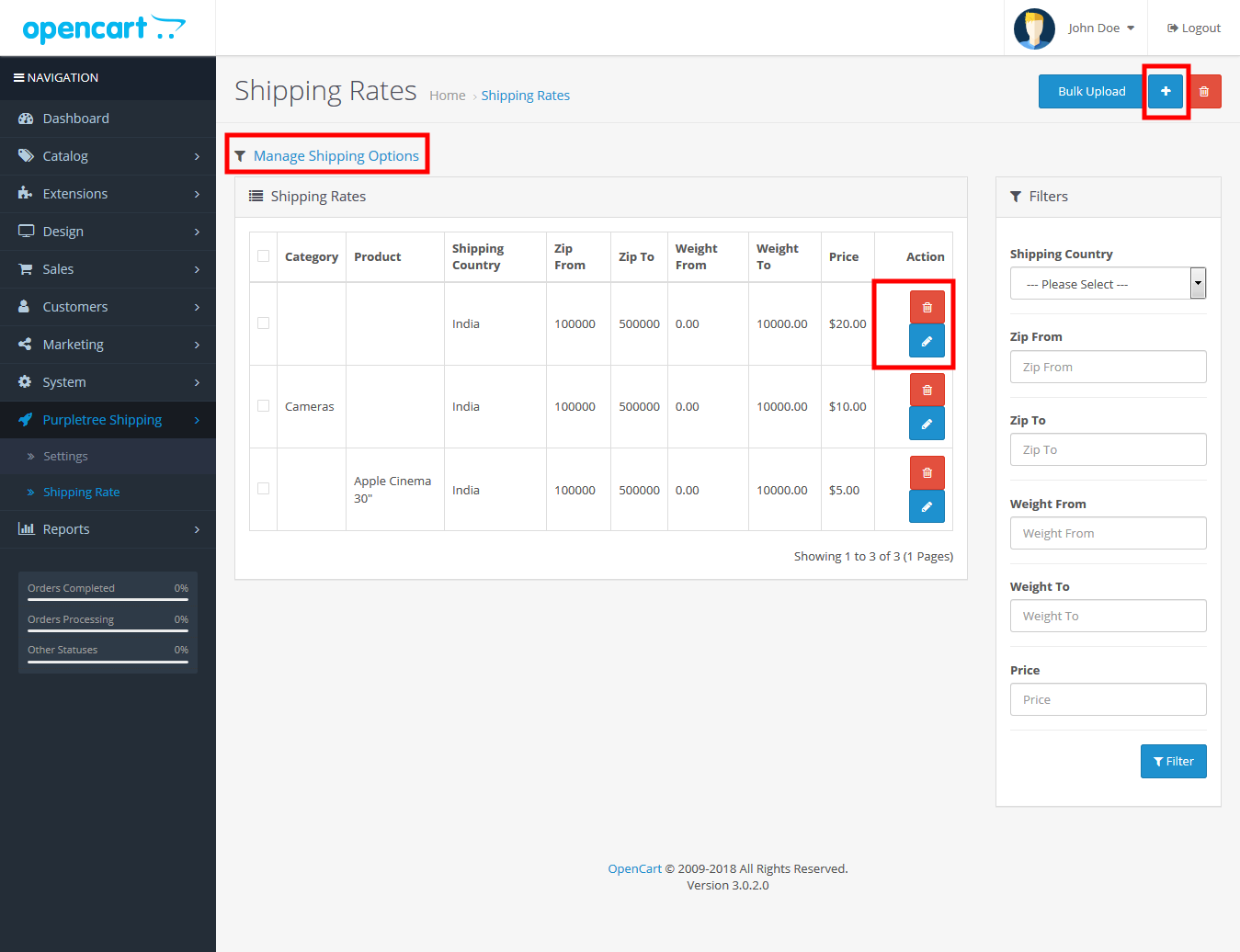
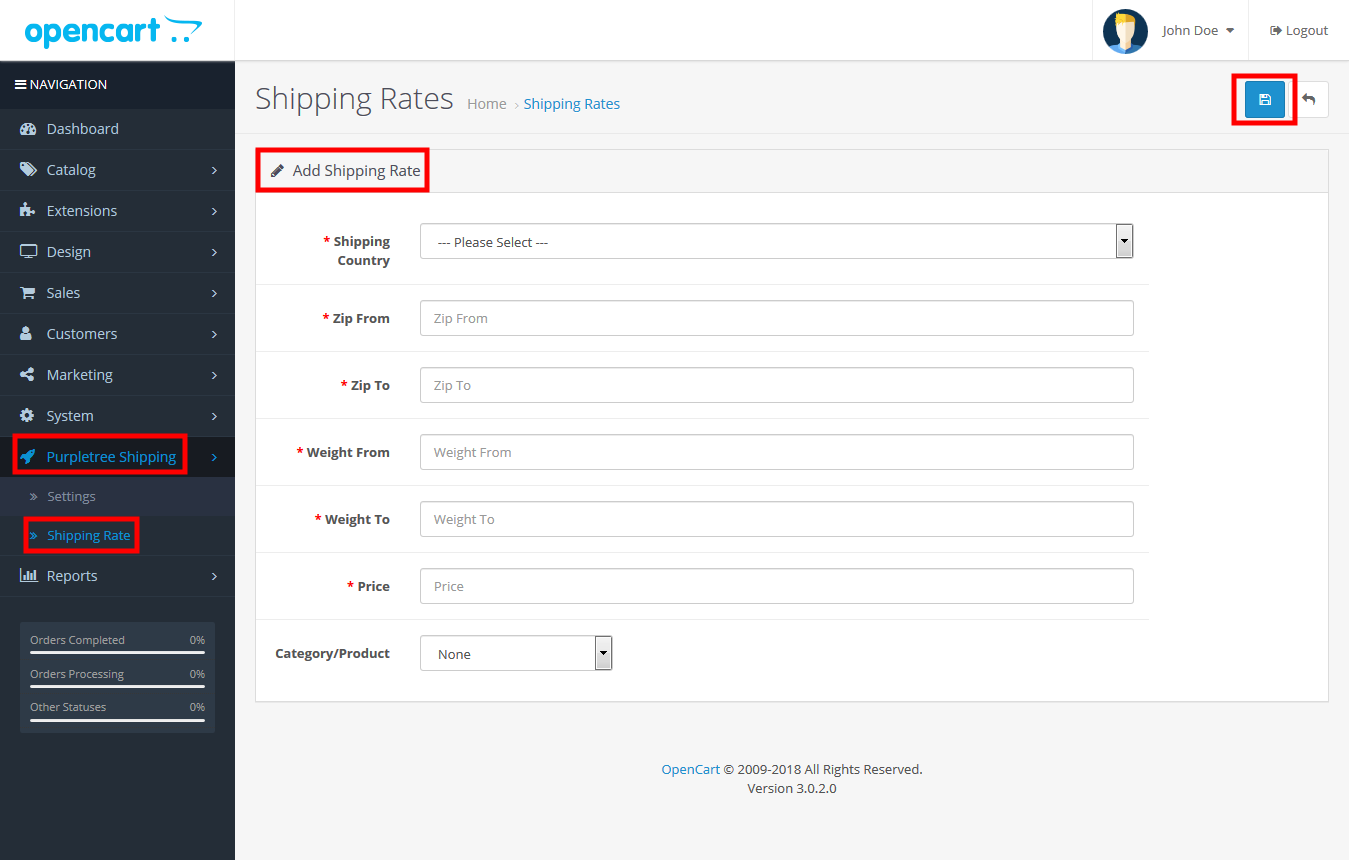
Advanced Shipping calculates delivery charges using shipping rules created by the admin. The system checks product, category, country, zip code, and weight before applying the matching shipping rate. This makes shipping calculation much more precise.
Example
An admin can create a rule for Electronics products weighing 1–5kg for Delhi zip codes and set shipping to ₹150. If a customer buys a product matching that condition, ₹150 shipping is applied automatically.
Flexible Shipping
Flexible Shipping combines Advanced Shipping and Flat Rate Shipping. It first checks if a shipping rule exists. If no matching rule is found, it uses the flat shipping amount as a backup. This ensures shipping is always calculated even when specific rules are missing.
Example
If a Laptop has a defined shipping rate of ₹150, that charge is applied. If a Toy has no shipping rule, the system applies the fallback flat rate, such as ₹80.
Shipping Rules Based on Conditions
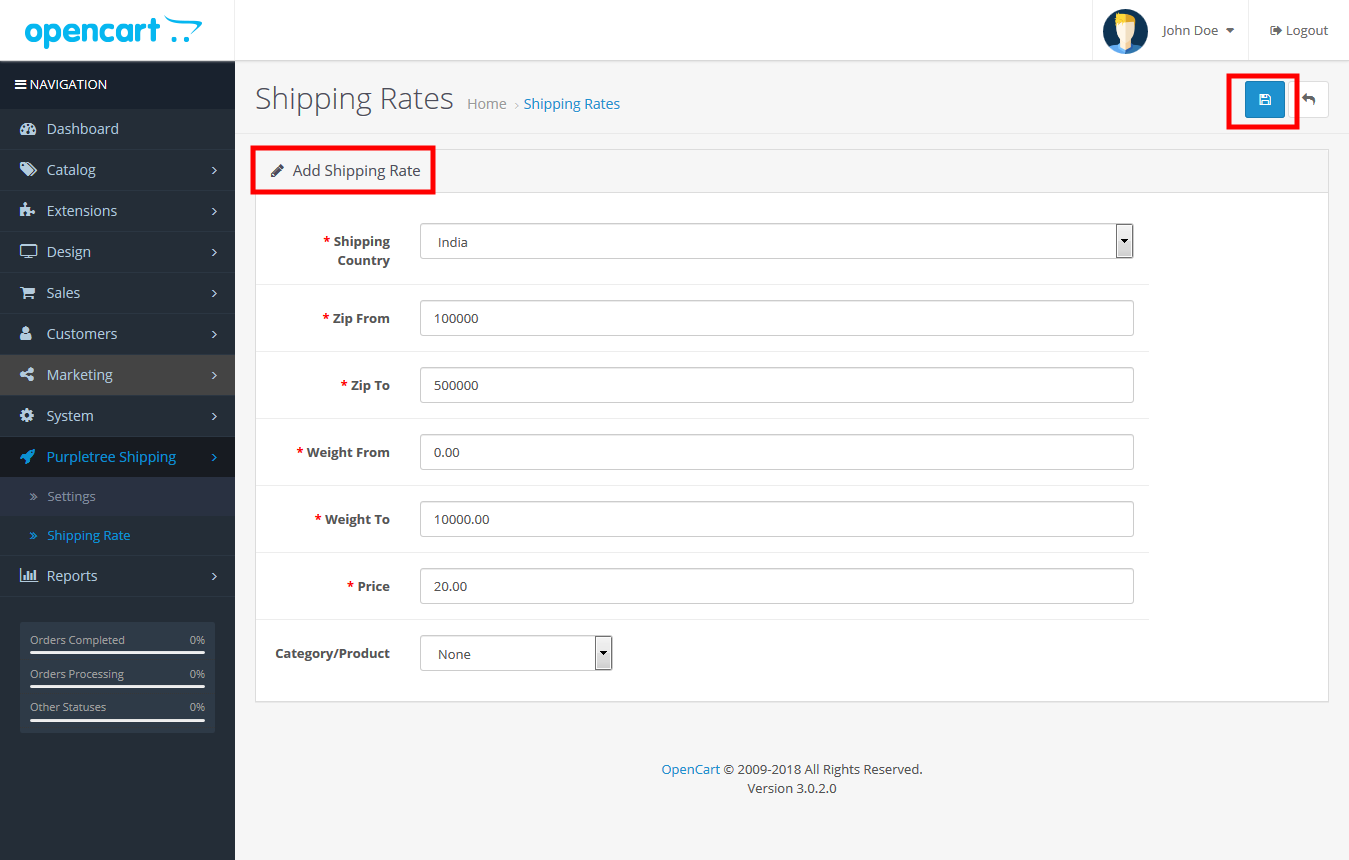
Country-based Shipping
Shipping charges can be set differently for different countries. This is useful for stores selling internationally where delivery costs vary by destination.
Example
India shipping = ₹100, USA shipping = ₹500.
Zip Code-based Shipping
Admin can define shipping charges for specific zip code ranges. This is useful for local delivery zones or region-based courier pricing.
Example
Zip codes 110001–110100 can have shipping set to ₹50.
Weight-based Shipping
Shipping can also be calculated by product weight, making it suitable for heavy or bulky products.
Example
0–1kg = ₹40, 1–5kg = ₹100, 5–10kg = ₹250.
Product-based Shipping
Shipping can be assigned to specific products for accurate delivery pricing.
Example
Dining Table shipping = ₹400.
Category-based Shipping
Shipping can also be assigned to an entire category so all products under that category follow the same shipping rule.
Example
Furniture category shipping = ₹300.
Bulk Upload Shipping Rates
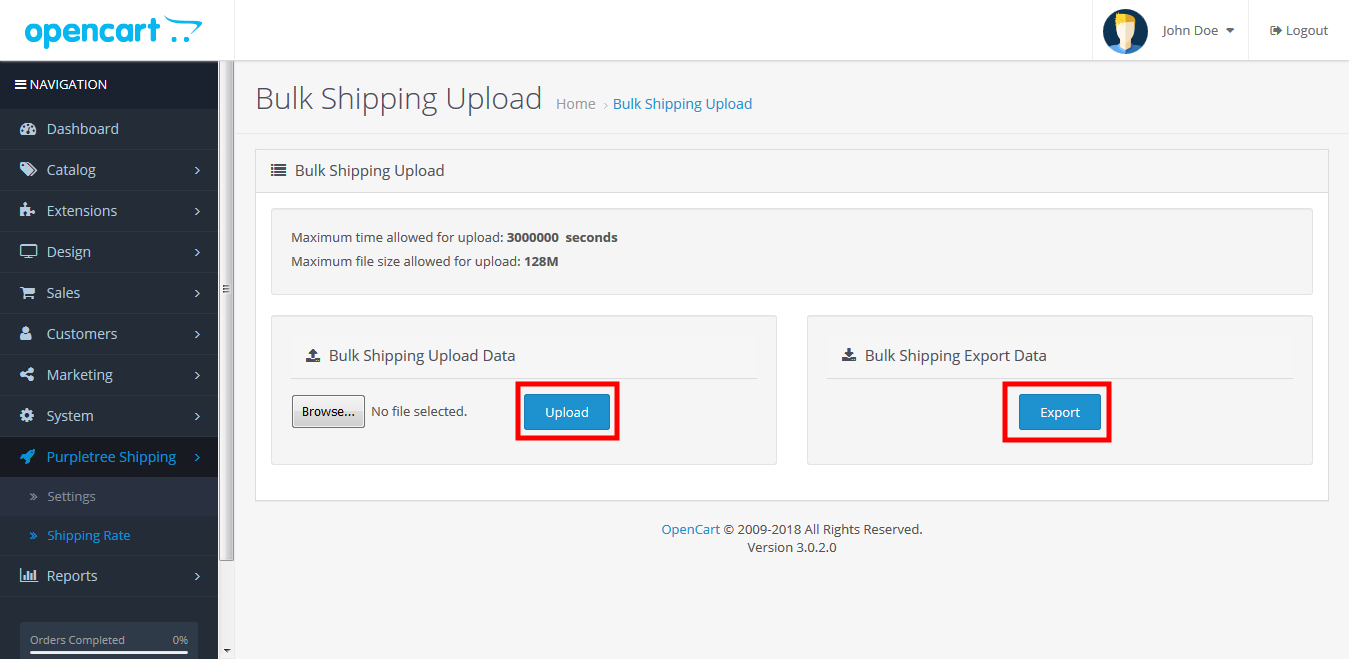
For stores with many shipping rules, admin can upload rates using Excel. This makes it easy to add, edit, or manage large shipping data quickly without entering each rule manually.
Why It Is Useful
This extension is useful for stores selling products with different sizes, weights, and delivery costs. It helps apply fair shipping charges, improves checkout accuracy, and gives store owners complete control over shipping management.