

3 New OpenCart Extensions for Speed, Auctions & AI Content
The eCommerce landscape is constantly evolving, and OpenCart store owners are increasingly looking for better ways to improve website performance, deliver faster shopping experiences, increase customer engagement, and adapt their stores to new technologies.
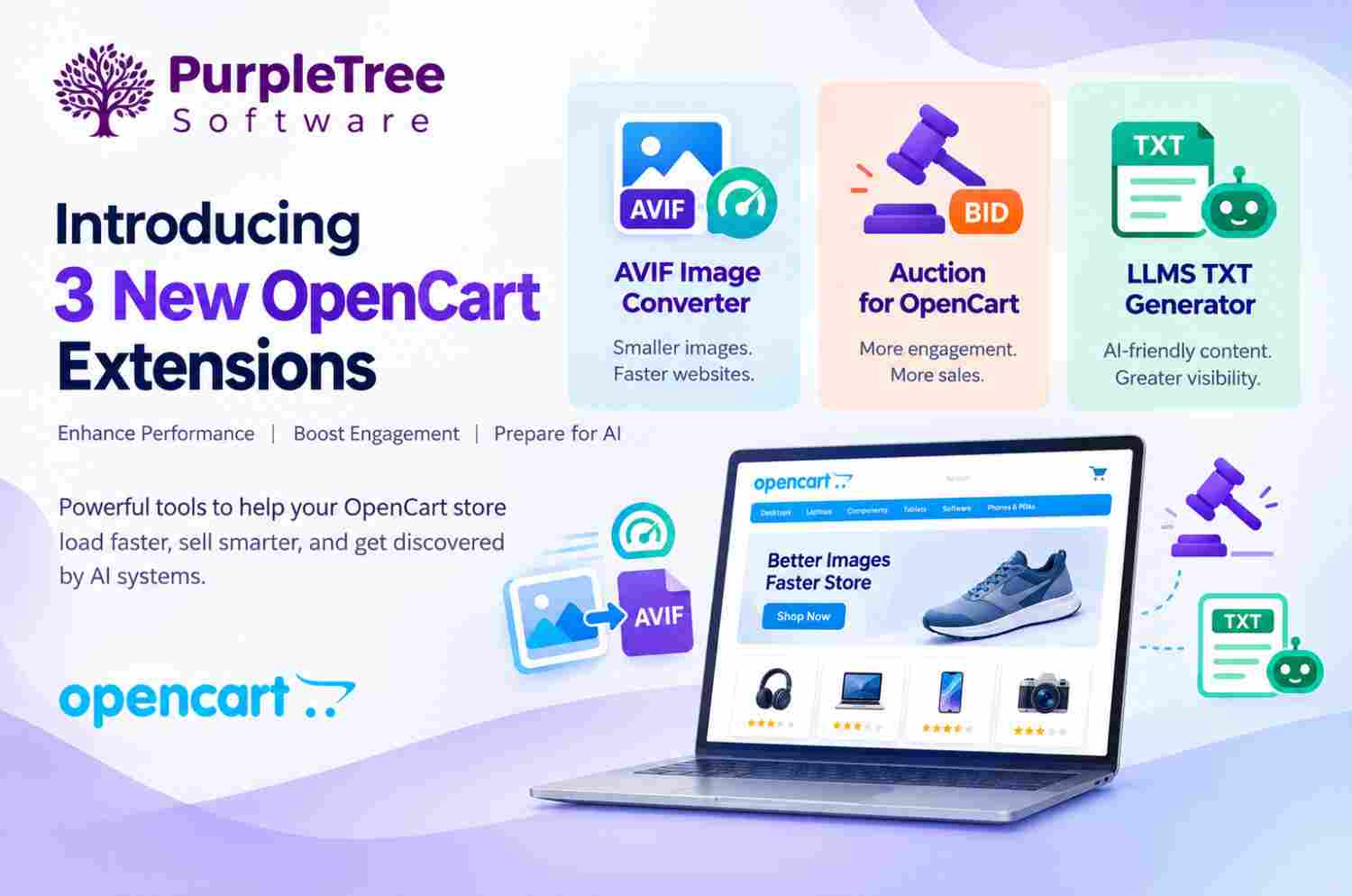
To address these changing requirements, Purpletree Software has launched three new OpenCart extensions designed to solve important challenges faced by modern online stores:
Each extension addresses a different aspect of modern eCommerce. The AVIF Image Converter focuses on website speed and image optimization, the Auction extension introduces interactive auction-based selling, while the LLMS TXT Generator helps stores prepare and organize their content for AI-friendly discovery and understanding.
Modern online stores need more than basic product and checkout functionality. Customers expect websites to load quickly, merchants need flexible selling models, and the way people discover and interact with online information is changing rapidly.
Large product images can affect page loading performance. Traditional fixed-price selling may not be suitable for every type of product. At the same time, store owners are increasingly interested in making their website content easier for emerging AI systems to understand.
These three new extensions were developed to provide OpenCart merchants with practical tools for addressing these requirements without having to replace their existing eCommerce platform.
Website speed is an important part of the modern shopping experience. Online stores often contain hundreds or thousands of product images, banners, category images, and other visual resources.
Large image files can increase the amount of data that visitors need to download. This can affect page loading performance, bandwidth usage, and the overall browsing experience.
The AVIF Image Converter for OpenCart was launched to help merchants convert existing JPG and PNG images into the modern AVIF format.
AVIF can provide smaller image files while maintaining excellent visual quality. The extension can automatically serve AVIF images to compatible browsers while continuing to provide the original image format to browsers that do not support AVIF.
Product images are essential for eCommerce because customers depend on visual information when evaluating products. However, image quality should be balanced with performance.
By reducing unnecessary image file size, merchants can work toward a faster and more efficient storefront while continuing to provide high-quality product visuals.
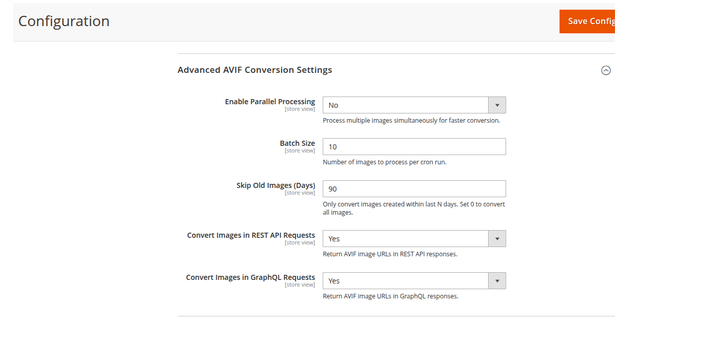
The extension automatically converts JPG and PNG images into AVIF format, reducing the need for merchants to manually process individual images.
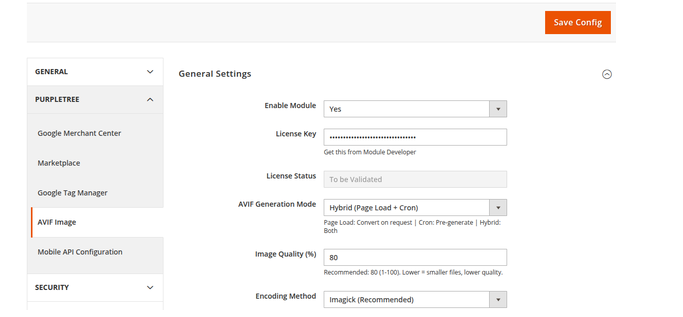
Merchants can choose from three conversion approaches depending on their server environment and image-processing requirements.
Images are converted automatically when they are requested by visitors for the first time.
Images are processed in the background using scheduled cron jobs, helping reduce image-processing activity during customer visits.
Hybrid mode combines page-load conversion and background processing to provide a balance between image availability and server efficiency.
The extension automatically detects AVIF browser support. Compatible browsers receive optimized AVIF images, while unsupported browsers continue to receive the original JPG or PNG format.
The extension supports the HTML5
A database-driven image conversion queue helps manage image processing efficiently and is particularly useful for stores with large image libraries.
Administrators can adjust image quality from 1 to 100 and configure image optimization while supporting preservation of EXIF metadata, ICC color profiles, and XMP metadata.
The extension provides REST API and GraphQL support for AVIF images. It also provides CLI commands for generating AVIF images, regenerating existing images, and viewing conversion status.
Explore AVIF Image Converter for OpenCart →
Not every product needs to be sold through a traditional fixed-price model. Some merchants may benefit from creating competition between customers, introducing limited-time bidding events, or giving shoppers an alternative way to purchase products.
The Auction for OpenCart extension was launched to help OpenCart 4.x merchants turn regular products into auction products.
The extension provides functionality for auction scheduling, pricing, bidding, proxy bidding, Buy It Now, bid history, countdowns, notifications, winner selection, and auction administration.
Auctions can create a more interactive shopping experience by allowing customers to actively participate in the purchasing process.
Instead of simply viewing a fixed price, customers can place bids during a defined period. This can help merchants create urgency and encourage customers to return to an auction to monitor its progress.
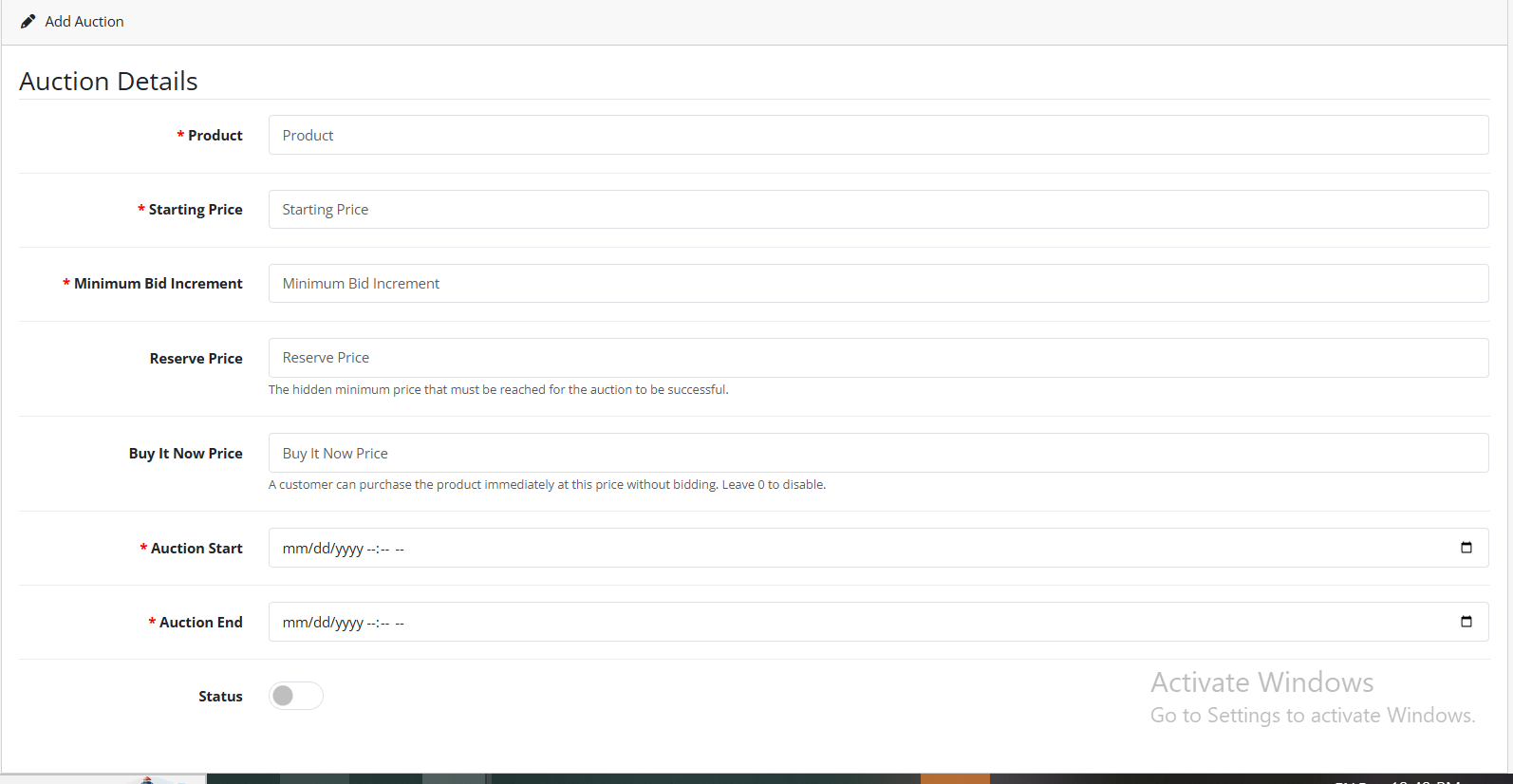
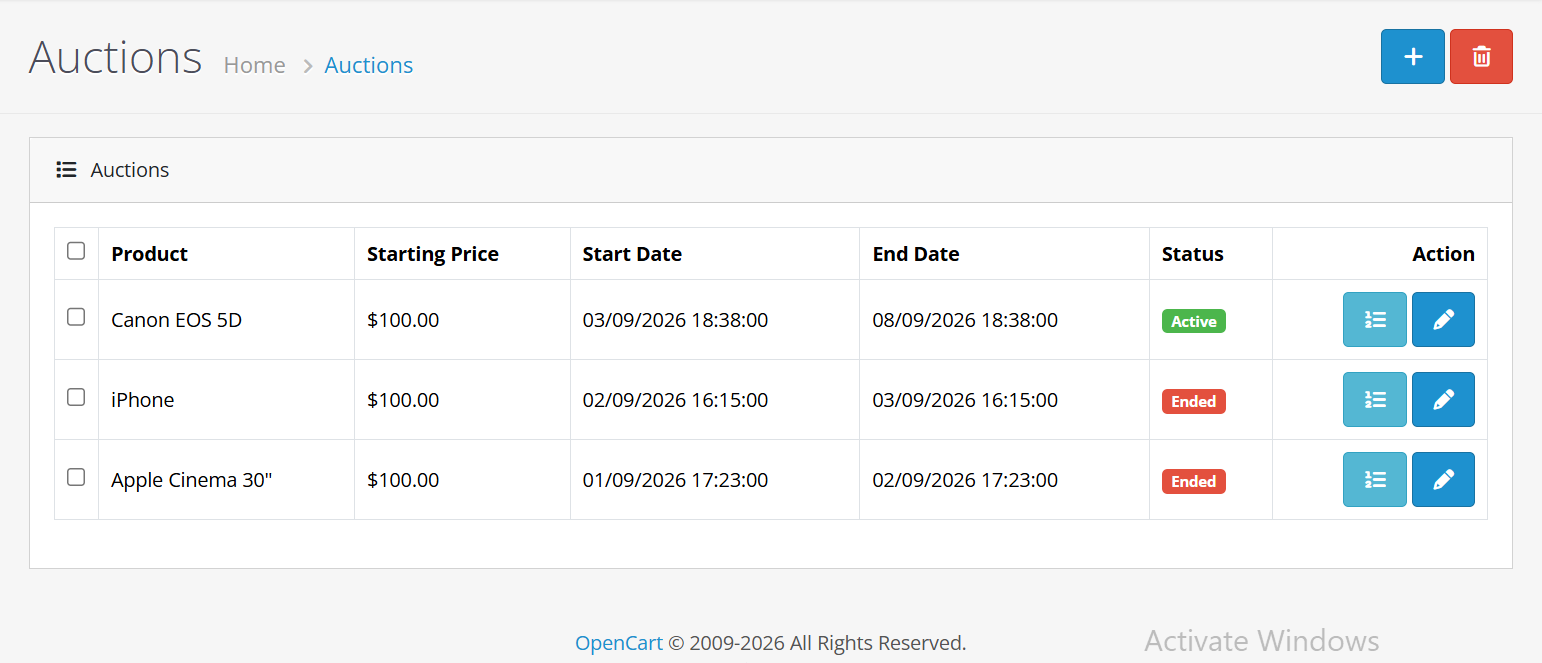
Administrators can create and manage auction products and configure important auction rules directly from the OpenCart administration panel.
Merchants can schedule auctions to begin and end at specific times. Before the start time, an auction remains pending, while after activation it becomes available for customer bidding.
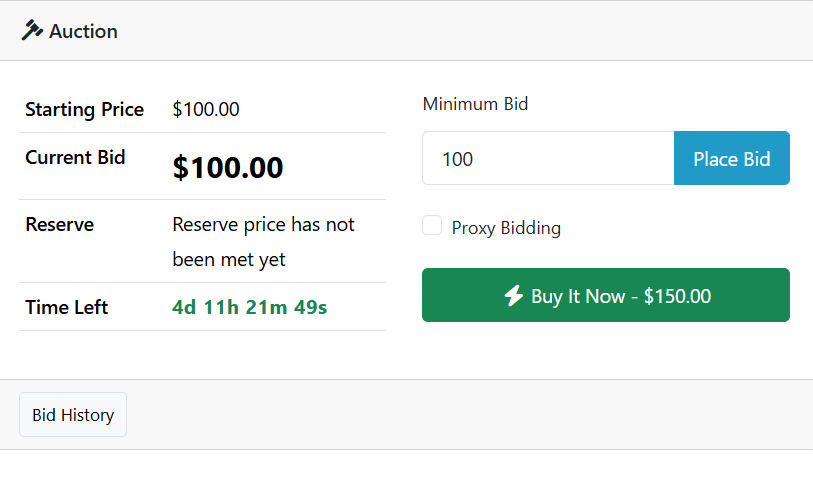
Customers can see a countdown showing:
Logged-in customers can place bids according to the applicable minimum bid requirement. The system validates bids against the starting price or configured bidding increment.
Customers can specify a private maximum bid. The system can automatically increase the customer's bid according to the configured increment when another customer places a higher bid, without exceeding the customer's private maximum.
Merchants can optionally provide a Buy It Now price, allowing customers to immediately purchase an auction product at a predefined price instead of continuing with the bidding process.
Customers can view bid history from the auction product page. Depending on administrator settings, bid history can include bid amount, bidder name, bid type, and date/time.
Customers can access their auction activity through their account, including My Bids and Won Auctions.
When an auction expires, the system can process the highest valid bid, check the reserve price, save the winner and final price, end the auction, and send configured notifications.
Cron-based processing supports important background activities such as scheduled auction activation, auction expiration, winner selection, final price processing, status updates, and applicable notifications.
Explore Auction for OpenCart →
As AI-powered search, assistants, and content discovery continue to develop, online store owners are looking for ways to make their website information easier for AI systems to understand.
The LLMS TXT Generator for OpenCart was launched to help merchants automatically create and manage an AI-friendly
The extension allows administrators to control which store information is included in the generated file, including products, categories, CMS pages, SEO metadata, store URLs, and custom content.
Online stores contain large amounts of structured and unstructured information. Product descriptions, category information, CMS content, URLs, and SEO metadata all contribute to the overall understanding of a website.
The LLMS TXT Generator provides a centralized way to organize selected store information in an AI-friendly text file.
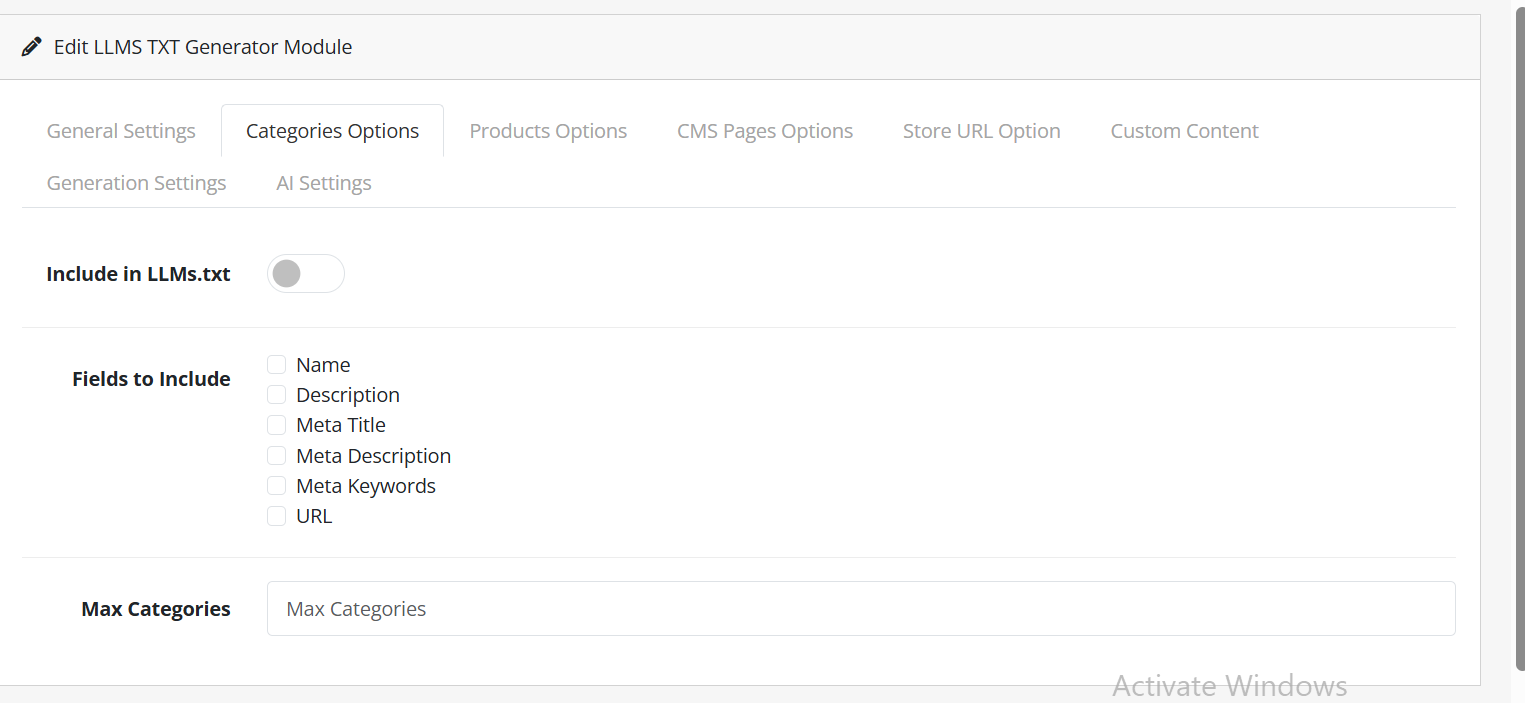
Administrators can choose whether category information should be included and can configure a maximum category limit.
Supported fields include:
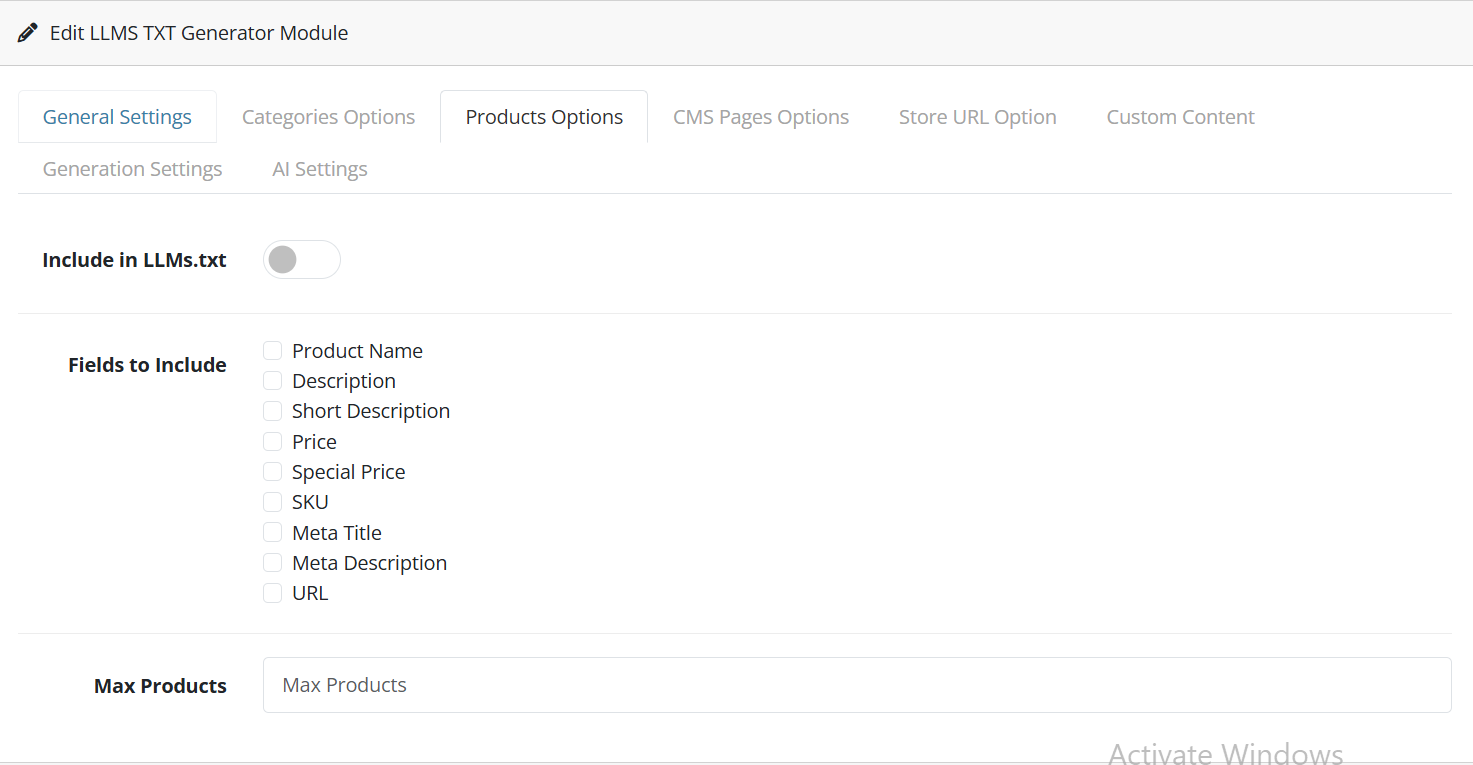
Product information can also be included in the generated llms.txt file.
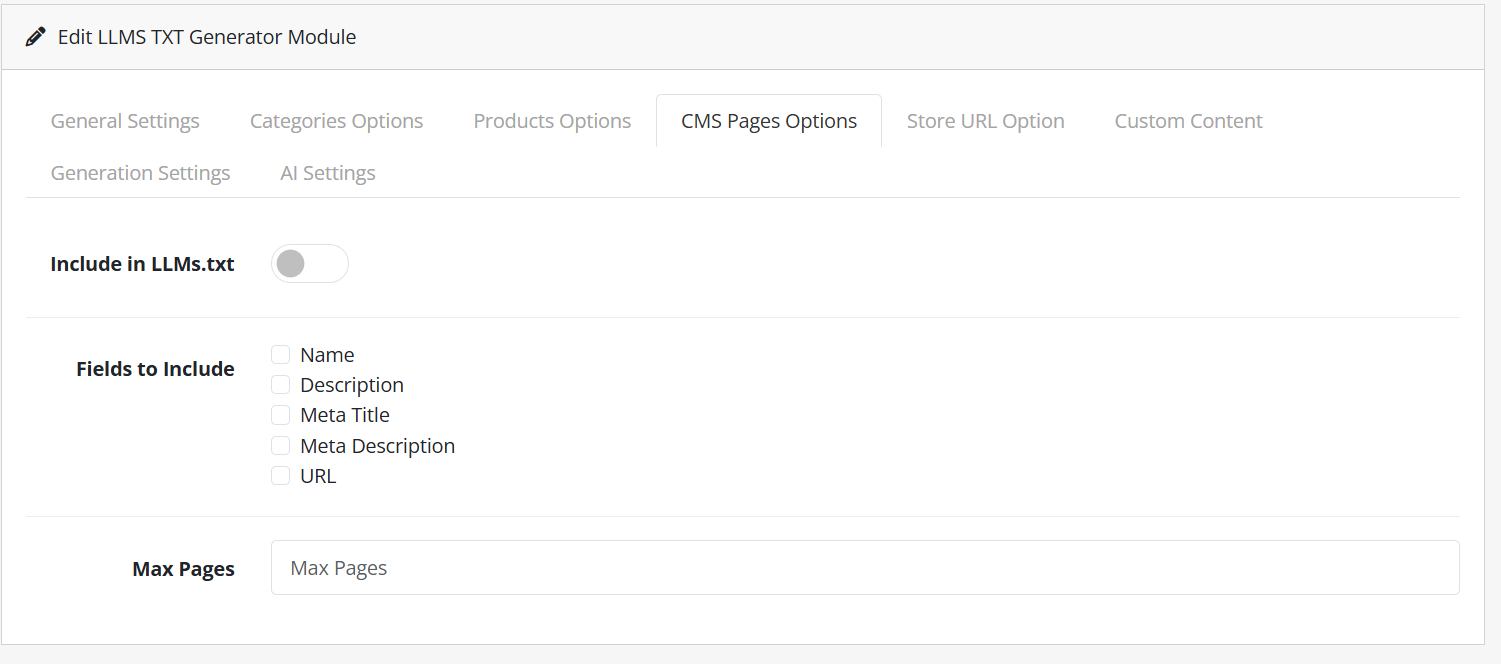
The extension can include CMS pages and their relevant information in the generated file.
Merchants can choose to include the store URL within the generated llms.txt file.
Custom content support allows administrators to manually add additional information to the llms.txt file.
Explore LLMS TXT Generator for OpenCart →
These three extensions address different areas of store management, but they share a common goal: helping OpenCart merchants adapt their stores to modern eCommerce requirements.
The AVIF Image Converter helps merchants optimize their visual content by converting JPG and PNG images into AVIF and providing browser-aware image delivery.
The Auction Extension gives merchants the tools required to introduce bidding, scheduled auctions, proxy bidding, Buy It Now, countdowns, and automated winner processing.
The LLMS TXT Generator provides a structured approach to creating an llms.txt file containing selected products, categories, CMS pages, SEO metadata, store information, and custom content.
Every OpenCart store has different requirements. Some merchants may primarily need better image optimization, while others may want to introduce auctions or prepare their content for AI-powered discovery.
OpenCart continues to provide merchants with a flexible platform for building and managing online stores. However, the needs of eCommerce businesses continue to evolve beyond traditional storefront functionality.
Faster websites, interactive purchasing experiences, and AI-friendly content are becoming increasingly relevant to online businesses.
With the launch of the AVIF Image Converter, Auction for OpenCart, and LLMS TXT Generator, Purpletree Software provides OpenCart merchants with new tools designed around these evolving requirements.
The launch of these three OpenCart extensions represents three practical approaches to improving an online store.
AVIF Image Converter focuses on performance and modern image delivery. Auction for OpenCart focuses on customer engagement and alternative selling. LLMS TXT Generator focuses on organizing website content for AI-friendly discovery and understanding.
Whether your priority is faster image delivery, more engaging product sales, or better structured content for AI systems, these new Purpletree OpenCart extensions provide dedicated functionality that can be added directly to your existing store.
Explore the new OpenCart extensions from Purpletree Software:
Why Purpletree Software Launched These New OpenCart Extensions
Three Extensions for Three Modern eCommerce Requirements
Extension
Primary Purpose
Main Benefit
AVIF Image Converter
Image optimization
Smaller images and improved website performance
Auction for OpenCart
Auction-based selling
More interactive product selling and customer engagement
LLMS TXT Generator
AI-friendly content organization
Helps structure store information for AI systems
AVIF Image Converter for OpenCart
Why Image Optimization Matters for OpenCart Stores
Key Benefits of the AVIF Image Converter
Basic Features of AVIF Image Converter
Automatic Image Conversion
Three Conversion Modes
Page Load Mode
Cron Mode
Hybrid Mode
Multiple Encoding Methods
avifenc and ffmpegSmart Browser Detection
HTML5 Picture Tag Support
<picture> element to help deliver an appropriate image format based on browser compatibility.
Queue-Based Image Processing
Admin Dashboard
Image Quality and Metadata
API and CLI Support
Theme Compatibility
Auction for OpenCart
Why Add Auctions to an OpenCart Store?
Key Benefits of the Auction Extension
Basic Auction Features
Complete Auction Management
Scheduled Auctions
Live Auction Countdown
Manual Bidding
Proxy and Automatic Bidding
Buy It Now
Bid History
Customer Auction Account
Automatic Winner Selection
Email Notifications
Cron-Based Auction Processing
LLMS TXT Generator for OpenCart
llms.txt file for their OpenCart store.
Why Is an LLMS TXT File Useful?
Key Benefits of the LLMS TXT Generator
Basic Features of LLMS TXT Generator
General Settings
Category Information
Product Information
CMS Page Information
Store URL
Custom Content
Generation Options
AI Settings
How These Extensions Can Help Modern OpenCart Stores
For Better Website Performance
For More Interactive Selling
For AI-Friendly Store Content
Choose the Right Extension for Your Store
Choose AVIF Image Converter If You Want To:
Choose Auction for OpenCart If You Want To:
Choose LLMS TXT Generator If You Want To:
Built for the Future of OpenCart eCommerce
Conclusion