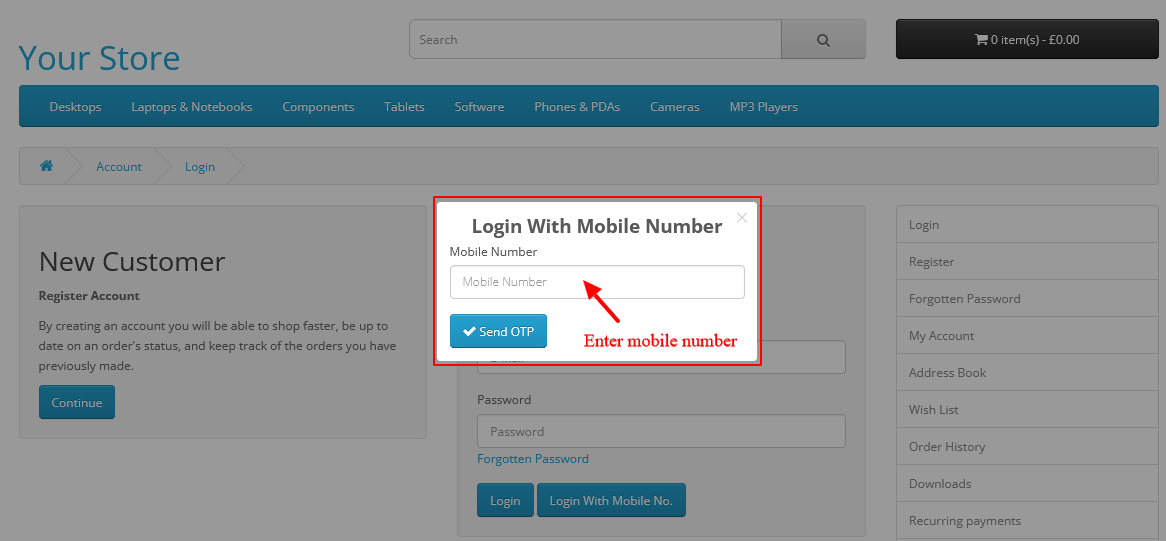
How to Fix “Login with Mobile No.” Button Not Showing in OpenCart
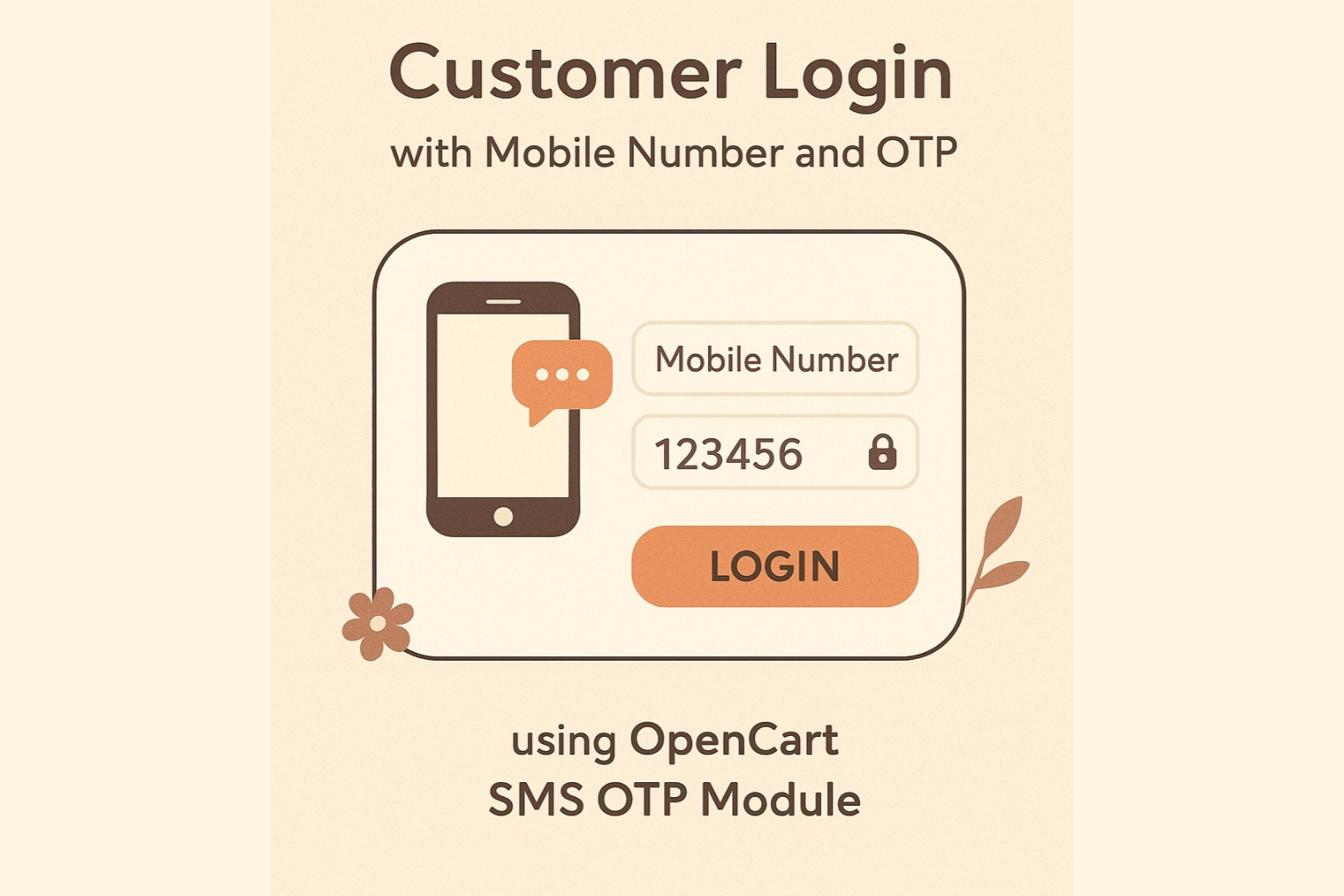
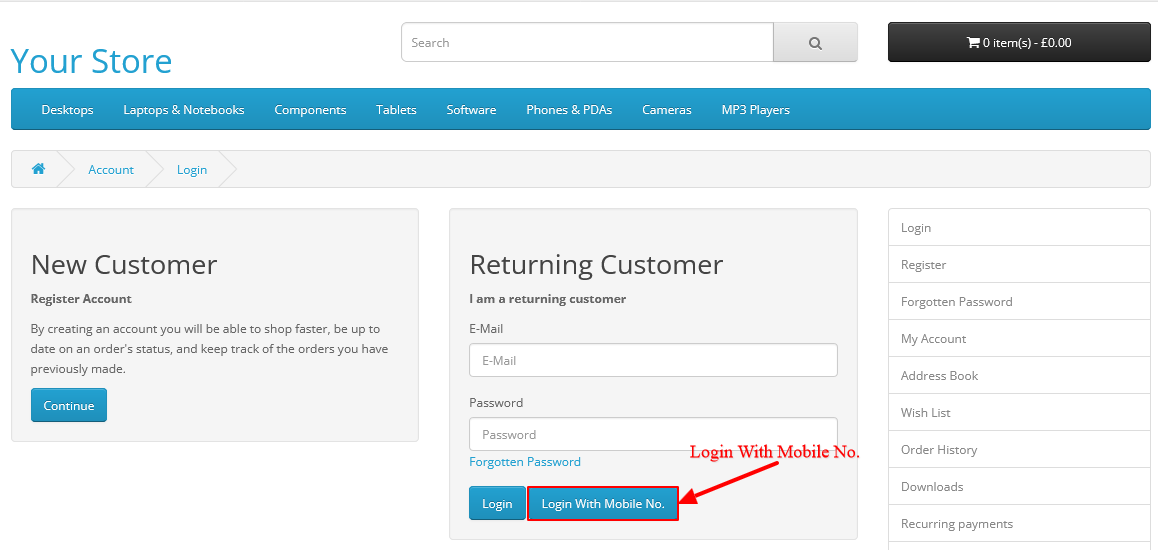
If the “Login with Mobile No.” button is not visible on your OpenCart customer login page, follow the steps below. This guide is written in an easy and direct way.
Step 1: Open the Login Page Template File
Go to the following file in your theme:
catalog > view > theme > YOUR_THEME > template > account > login.twig
Why This Issue Happens
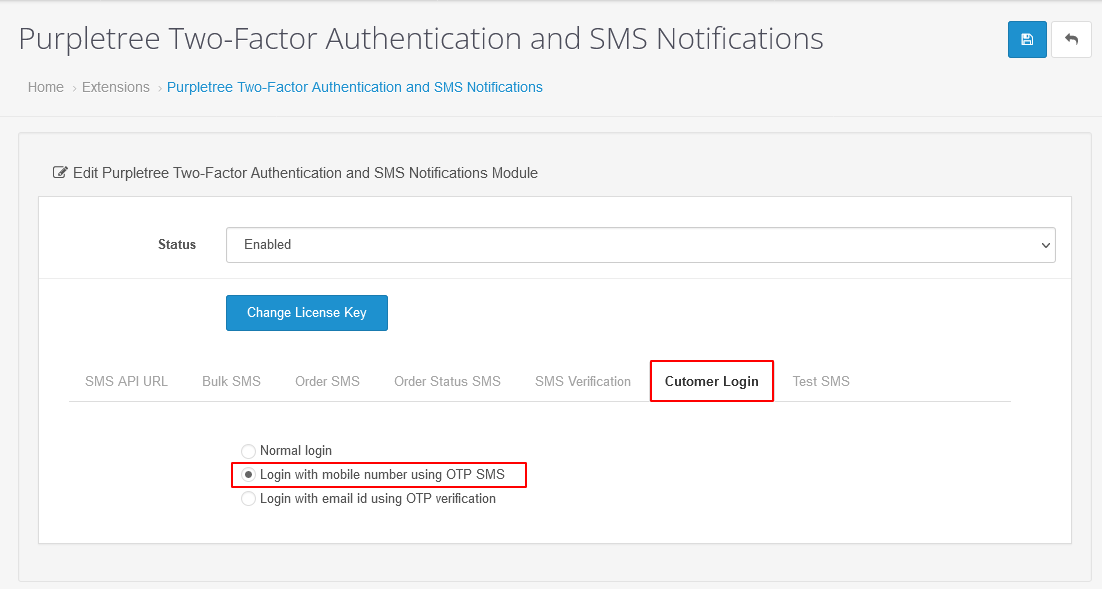
The mobile login button depends on two conditions:
- SMS
sending option must be enabled
- Mobile
login option must be enabled
Even if these settings are correct, the button will not
appear unless the required code is added in the login.twig file.
So we need to manually place the code in
the correct location.
Step 2: Add the Mobile Login Button Code
Find your normal login button code.
Right after that, paste the code below:
{% if send_sms_status == 1 and login_with_mobile == 1 %}
<button type="button" id="pts-mobile-no-otp" class="btn btn-primary"
onclick="showMobileNoBox();">{{ entry_login_with_phone_no }}</button>
{% endif %}
Step 3: Clear Modifications & Refresh Theme Cache
After adding the code, OpenCart still won’t show the new button unless the cache is refreshed.
Follow these steps:
-
Go to Admin → Extensions → Modifications
-
Click Refresh (blue button on the top-right)
-
Now go to Dashboard → Gear Icon (top-right)
-
Click Clear Theme Cache
-
Click Clear SASS Cache (if visible)
This ensures your updated login.twig file is properly loaded.
Step 4: Verify SMS & Mobile Login Settings
Many store owners forget to enable the correct settings.
Make sure both options below are ON:
-
Send SMS Status → Enabled
-
Login with Mobile No. → Enabled
You will find these settings inside your extension/module that handles OTP login.
If any one of them is disabled, the button will not display—even if your code is correct.
Step 5: Test the Login Page
Once everything is enabled:
-
Open your website in Incognito Mode
-
Go to the Customer Login page
-
Check if the “Login with Mobile No.” button appears
If it appears, your OTP login is working.