Vendor Two Factor Authentification in OpenCart Multi Vendor

Compatibility Requirements
This Vendor 2FA and SMS Notification Module for OpenCart works only if the Purpletree Multivendor extension is already installed and activated.
SMS Provider Options
1. Custom SMS API
Use your own SMS gateway by entering your API URL and parameters. Send OTPs and notifications using your custom SMS service.
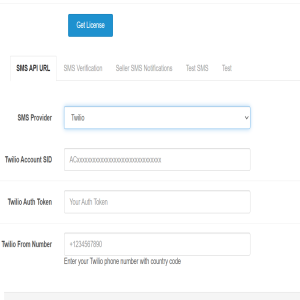
2. Twilio SMS Gateway
Built-in Twilio support is available. You will need:
- Twilio Account SID
- Twilio Auth Token
- Twilio From Number
More details available on the OpenCart Vendor 2FA Extension page .
Seller Login 2FA Settings
Enable Seller Login 2FA
Turn this ON to enable OTP verification when a seller logs into their account.
Make 2FA Required for Sellers
If enabled, all sellers must complete OTP verification before accessing their dashboard.
Send SMS to Seller
Enable this option to send the OTP to the seller’s registered mobile number. Email OTPs are always sent automatically.
Seller Login OTP Template
You can customize the OTP SMS template using the following variables:
- _NAME_ → Seller name
- _OTP_ → One-time verification code
- _EMAIL_ → Seller email address
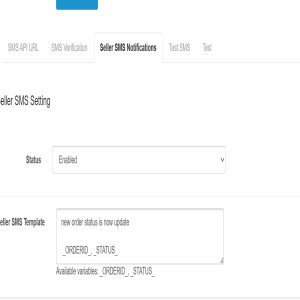
Seller SMS Notifications
Status
Enable or disable SMS alerts for sellers whenever the order status changes.
Seller SMS Template
You can use the following variables in the seller notification message:
- ORDERID → Order ID
- STATUS → Updated order status
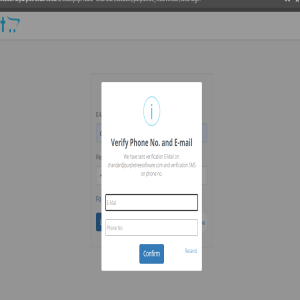
Seller Login – Email & Phone Verification Popup
When 2FA is enabled, sellers must verify both their email and phone number during login:
- Email OTP (sent to their registered email address)
- SMS OTP (sent to their registered mobile number)
Verification Fields
- E-Mail: Enter the email OTP
- Phone No.: Enter the SMS OTP
Action Buttons
- Confirm: Submit both OTPs for verification
- Resend: Resend both OTPs
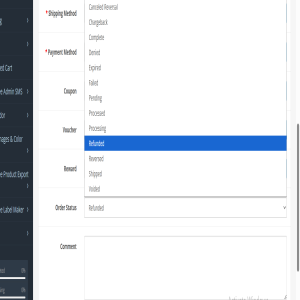
Enable Seller Notification Triggers
In the module settings, you can enable or disable multiple SMS notification triggers, such as:
- Admin changes order status → Send SMS to seller
Use the toggle options to control each notification event.
Order Confirmation SMS — Admin & Seller
When a customer places or confirms an order, automatic SMS notifications are sent to both the seller and the admin for faster order processing.