
Abandoned Carts Reminder for Opencart
$29
Free Support for Six Months, Lifetime Free Updates, One-time Payment, Source Code included
Give your customers quick access to important documents directly on product pages. With the OpenCart Product PDF Attachments Extension, you can upload and display multiple PDF files such as brochures, manuals, test reports, user guides, or catalogues—all in just a few clicks.
Works seamlessly with most themes, including the Journal Theme.
How to Upload PDFs
That’s it – your PDFs are now live on the product page!
How to Upload a PDF from Admin
Follow the steps below to upload a PDF file for a specific product:
Step 1: Go to Product Edit Page
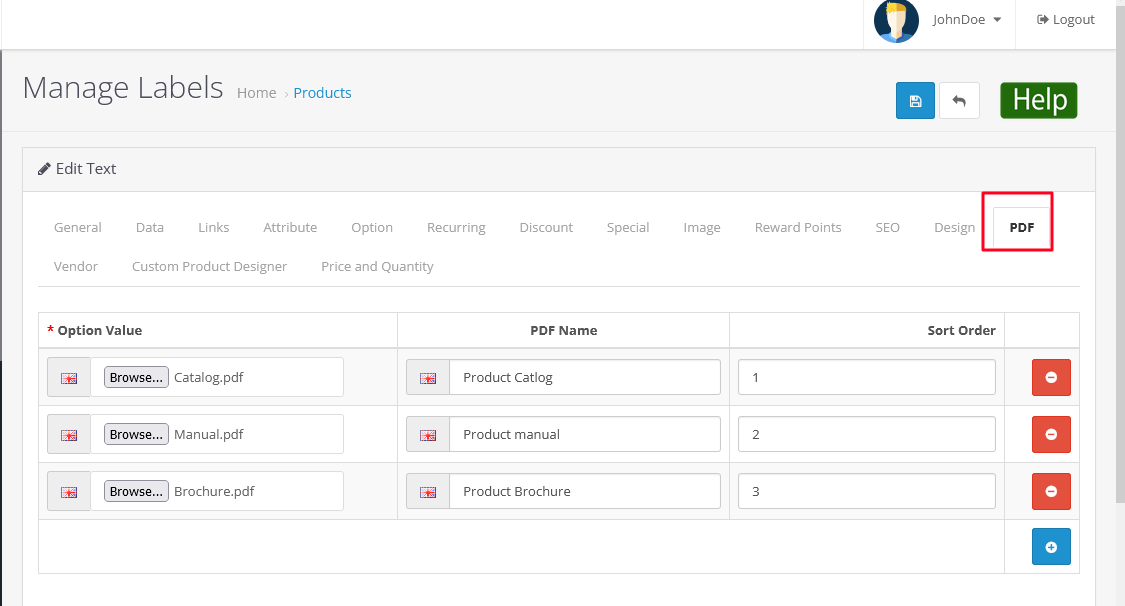
Navigate to: Catalog → Products → Edit (Select Product) → PDF Tab
Step 2: Fill the Required Fields
Under the PDF Tab, enter the following details:
After entering the details, click Save to update the product.
PDF Title Setting
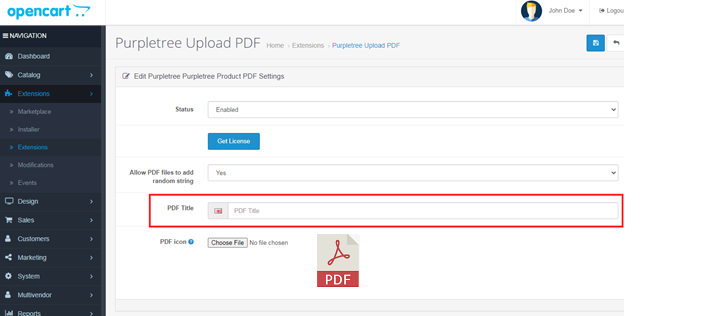
To configure the PDF section title:
Go to: Extensions → Extensions → Modules → Purpletree PDF Extension
Click Save to apply the changes.
PDF Icon Setting
To upload or change the PDF icon:
Go to: Extensions → Extensions → Modules → Purpletree PDF Extension
The uploaded icon will be displayed next to the PDF title on the product page.
Click Save after uploading the icon.
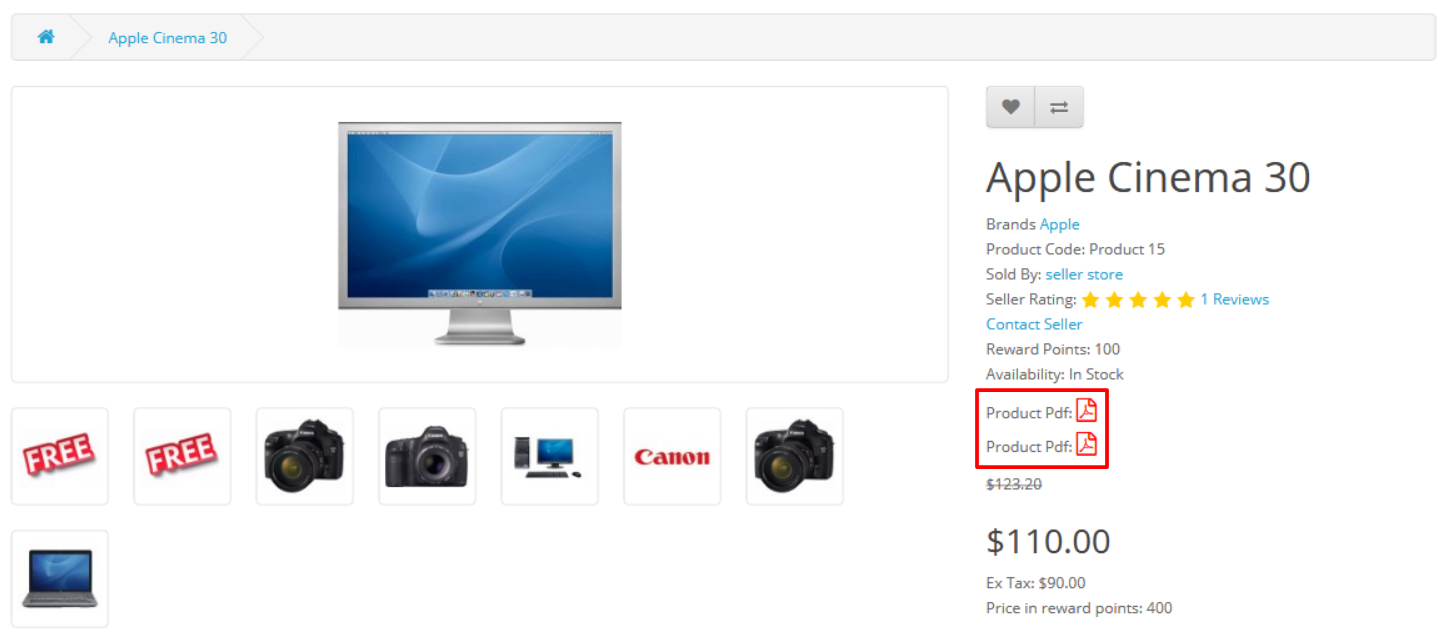
Frontend View (Customer Side)
On the product description page, the uploaded:
will be displayed to customers.
If multiple PDFs are added, they will appear according to the Sort Order set in the admin panel.
The Opencart Upload PDF at Product Page Extension is a powerful tool for e-commerce stores using the Opencart platform. It allows store owners to easily upload and display PDF files on individual product pages, providing customers with additional information about products.
The extension works by allowing store owners to upload PDF files directly to the product page, where they can be viewed by customers. The PDF file can be uploaded through the product editing interface in the Opencart admin panel. This feature can be used to upload product manuals, brochures, or any other type of PDF file related to the product.
Download the User Guide.
If you face any issues, please raise a ticket through our Helpdesk.
Note: Our extensions are covered under a licensing policy. Click here to view the license policy.
Only a few companies are approved as authorized OpenCart partners.
OpenCart partners provide more mature and reliable solutions.
Partners maintain strong track records for customer support and product quality.
See our OpenCart Partner Profile.
Give your customers quick access to important documents directly on product pages. With the OpenCart Product PDF Attachments Extension, you can upload and display multiple PDF files such as brochures, manuals, test reports, user guides, or catalogues—all in just a few clicks.
Works seamlessly with most themes, including the Journal Theme.
Upload multiple PDF for any product. NEW!
Custom Icon and Heading for PDF, on product page. NEW!
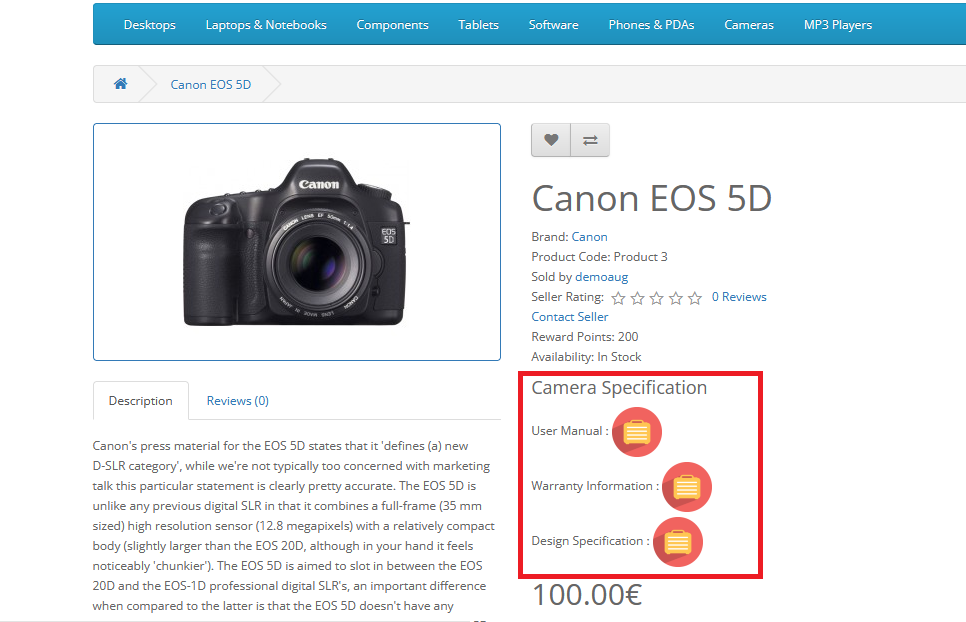
Give a custom name to every pdf. Example: A product can have 3 pdf files named User Manual, Warranty Information, Design Specification etc. NEW!
It does not overwrite any files.
OCMod code is available to avoid a clash with OpenCart core code.
Multilingual ready. You may add strings in your own language by little addition.
Bulk Upload multiple PDF for multiple products via Excel Sheet. NEW!
The features are the same in all supported OpenCart versions.
The Product PDF Attachment Extension delivers clear value for both store owners and customers by making product documents easily accessible.
A simple and organized document display improves customer confidence, reduces confusion, and helps drive better purchase decisions.
Experience the Custom Product Designer firsthand. Try our live demo stores to see how easy and powerful the customization experience can be.
Admin username: admin
Admin password: demo123
Supported Opencart Versions: