Opencart Extensions / MultiVendor Marketplace

Stripe Express for Multi-Vendor

Stripe Express for Multi-Vendor is an OpenCart extension that enables automatic split payments between the admin and vendors using Stripe Express. This extension is used with Purpletree Multi Vendor for Opencart. Supports All 3.x and 4.x
$29 One-time payment
SKU : opencart-stripe-express-multivendor
Share :
| No Review
Trusted by 5000+ Stores
Lifetime Updates
6 Months Support

Description

Stripe Express for Multi-Vendor – OpenCart Extension

The Stripe Express for Multi-Vendor Extension enables automatic split payments between the store admin and vendors using Stripe Express / Stripe Connect.

This extension is designed to work seamlessly with the Purpletree Multi-Vendor Extension for OpenCart, allowing marketplace owners to automate vendor payments.

When a customer places an order, the payment is automatically split between the admin and vendors based on the configured commission, eliminating manual payment settlements.

It provides secure, fast, and compliant vendor payouts, making it ideal for multi-vendor marketplace stores.

Includes

  • Lifetime Updates
  • Full Source Code
  • One-Time Payment
  • 6 Months Technical Support

This separate Stripe Express extension adds advanced features like:
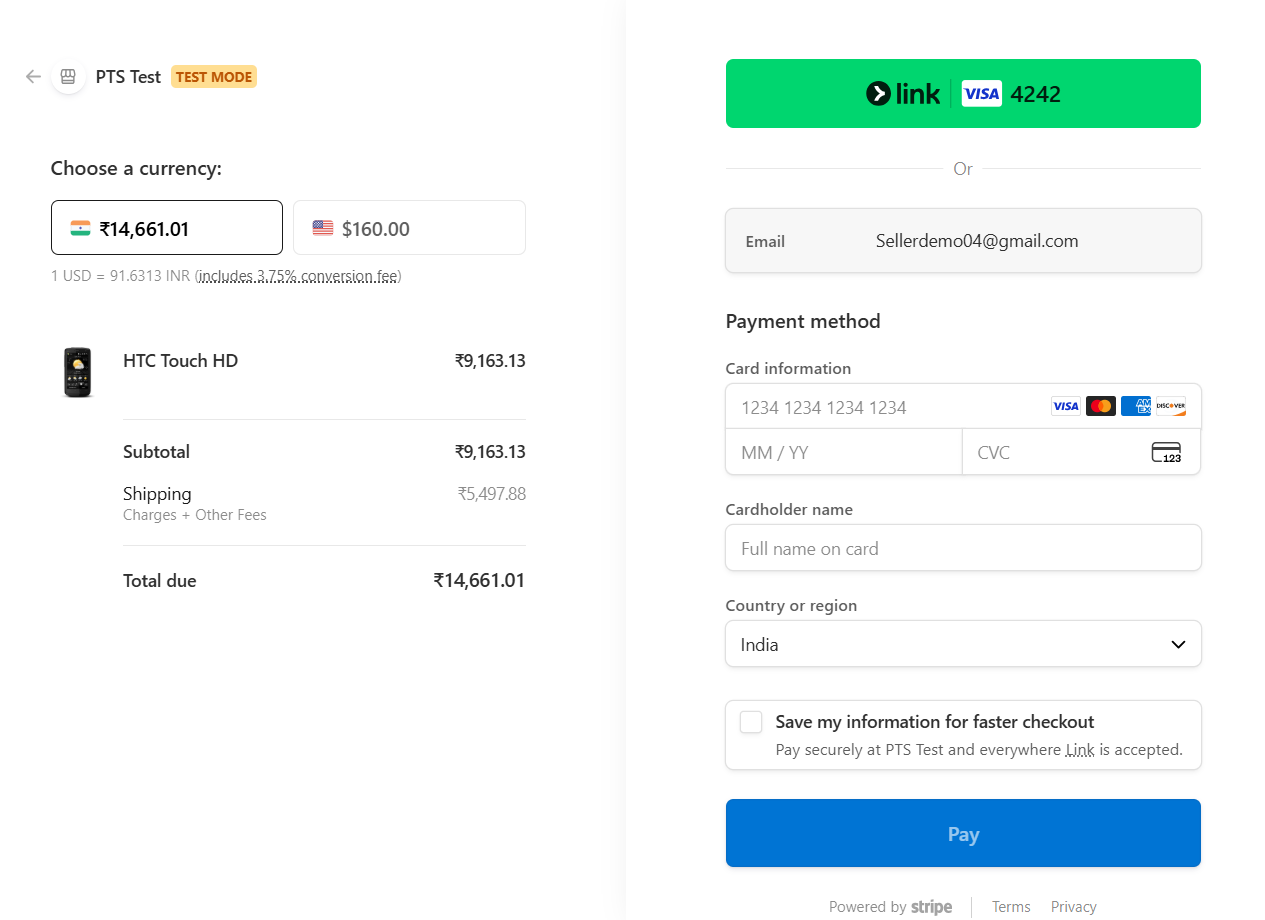
  • Automatic vendor payouts via Stripe Connect.
  • Automatic split of payments between admin and vendors.
  • Improved security and compliance.

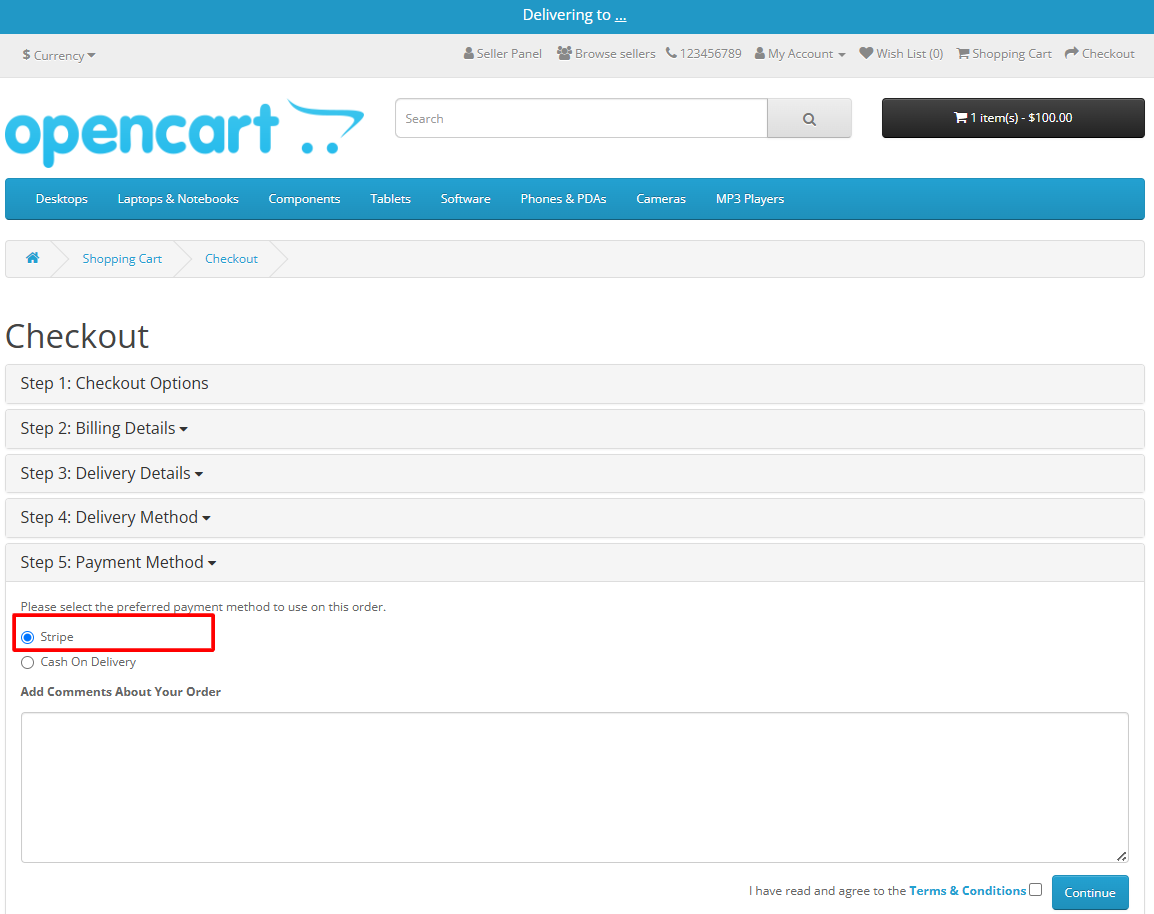
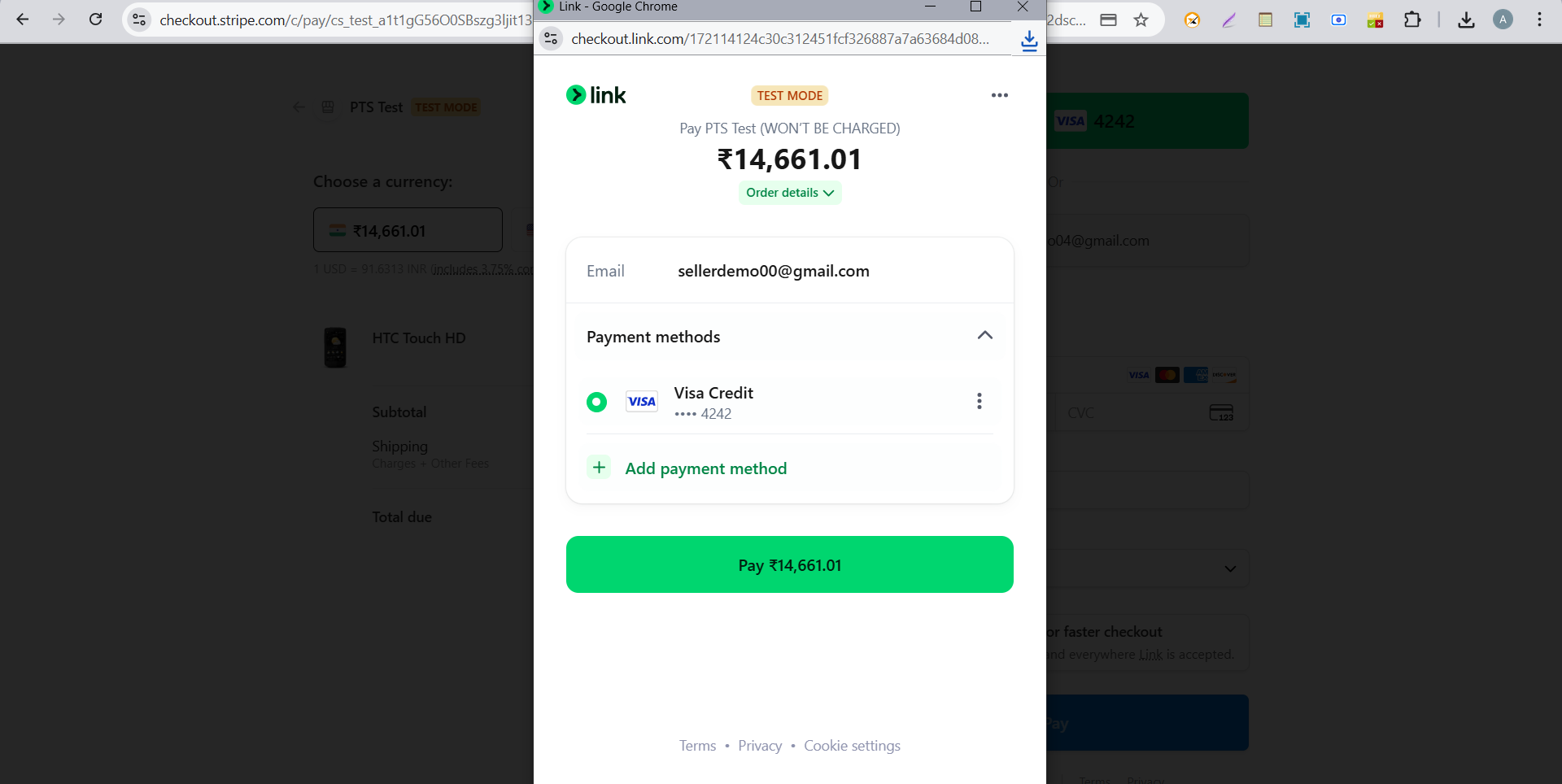
  • When a customer places an order, the payment is instantly split — the admin and each vendor receive their respective shares based on the configured commission. This removes the need for manual settlements and saves valuable time.
  • Stripe Express for Multi-Vendor 1
Stripe Express for Multi-Vendor 2
Stripe Express for Multi-Vendor 3

Our Support, Guide & Policies

If you face any issues, please raise a ticket through our Helpdesk.

Note: Our extensions are covered under a licensing policy. Click here to view the license policy.

Features

Stripe Express for Multi-Vendor – OpenCart Extension

Automatic Split Payments

Payments are automatically split between the store admin and vendors based on marketplace commission settings.

Stripe Express / Stripe Connect Integration

Uses Stripe Express accounts through Stripe Connect to securely process vendor payouts.

Automatic Vendor Payouts

Vendors receive their share of the payment automatically without manual intervention from the admin.

Works with Purpletree Multi-Vendor

Fully compatible with the Purpletree Multi-Vendor Marketplace Extension for OpenCart.

Secure Payment Processing

Leverages Stripe’s secure payment infrastructure ensuring safe and reliable transactions.

Real-Time Payment Distribution

Vendor commissions are calculated and distributed instantly when an order payment is completed.

Automated Marketplace Payment Workflow

Removes the need for manual vendor settlements and accounting adjustments.

Easy Setup and Configuration

Admins can configure Stripe credentials and marketplace commission settings easily from the admin panel.

Benefits

Value for Everyone

Benefits for Admin

  • Automatic vendor payment distribution
  • No manual vendor payout calculations
  • Secure Stripe payment processing
  • Faster marketplace financial management
  • Improved operational efficiency

Benefits for Vendors

  • Automatic payouts directly to vendor Stripe accounts
  • Faster and secure payments
  • Transparent commission distribution
  • Reliable payment processing
Compatibility

Supported Versions

Supported Versions

Supported Versions: OpenCart

3.0.0.0 3.0.4.1 4.0.0.0 4.0.2.3 4.1.0.0 4.1.0.3
FAQ

Frequently Asked Questions

It automatically splits payments between store admin and vendors using Stripe Express / Stripe Connect.

Yes, it is designed specifically to work with the Purpletree Multi-Vendor Marketplace Extension.

Yes, payouts are automatically distributed when a customer completes a payment.

Yes, vendors must connect their Stripe Express accounts to receive payments.

Yes, it automates commission distribution and vendor payouts, saving time and reducing manual work.
Customer Reviews

What Our Customers Say

My Cart Cart Page

We may use cookies or any other tracking technologies when you visit our website, including any other media form, mobile website, or mobile application related or connected to help customize the Site and improve your experience. Read Full Cookies