OpenCart Option Images and Color Swatches: Features, Benefits, and Usage Guide
Purpletree Option Images and Color Swatches for OpenCart 3.x
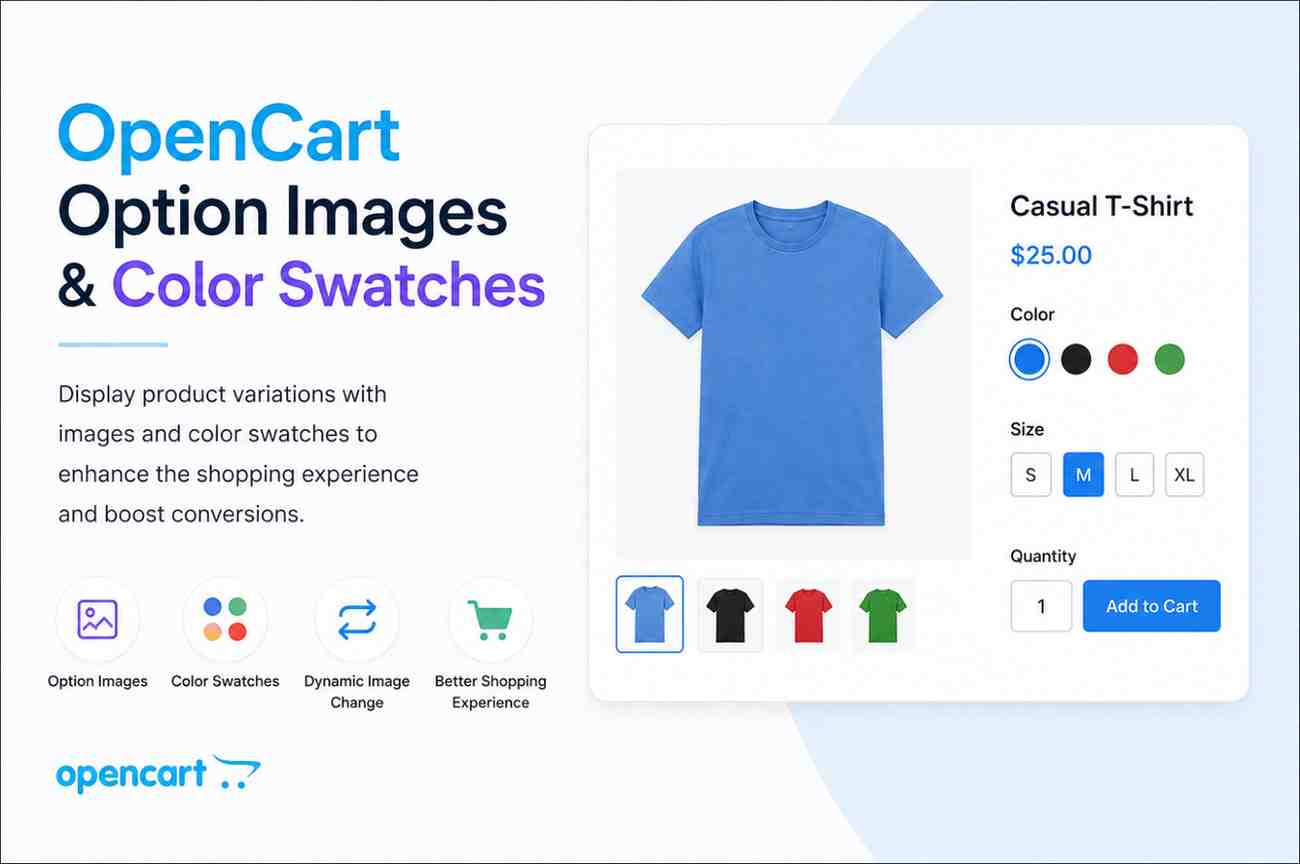
The Purpletree Option Images and Color Swatches extension enhances the product selection experience by allowing customers to choose product variations using visual images and color swatches. This creates a more engaging shopping experience and helps customers make purchasing decisions with confidence.
Key Features and Benefits
Option Images for Product Variations
Assign images to product options such as colors, sizes, materials, or styles. Customers can visually identify product variations before making a purchase.
Benefits
- Improves product presentation.
- Helps customers understand product variations easily.
- Reduces confusion during product selection.
- Increases customer confidence and conversions.
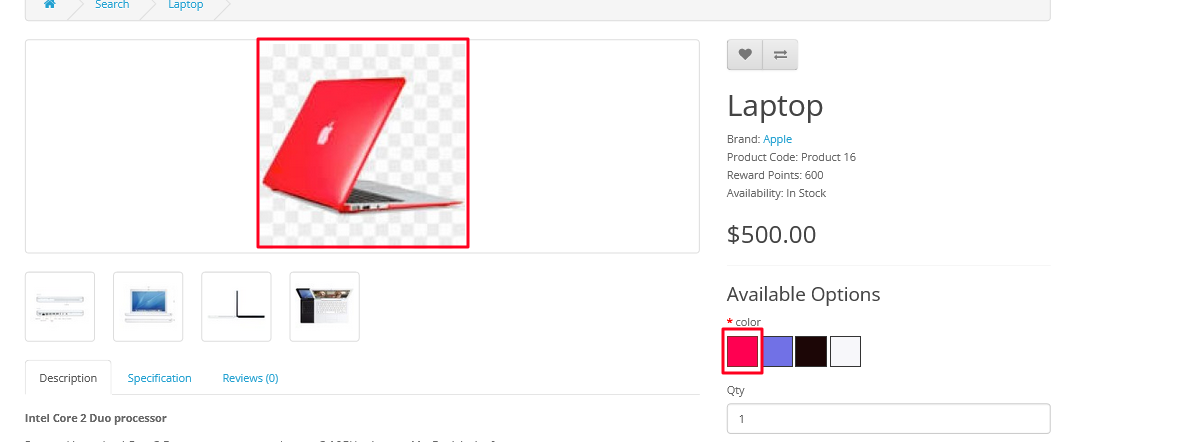
Color Swatches for Product Options
Replace traditional text-based radio buttons with attractive color swatches, allowing customers to select colors visually.
Benefits
- Provides a modern shopping experience.
- Makes color selection quick and intuitive.
- Enhances product page appearance.
- Improves user engagement.
Built-in Color Picker
The extension includes a color picker that allows administrators to choose any custom color for product options.
Benefits
- Supports unlimited color choices.
- Accurately represents product colors.
- Ideal for fashion, furniture, and customizable products.
Dynamic Product Image Updates
When customers select a color swatch or option image, the main product image automatically changes to display the selected variation.
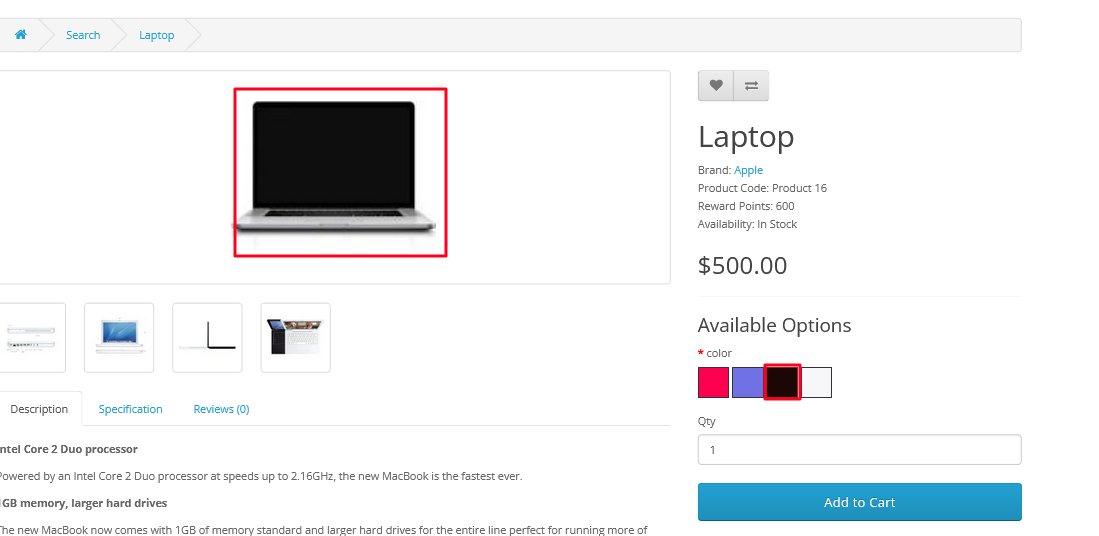
Benefits
- Provides a better visual shopping experience.
- Shows the exact product variation before purchase.
- Reduces product returns caused by incorrect selections.
- Encourages faster buying decisions.
Support for Radio and Select Options
Option images can be assigned to both radio button and select dropdown options.
Benefits
- Flexible implementation for different product types.
- Supports a wide range of OpenCart stores.
- Works seamlessly with existing product options.
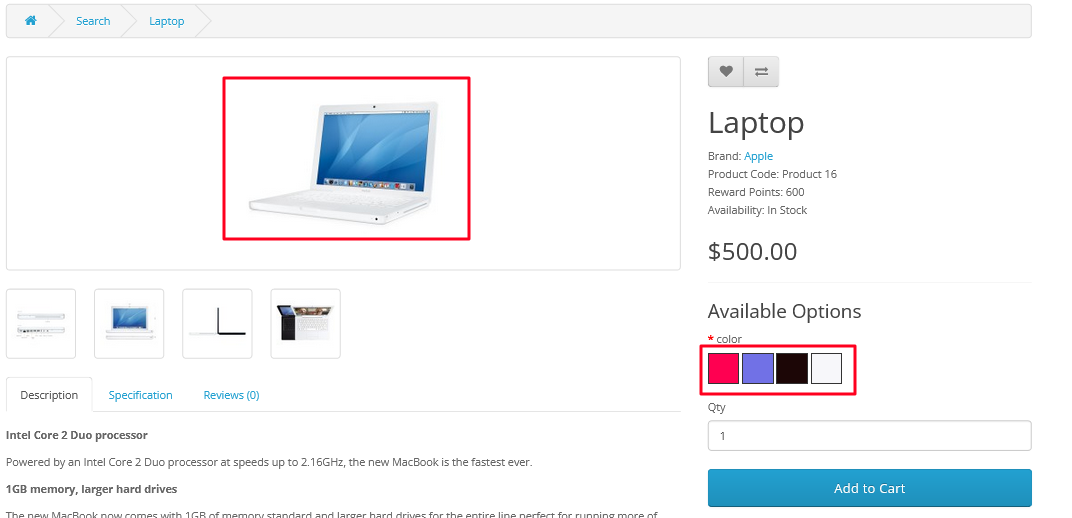
Visual Product Selection Experience
Customers can choose product variations through images and color swatches instead of relying solely on text labels.
Benefits
- Simplifies the buying process.
- Creates a more interactive shopping experience.
- Improves customer satisfaction.
Option Details Throughout Checkout
Selected colors and option values remain visible in the shopping cart, checkout process, order confirmation, and customer order history.
Benefits
- Ensures customers review selected variations before purchase.
- Improves order accuracy.
- Reduces confusion and support requests.
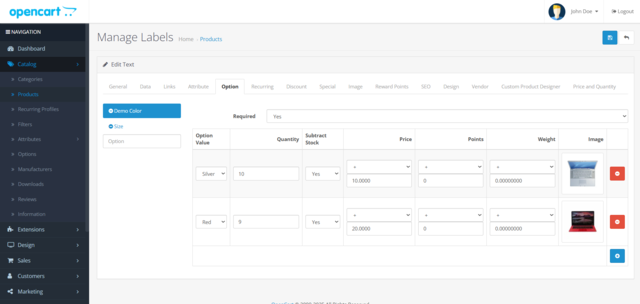
Option Information in Admin Orders
Administrators can view selected colors and product options directly within order details.
Benefits
- Simplifies order management.
- Helps prevent fulfillment mistakes.
- Improves operational efficiency.
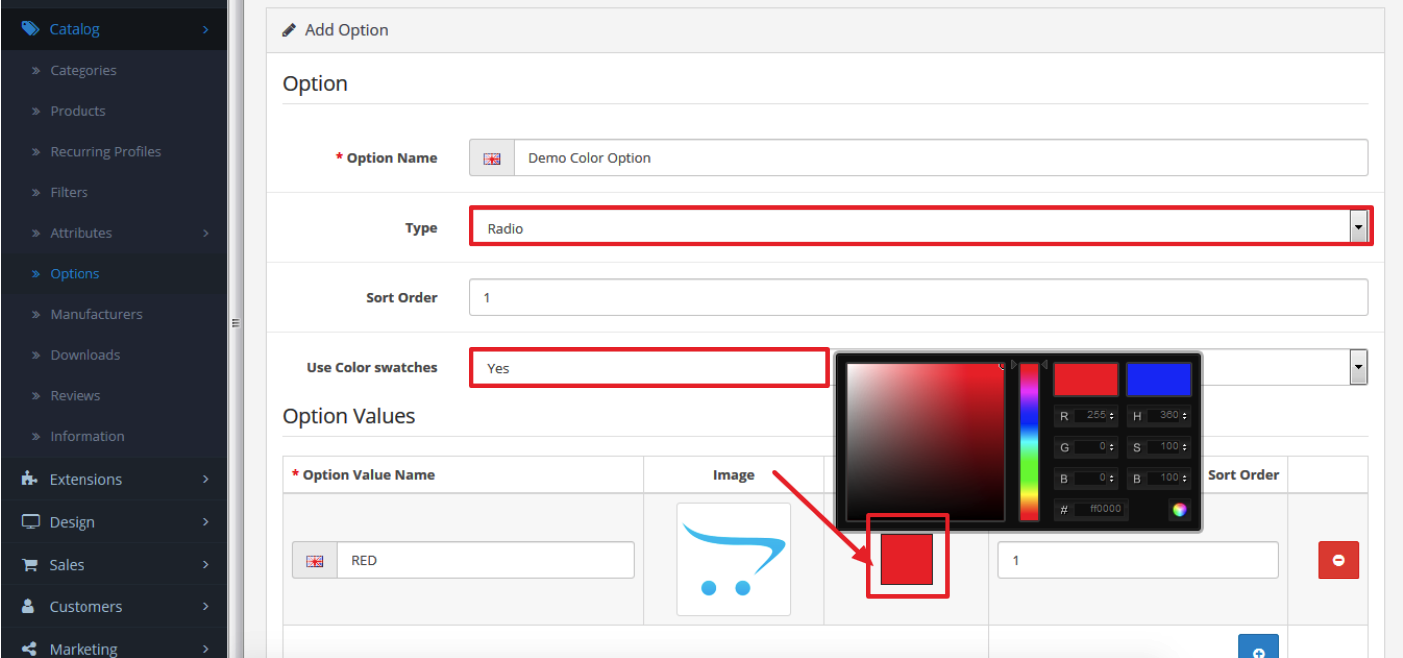
How to Use the Extension
Create Color Swatches
- Navigate to Catalog > Options.
- Create or edit a Radio type option.
- Enable Use Color Swatches.
- Select colors using the built-in color picker.
- Save the option.
Add Option Images
- Navigate to Catalog > Products.
- Create or edit a product.
- Open the Options tab.
- Add Radio or Select options.
- Assign images to option values.
- Save the product.
Customer Shopping Experience
Customers can click color swatches or option images directly on the product page. The product image updates automatically, helping them visualize their selected variation before adding the product to the cart.
Ideal Use Cases
- Fashion and Apparel Stores
- Footwear Stores
- Furniture Stores
- Electronics Stores
- Mobile Accessories Stores
- Jewelry Stores
- Home Decor Stores
- Any store selling products with multiple color or style variations
Business Benefits
- Enhanced product visualization.
- Improved customer experience.
- Higher conversion rates.
- Reduced cart abandonment.
- Fewer order mistakes.
- Lower return rates.
- Professional and modern product pages.
- Increased customer confidence during purchase.