Purpletree Helpdesk Extension for Magento 2 – Complete Customer Support Ticket System
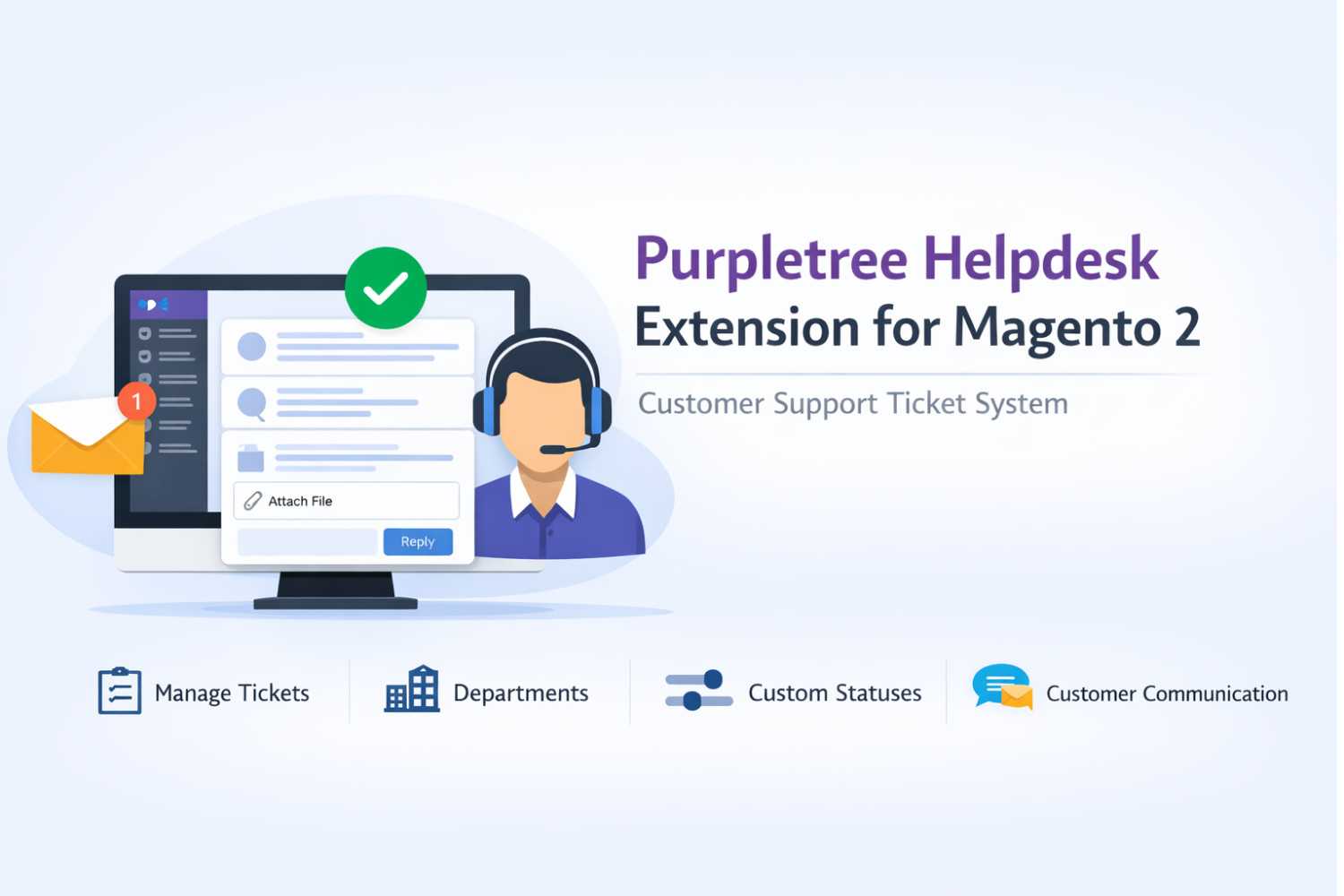
Purpletree Helpdesk Extension for Magento 2 – Customer Support Ticket System
The Purpletree Helpdesk Extension for Magento 2 allows store owners to manage customer support requests through a structured ticket system directly within the Magento store. Customers can submit support tickets from their account dashboard, while administrators can manage and respond to these tickets from the Magento admin panel.
This extension provides a clear communication system between customers and administrators, helping businesses handle support queries efficiently.
Helpdesk Menu in Admin Panel
After enabling the extension, a Helpdesk menu appears in the Magento admin panel. This menu provides access to different sections used to manage support tickets and settings.
(more info on Magento 2 Support Desk Extension)
Helpdesk Sections
- Tickets
- All Tickets
- Settings
- Departments
- Statuses
- Configuration
These sections allow administrators to manage tickets, configure the module, and organize the support process.
Helpdesk Configuration
The extension includes configuration settings that allow the administrator to control how the helpdesk system operates.
- Enable or disable the module
- Enter the license key required for activation
- Set the administrator email address for communication
- Enable or disable email notifications for administrators
- Enable or disable email notifications for customers
After updating configuration settings, the Magento cache should be refreshed for the changes to take effect.
A valid license key is required to save configuration changes.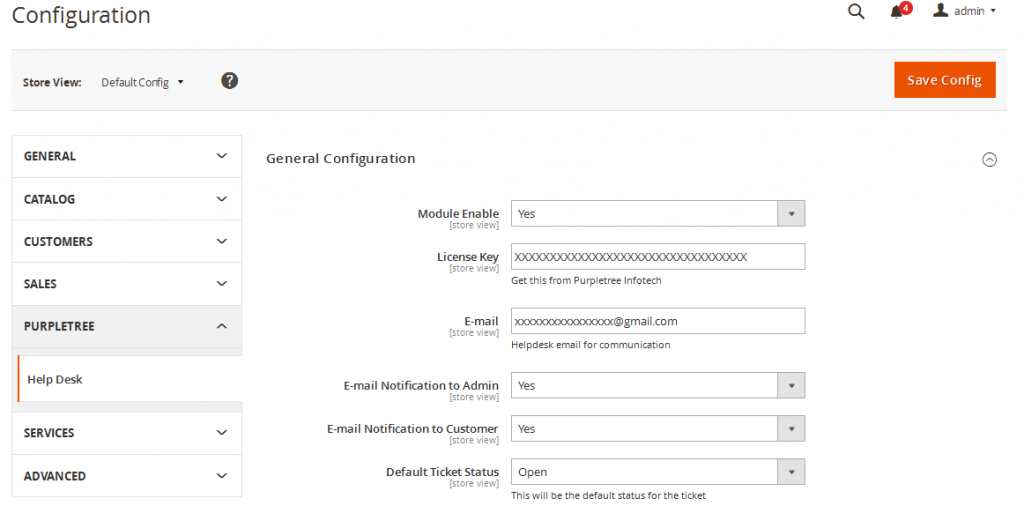
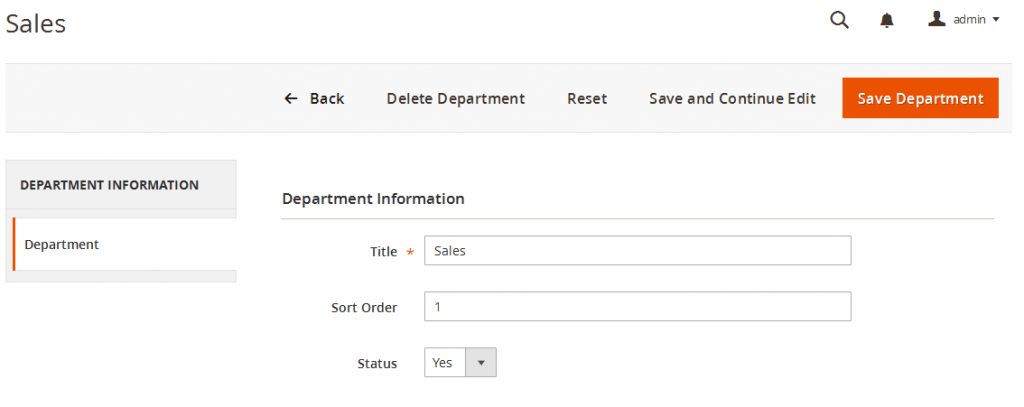
Managing Departments
The extension allows administrators to create and manage departments that can be assigned to support tickets.
- Add new departments
- Edit existing departments
- Delete departments
- Set department status to active or inactive
- Set the sort order of departments
Departments help organize tickets so that they can be handled by the appropriate team.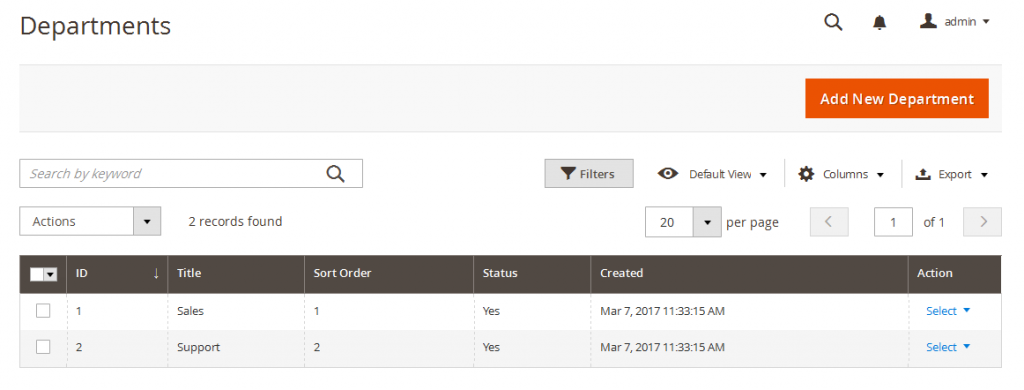
Department Management Features
- Advanced filter for large department lists
- Export department list in CSV format
- Export department list in XML format
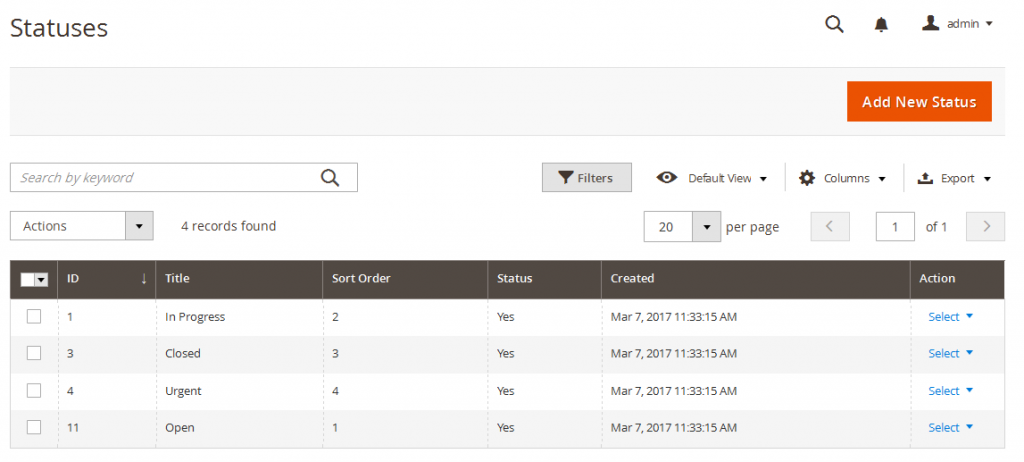
Managing Ticket Statuses
Administrators can create and manage different ticket statuses used to track the progress of support requests.
- Add new status
- Edit status
- Delete status
- Activate or deactivate status
- Set status sort order
Status Management Features
- Advanced filter for status lists
- Export status list in CSV format
- Export status list in XML format
Admin Ticket Management
The admin panel provides a section where administrators can view and manage all support tickets submitted by customers.
- View the list of tickets generated by customers
- Open and view ticket details
- Delete tickets if required
- Use advanced filters to find tickets
- Export ticket list in CSV format
- Export ticket list in XML format
Viewing and Replying to Tickets by Admin
Each ticket created by a customer generates a unique ticket number. This number helps identify and track the support request.
- View full conversation between customer and admin
- Download files attached by customers
- View ticket information on the sidebar
- Reply to customer using the message area
- Attach files with replies
Supported File Types
- DOC
- DOCX
- XLS
- XLSX
- CSV
- TXT
- JPG
- JPEG
- PNG
- GIF
Administrators can also update ticket information such as status, department, and priority using the available dropdown options.
Customer Helpdesk Dashboard
A Helpdesk section is added to the customer account dashboard on the frontend.
Customers must be logged in to access this section and manage their support tickets.
Customer Ticket Options
- View list of created tickets
- Open tickets to view details
- Track ticket communication
Creating a Support Ticket
Customers can create a new support ticket by selecting the “Create Support Ticket” option from their dashboard.
Required Ticket Information
- Subject
- Full description of the issue
- Priority level
- Department selection
- Order number (optional)
Customers can attach files while submitting a ticket.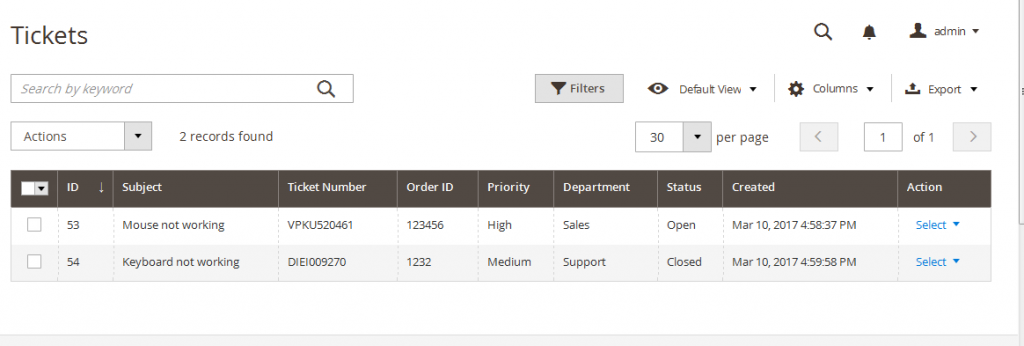
Supported Attachment Formats
- DOC
- DOCX
- XLS
- XLSX
- CSV
- TXT
- JPG
- JPEG
- PNG
- GIF
Customer Ticket Communication
Customers can open their tickets to view the conversation with the administrator.
- View full message history
- Download attachments
- Reply to the ticket
- Attach files with replies
This allows both customers and administrators to communicate within the same ticket until the issue is resolved.
License Requirement
A valid license key is required for the extension to function and to save configuration changes. If the license key has not been received after purchase, users can contact the support team at support@purpletreesoftware.com.