OpenCart Contribution – Fixing Undefined variable
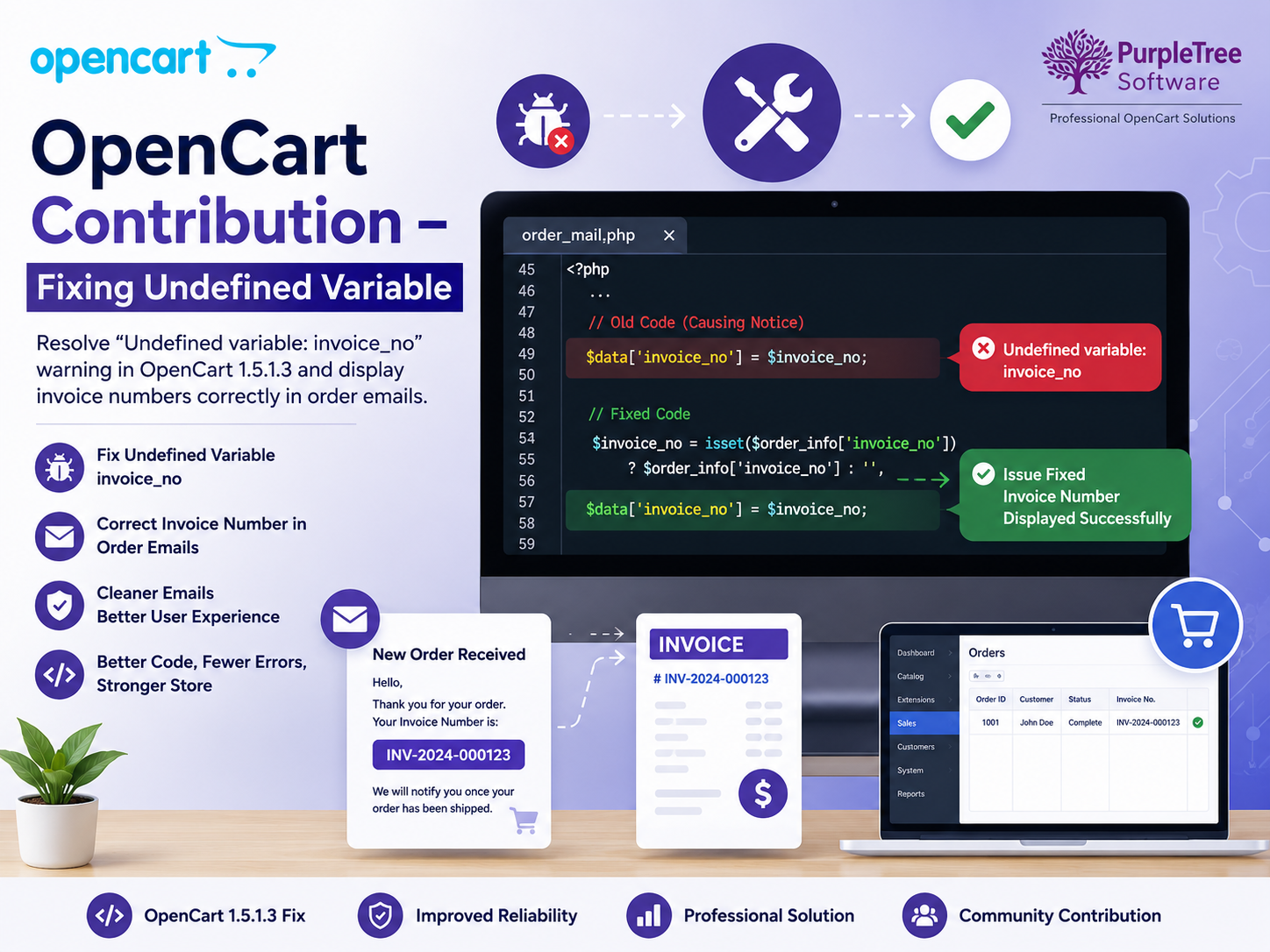
In OpenCart 1.5.1.3, in automated email sent on order, invoice number is not present.
It prints a warning instead: “Notice: Undefined variable: invoice_no”
To fix it, visit this post: http://forum.opencart.com/viewtopic.php?f=20&t=48733
Understanding the Undefined Variable Warning in OpenCart
While working with OpenCart 1.5.1.3, many store owners noticed that automated order emails displayed the following warning instead of the invoice number:
Notice: Undefined variable: invoice_no
This issue occurs because the invoice number variable is referenced before it has been properly initialized or assigned a value. As a result, customers and administrators may receive emails containing warnings rather than clean order information.
Why Invoice Numbers Matter in Ecommerce
Invoice numbers play an important role in order management and customer communication. They help:
- Track orders efficiently
- Simplify accounting processes
- Improve customer support
- Maintain professional email communications
- Reduce confusion during order verification
When invoice numbers are missing from order emails, both store owners and customers may face difficulties in identifying and managing transactions.
Common Causes of the Issue
The undefined variable warning can occur due to:
Missing Variable Assignment
The $invoice_no variable may not be assigned before being used in the email template.
Custom Code Modifications
Third-party extensions or custom modifications can sometimes overwrite core email generation logic, causing invoice-related variables to become unavailable.
Version-Specific Bugs
Some OpenCart versions contain minor coding issues that were later corrected by community contributions and updates.
Benefits of Applying the Fix
After implementing the recommended solution, store owners can expect:
- Proper invoice number display in order emails
- Cleaner customer communications
- Improved order tracking
- Better user experience
- Reduced PHP warnings and notices
Best Practices for OpenCart Customization
When applying fixes or custom modifications to OpenCart:
- Always create a backup before editing files.
- Test changes on a staging environment.
- Keep a record of custom code modifications.
- Monitor error logs regularly.
- Update extensions from trusted developers.
- Follow OpenCart coding standards for long-term compatibility.
Why Clean Order Emails Are Important for eCommerce Stores
Order confirmation emails are among the most important communications sent by an online store. Customers rely on these emails to verify purchases, review order details, and track transactions. When technical warnings or system messages appear inside customer-facing emails, it can negatively affect the store's professionalism and customer trust.
Ensuring that order emails display accurate invoice information without errors is essential for delivering a positive shopping experience.
Understanding PHP Undefined Variable Warnings
A PHP undefined variable warning occurs when a variable is referenced before it has been assigned a value.
In OpenCart, the warning:
Notice: Undefined variable: invoice_no
appears when the email generation process attempts to display the invoice number before the variable has been properly initialized.
Although this issue may seem minor, it can create confusion for both customers and administrators.
How Missing Invoice Numbers Affect Store Operations
Reduced Customer Confidence
Customers expect professional order confirmations after completing a purchase. Seeing technical warnings inside emails may cause uncertainty regarding the status of their order.
Difficult Order Identification
Invoice numbers help customers and support teams quickly identify transactions. Missing invoice information can make communication more difficult.
Increased Support Requests
Customers who do not receive proper invoice details may contact support teams for clarification, increasing workload and response times.
Accounting Challenges
Invoice numbers are essential for financial reporting, record management, and transaction verification. Missing invoice references can create administrative inefficiencies.
Benefits of Resolving the Undefined Variable Issue
Applying the recommended fix provides several advantages:
- Proper invoice number display in order emails
- Cleaner and more professional customer communication
- Reduced PHP warnings and notices
- Improved order management workflows
- Better customer confidence and trust
- Enhanced administrative efficiency
These improvements contribute to a smoother eCommerce experience for both merchants and customers.
Importance of Proper Variable Handling in OpenCart
Better System Stability
Proper initialization of variables helps prevent:
- Runtime warnings
- Email template errors
- Data display issues
- Unexpected application behavior
Improved Code Quality
Following proper coding practices ensures:
- Cleaner development standards
- Easier troubleshooting
- Better long-term maintainability
Enhanced User Experience
Customers should never encounter technical system messages during normal shopping activities.
Well-maintained code contributes directly to a professional user experience.
Best Practices for OpenCart Maintenance
Maintain Regular Backups
Before applying any fixes or custom modifications:
- Backup files
- Backup databases
- Document customizations
This allows quick recovery if necessary.
Test Changes Before Deployment
Always verify modifications in a development or staging environment before updating a live store.
Testing helps identify:
- Compatibility issues
- Extension conflicts
- Unexpected behavior
Monitor Error Logs
Regularly reviewing OpenCart error logs can help identify issues before they affect customers.
Common areas to monitor include:
- Order processing
- Email generation
- Payment gateways
- Extension functionality
Preventing Similar Issues in Future Updates
Follow Coding Standards
Developers should ensure variables are properly initialized before use.
Review Third-Party Extensions
Extensions sometimes override core functionality and may introduce variable-related issues.
Keep Documentation Updated
Maintaining records of custom modifications simplifies troubleshooting and future upgrades.
Why Community Contributions Are Valuable
The OpenCart ecosystem benefits greatly from contributions made by developers worldwide.
Community fixes help merchants:
- Resolve platform issues quickly
- Improve store functionality
- Reduce downtime
- Enhance customer experiences
Many important improvements originate from community-driven collaboration and shared expertise.
OpenCart's Strength as an Open-Source Platform
One of OpenCart's major advantages is its flexibility and active community support.
Store owners benefit from:
- Open-source customization
- Extensive extension ecosystem
- Community-driven improvements
- Cost-effective development
This collaborative environment allows businesses to continuously improve their stores and address issues efficiently.
Frequently Asked Questions
What causes the "Undefined variable: invoice_no" warning?
The warning occurs when the invoice number variable is referenced before it has been assigned a value during email generation.
Does this issue affect order processing?
The issue primarily affects email presentation, but it can create confusion for customers and administrators.
Is the fix safe to implement?
As with any modification, store owners should create backups and test changes in a staging environment before deployment.
Why are invoice numbers important?
Invoice numbers help with order tracking, accounting, customer support, and transaction verification.
Conclusion
The "Undefined variable: invoice_no" warning in OpenCart 1.5.1.3 is a small but important issue that affects the professionalism of customer communications. By implementing the community-provided fix, merchants can ensure invoices display correctly, improve customer trust, and maintain cleaner order management processes. Regular maintenance, testing, and participation in the OpenCart community continue to help businesses deliver reliable and efficient eCommerce experiences.